Teleport Access
Learn how to use Teleport to access your Dev Pod
This guide explains how to use Teleport to access your dev pod.
Prerequisites
Teleport support must be enabled manually for your workspace and node group(s) by NVIDIA. The instructions below will not work until this is complete. For more information, reach out to your NVIDIA TAM.
Once Teleport support is enabled in your Lepton workspace and node group(s), dev pods running within the node group(s) will display the following Teleport SSH Access information under the Connect tab:
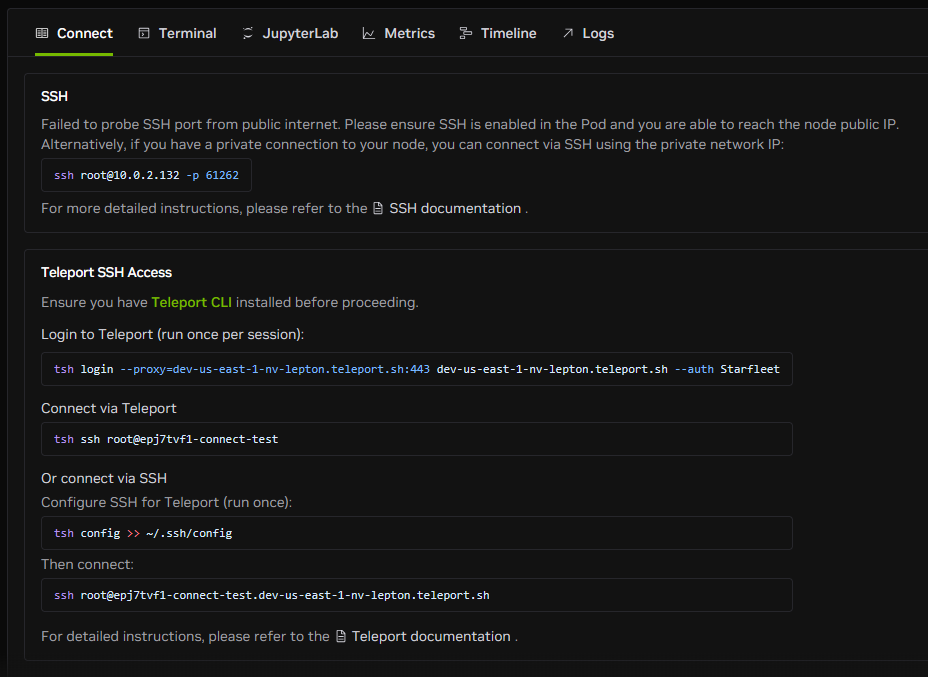
Ensure you have the Teleport CLI (tsh) installed before proceeding.
Log in to Teleport
Before connecting, you need to log in to Teleport using the Teleport CLI with the command below. You'll need to do this once per session:
Connect via Teleport
After logging in, use the tsh ssh command to connect to the dev pod:
Connect via SSH
Alternatively, configure SSH for Teleport to use your native SSH client:
Step 1: Configure SSH (run once)
Step 2: Connect
This method also works with VS Code Remote-SSH and Cursor.