Endpoint Configurations
Learn how to create and manage dedicated endpoints in Lepton for AI model deployment, including LLM, custom container image, and NVIDIA NIM, with various configuration options.
An endpoint is a running instance of an AI model that exposes an HTTP server. Any service can run as a dedicated endpoint. The most common use case is deploying an AI model exposed with an OpenAPI interface.
Create Endpoint
You can create an endpoint in several ways. Refer to the following guides for details:
Autoscaling
By default, DGX Cloud Lepton creates your endpoints with a single replica and automatically scales down to zero after one hour of inactivity.
You can override this behavior with three autoscaling options and related flags:
- Scale replicas to zero based on no‑traffic timeout: Specify the initial number of replicas and the no‑traffic timeout (seconds).
- Autoscale replicas based on traffic QPM: Specify the minimum and maximum number of replicas and the target queries per minute (QPM). You can also specify the HTTP methods and request paths to include in traffic metrics.
- Autoscale replicas based on GPU utilization: Specify the minimum and maximum number of replicas and the target GPU utilization percentage.
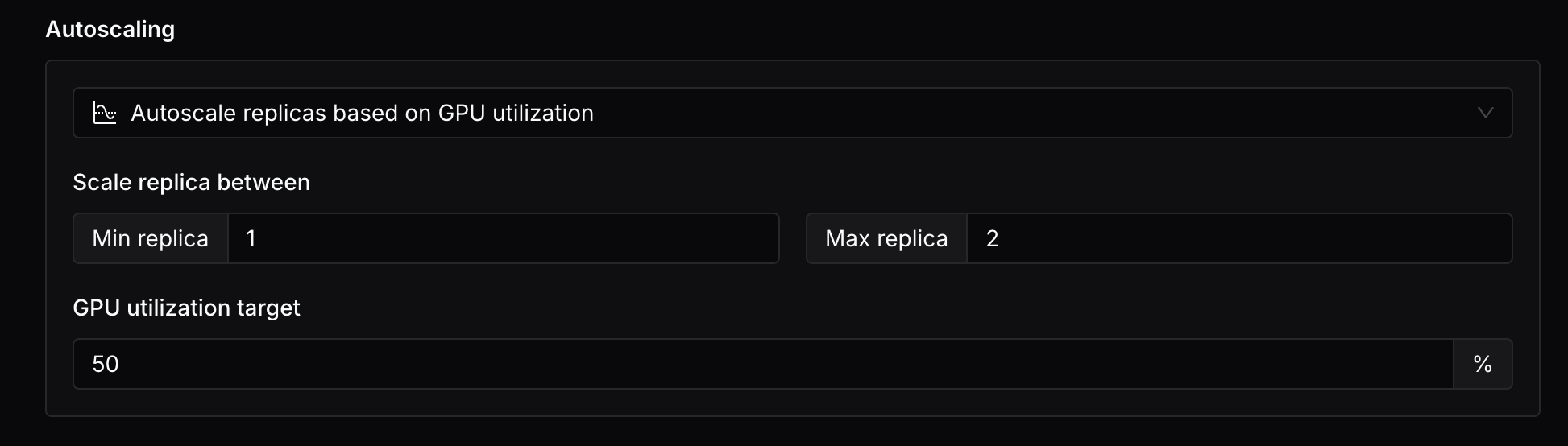
We do not currently support scaling up from zero replicas. If a deployment is scaled down to zero replicas, it will not be able to serve any requests until it is scaled up again.
Access Control
DGX Cloud Lepton provides a built‑in access control system for your endpoints. You can create an endpoint with one of the following access control policies:
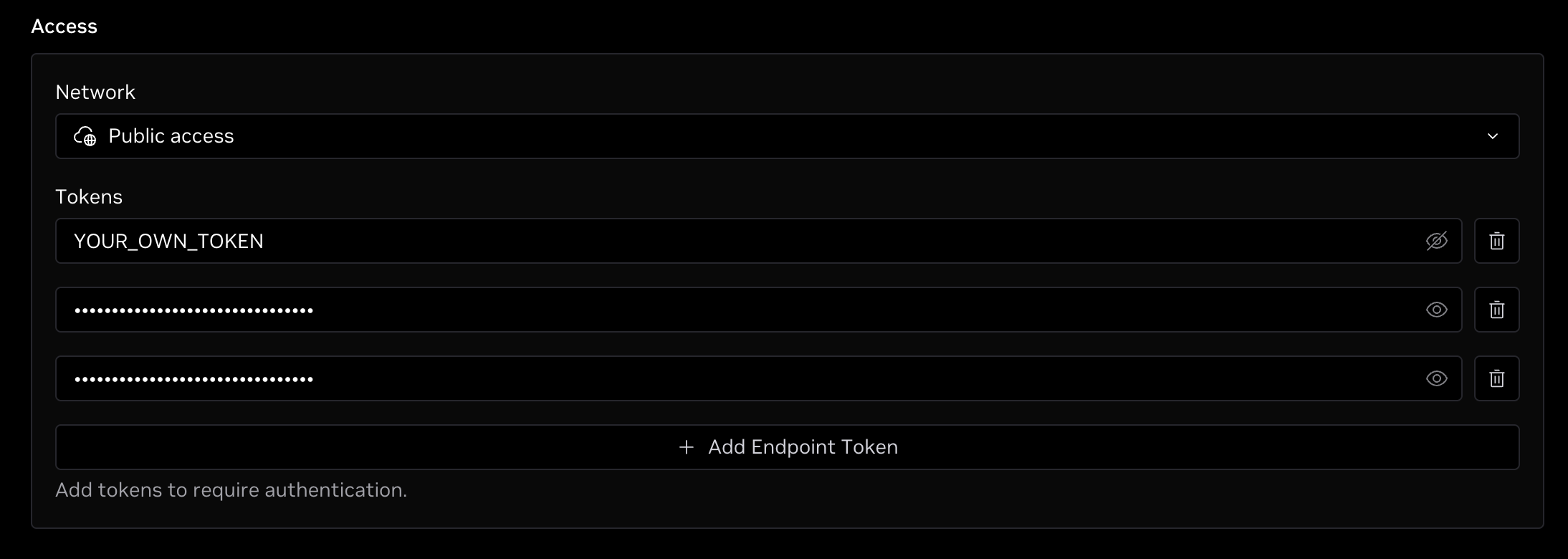
- Public access: Allow access to your endpoint from any IP address with an optional endpoint token authentication.
- IP allowlist: Allow access to your endpoint only from valid IP addresses or CIDR ranges.
Public Access
By default, the endpoint uses the Public access policy without token authentication, which means it is accessible from any IP address.
To require token authentication, click Add Endpoint Token to create a new token. DGX Cloud Lepton automatically generates the token.
You can add multiple tokens and modify generated token values.
IP Allowlist
Select IP allowlist to allow access to your endpoint only from specified IP addresses or CIDR ranges.
Enter one IP address or CIDR range per line, or separate multiple entries with commas.
Environment Variables and Secrets
Environment variables are key‑value pairs passed to the deployment. All variables are injected into the deployment container and available at runtime.
Secrets are similar to environment variables, but their values are pre-stored in the platform and not exposed in the development environment. Learn more about secrets here.
Within the deployment, the secret value is available as an environment variable with the same name as the secret.
Your defined environment variables should not start with the name prefix
LEPTON_, as this prefix is reserved for predefined environment variables.
Storage
Mount storage for the deployment container. Refer to this guide for details.
Advanced Configurations
Visibility
- Public: Visible to all team members in your workspace.
- Private: Visible only to the creator and administrators.
Shared Memory
The size of shared memory allocated to the container.
Health Check Initial Delay (seconds)
By default, two types of probes are configured:
- Readiness probe: Initial delay of 5 seconds; checks every 5 seconds. One success marks the container as ready; 10 consecutive failures mark it as not ready. Ensures the service is ready to accept traffic.
- Liveness probe: Initial delay of 600 seconds (10 minutes); checks every 5 seconds. One success marks the container as healthy; 12 consecutive failures mark it as unhealthy. Ensures the service remains healthy during operation.
Some endpoints may need more time to start the container and initialize the model. Specify a custom delay by selecting Custom and entering the delay in seconds.
Require Approval to Make Replicas Ready
Specify whether approval is required before replicas become ready. By default, replicas are ready immediately after deployment.
Pulling Metrics from Replicas
Specify whether to pull metrics from replicas. By default, metrics are pulled from all replicas.
Header-based Replica Routing
Configure header‑based replica routing. By default, requests are load‑balanced across all replicas.
When enabled, specify which replica to use for a request by including the X-Lepton-Replica-Target header with the replica ID. Example:
Log Collection
Whether to collect logs from replicas. By default, this follows the workspace setting.