Node Operations
Learn how to operate nodes in a node group on DGX Cloud Lepton.
DGX Cloud Lepton provides node-level operations to help you manage nodes more effectively.
Actions
Pause Schedule
Pause scheduling on a specific node. Once paused, no new workloads are scheduled to the node.
Resume Schedule
Resume scheduling on a specific node. Once resumed, the node is available for new workloads.
Force Reboot
Force a reboot of a specific node.
The node may remain unhealthy temporarily during the reboot process.
Drain
Choose from two drain policies:
- Graceful Drain (recommended): Migrates current workloads to other nodes, then terminates all workloads on the node.
- Drain: Evicts all pods from the node and terminates any active workloads.
Release Protection
Protect a node from being released. When enabled, the node cannot be released through the dashboard or API.
Release
Choose from two release policies:
- Graceful Release (recommended): Migrates workloads to an idle node, then terminates all remaining workloads and releases the node.
- Release: Immediately evicts all pods, terminates any active workloads, and releases the node.
Health Check
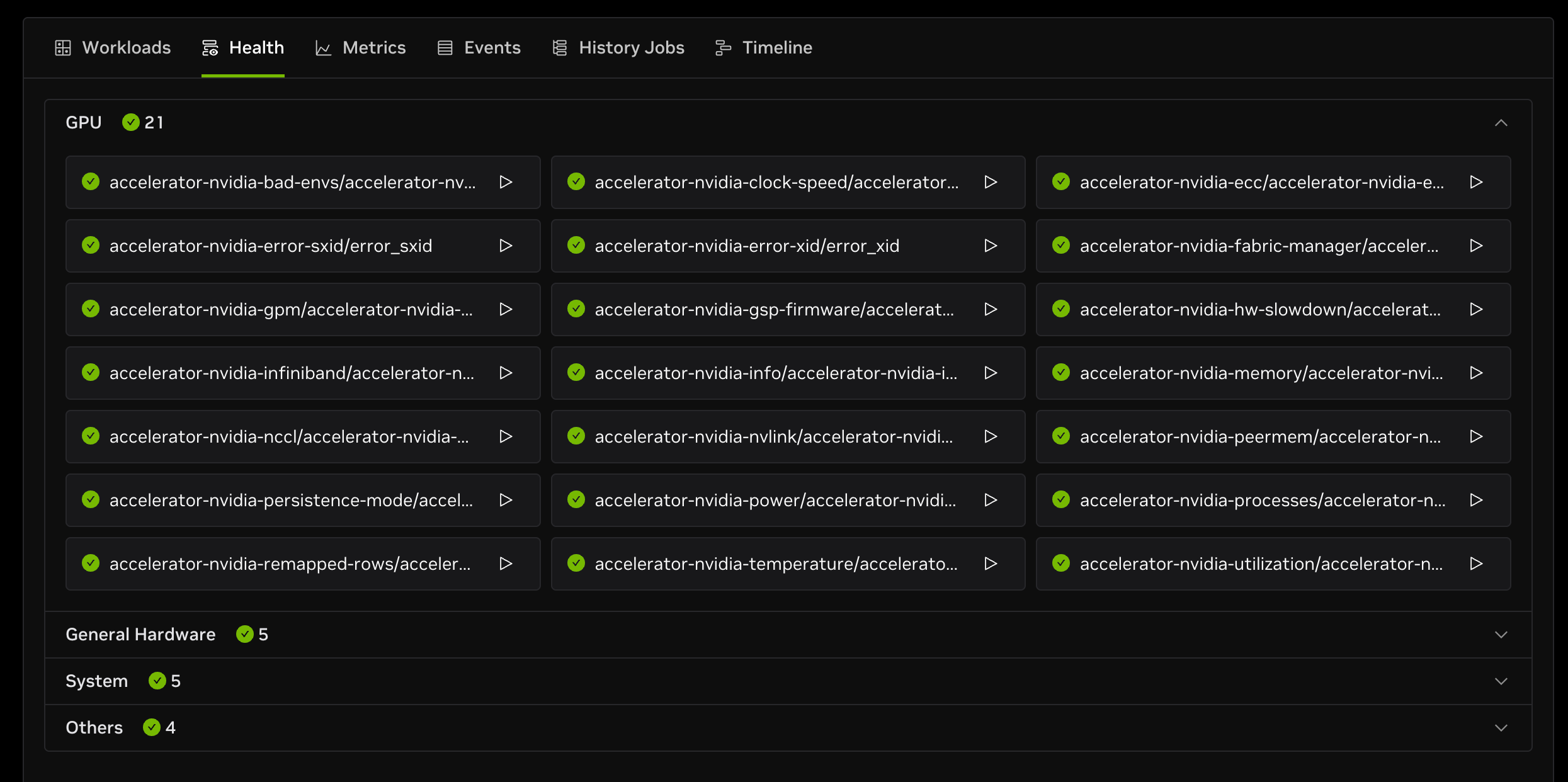
DGX Cloud Lepton provides health checks to monitor every node across the following dimensions:
- GPU: GPU temperature, utilization, power usage, and more.
- General hardware: CPU, memory, disk, network, PCI, and more.
- System: FUSE, OS, library status, and more.
- Others: Tailscale, kubelet, etc.
Trigger Health Check
Health checks run periodically, but you can also manually trigger a health check for a specific node.
Each health check card includes a trigger button with a play icon. Hover over the icon to see a tooltip showing when the check last ran.
Press the button to trigger the health check.