Domains
Learn how to use domains on DGX Cloud Lepton.
Domains manage traffic routing to your endpoints. When you create an endpoint, a default domain is automatically created. You can also create domains manually to route traffic to multiple endpoints based on assigned weights, or to shadow a percentage of traffic to a different deployment for testing.
Create a domain
A domain is automatically created for each endpoint by default.
To create a domain manually, navigate to the domains section under the Utilities tab and click the Add Domain button. In the pop-up window, specify the domain you want to route traffic to.
After creation, the domain appears in Pending Update status. Add the CNAME record to your DNS provider to point to the domain.
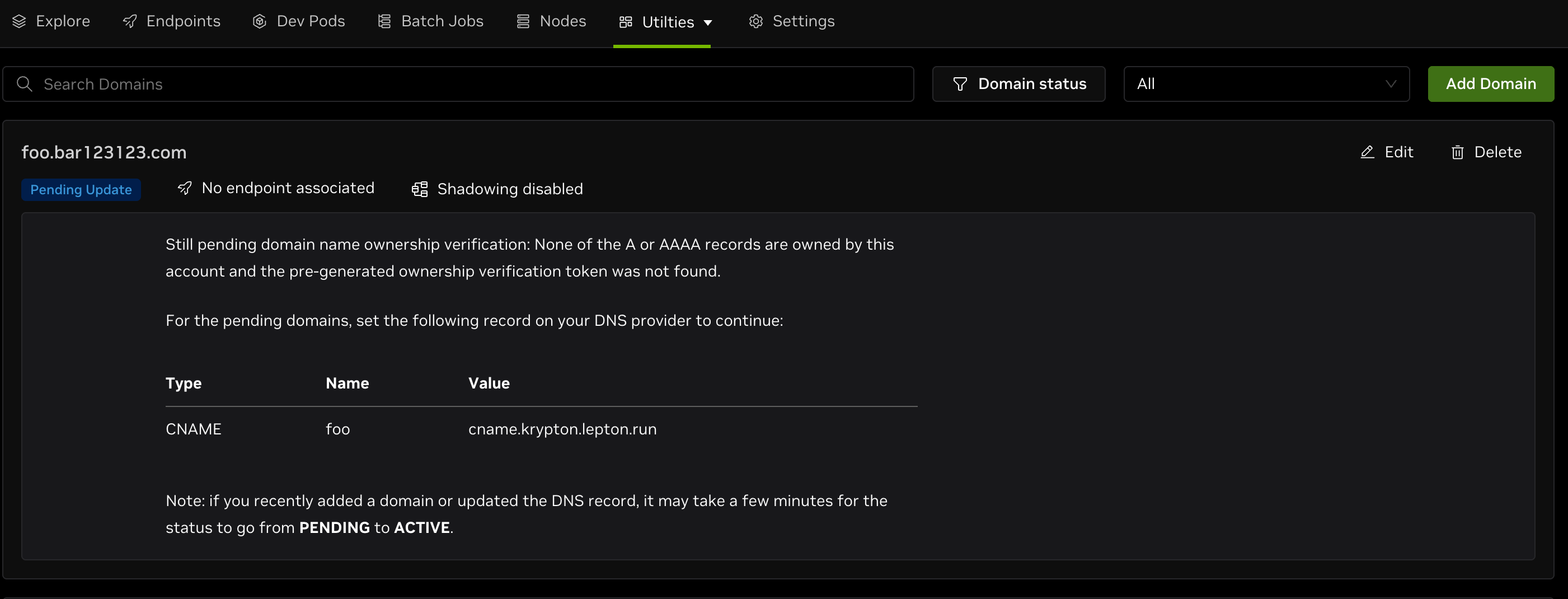
If you recently added a domain or updated the DNS record, it may take a few minutes for the status to change from PENDING to ACTIVE.
Manage domain routing rules
You can manage routing rules for a domain by clicking the Edit button.
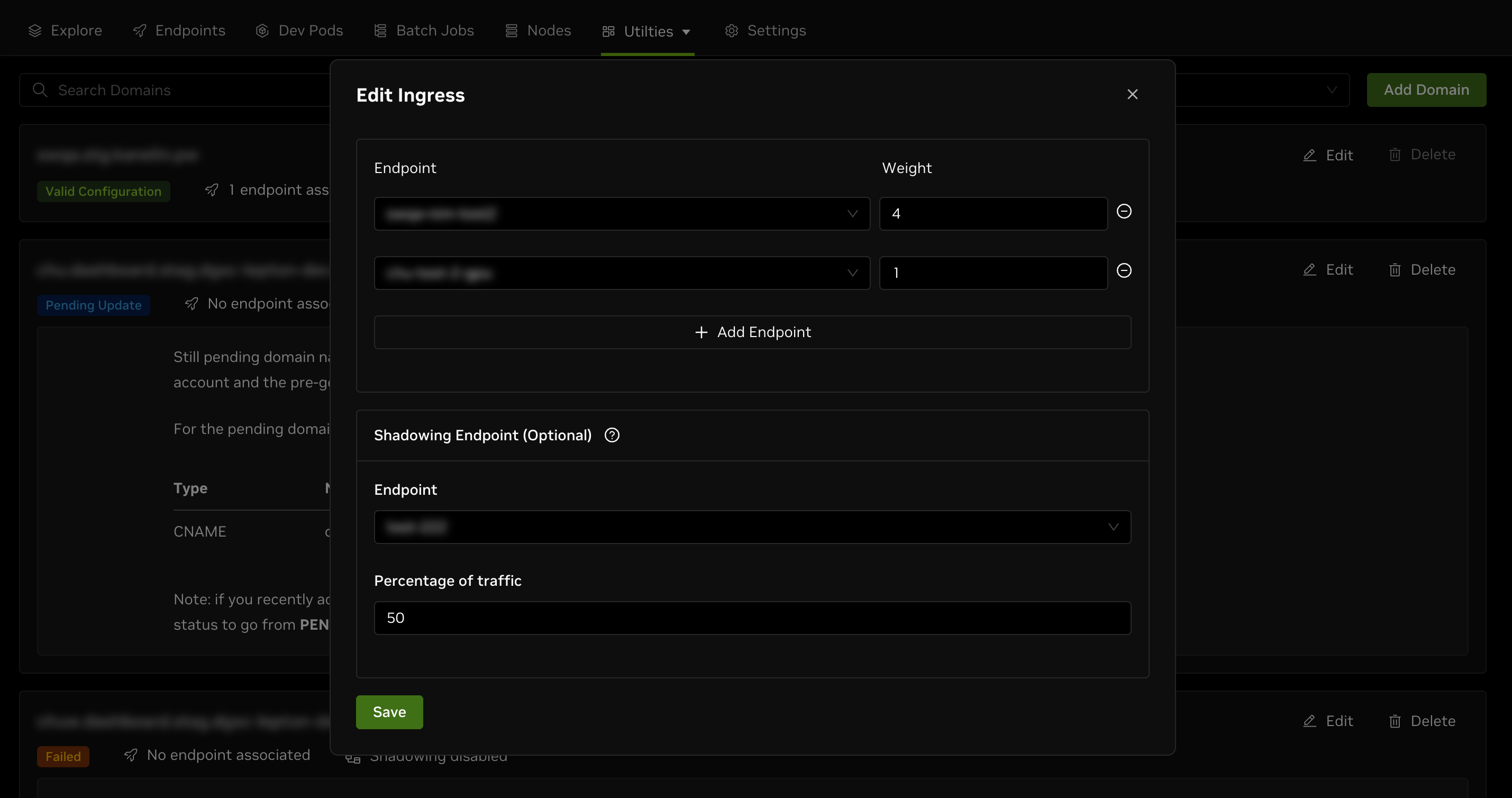
Route traffic to endpoints by weights
You can add multiple endpoints to a domain and assign weights to each one. Traffic is routed to endpoints based on the assigned weights.
Shadow traffic to an endpoint
Shadowing endpoints redirect a percentage of traffic to a different deployment. This feature is useful for testing new deployments in production. Currently, only one shadowing endpoint is allowed per domain.
Hash policies
Hash policies enable sticky routing (session affinity) by ensuring requests from the same client are consistently routed to the same backend replica. This is essential for stateful applications that maintain session data, in-memory caches, or long-running processes on specific replicas. All configured policies are evaluated and combined into a single hash. If a policy cannot extract a value from the request (e.g., missing header or cookie), it does not contribute to the final hash.
Hash policies on the domain have no effect unless sticky routing is enabled on the endpoint. See the Load Balancing section in endpoint configurations to enable sticky routing.
Hash policy types
DGX Cloud Lepton supports the following hash policy types:
- Cookie
- Header
- Source IP
- Query Parameter
Cookie-based hashing
Uses the value of an HTTP cookie for browser-based clients where you want automatic session persistence. If the cookie doesn't exist, DGX Cloud Lepton generates one and returns it via Set-Cookie.
| Field | Description | Default |
|---|---|---|
name | Cookie name (required) | - |
ttl | Cookie lifetime | 24h |
path | URL path the cookie applies to | / |
sameSite | CSRF protection: Strict, Lax, or None | Not set |
Cookies are always set with Secure=true for HTTPS-only transmission.
Header-based hashing
Uses the value of a specified HTTP header to compute the hash. This can be useful when clients send a consistent session identifier in request headers.
Source IP hashing
Uses the client's source IP address for hashing for simple sticky routing when clients have stable IP addresses.
Clients behind NAT or with dynamic IPs may experience inconsistent routing.
Query parameter hashing
Uses the value of a URL query parameter. This can be useful when session identifiers are passed in the URL.
Monitor traffic
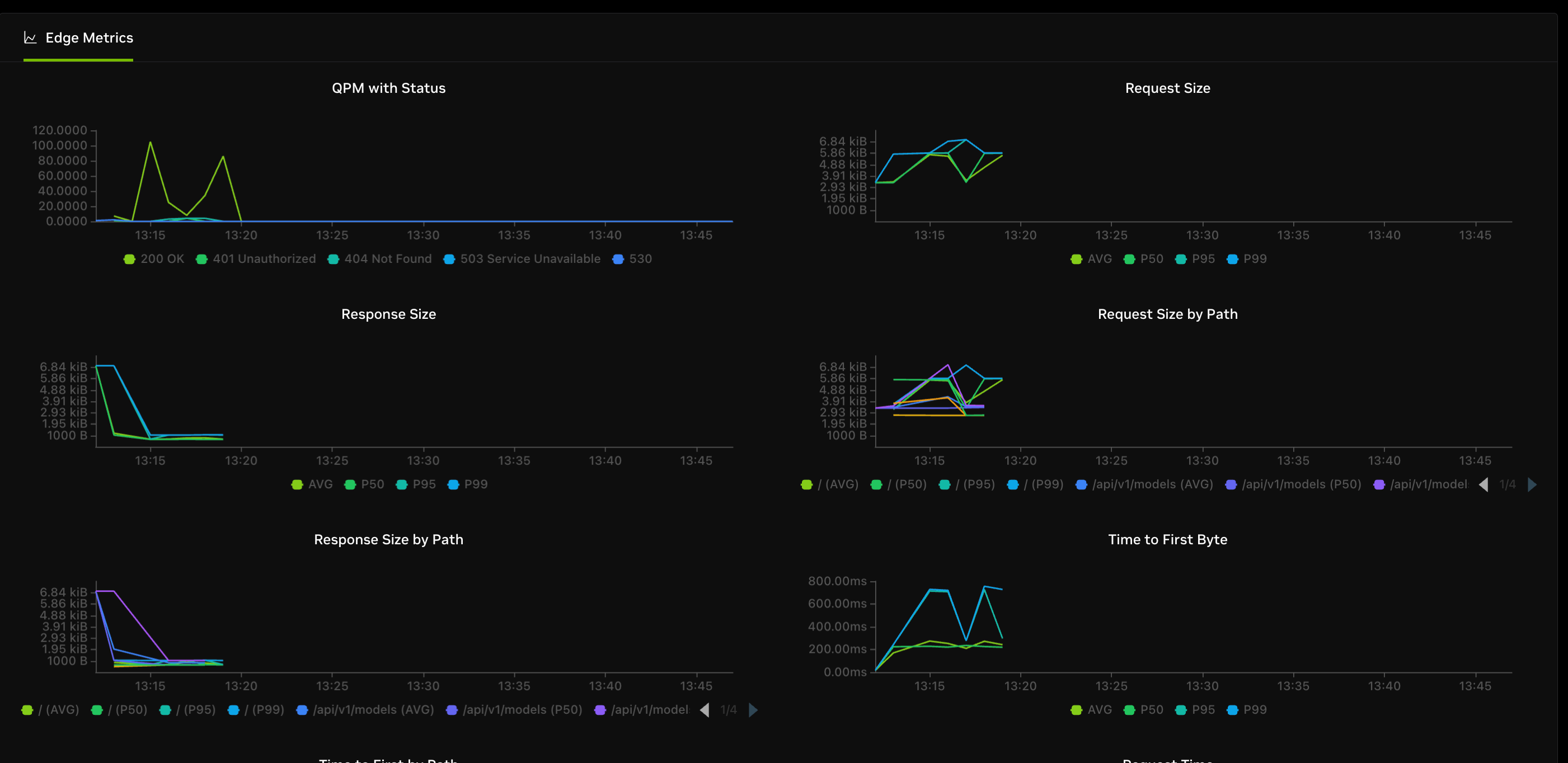
You can monitor domain traffic by clicking the domain name. Available metrics include QPM, request size, response size, and more.