Members
Manage workspace collaboration in DGX Cloud Lepton by inviting team members, assigning roles, and controlling access permissions for your projects.
As a workspace administrator, you can manage your workspace members by inviting, removing, and assigning roles to them. This is an advanced feature that allows you to collaborate with your team members and control their access to the workspace.
If your Enterprise SSO has been integrated, DGX Cloud Lepton members still need to be individually added to DGX Cloud Lepton. See the Workspace section for more information on SSO integrations.
Managing Members
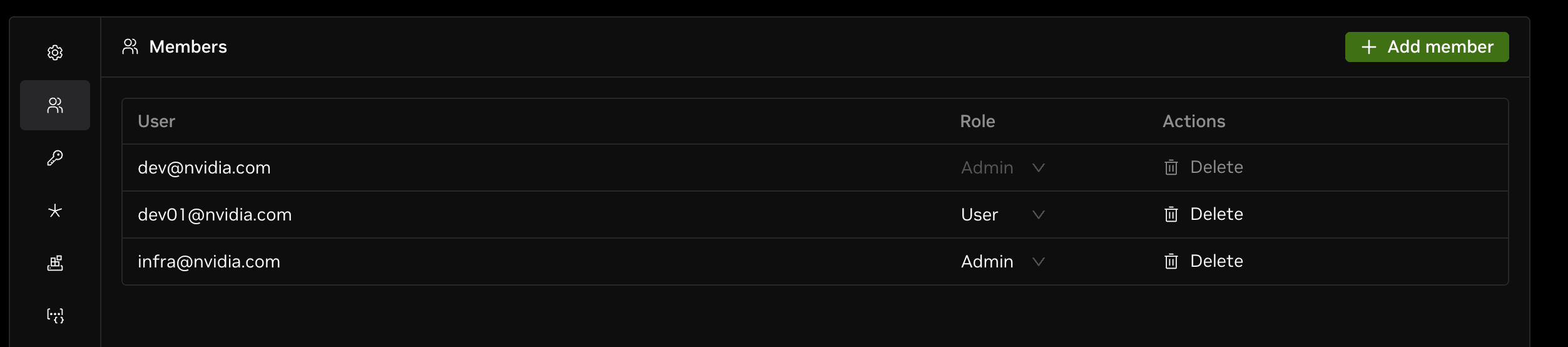
Navigate to the Members tab on the left-hand side of the workspace settings page. You will see a list of all members in the current workspace. If you have an admin role, you can invite, remove, and assign roles to members from this page. Once a member is invited, they will receive an email notification with an invitation link to join the workspace.
Your workspace members should be in the same NCA account. You can verify this from the NCA dashboard.