 |
DriveWorks SDK Reference| 0.6.67 Release |
|
|
DriveWorks SDK Reference| 0.6.67 Release |
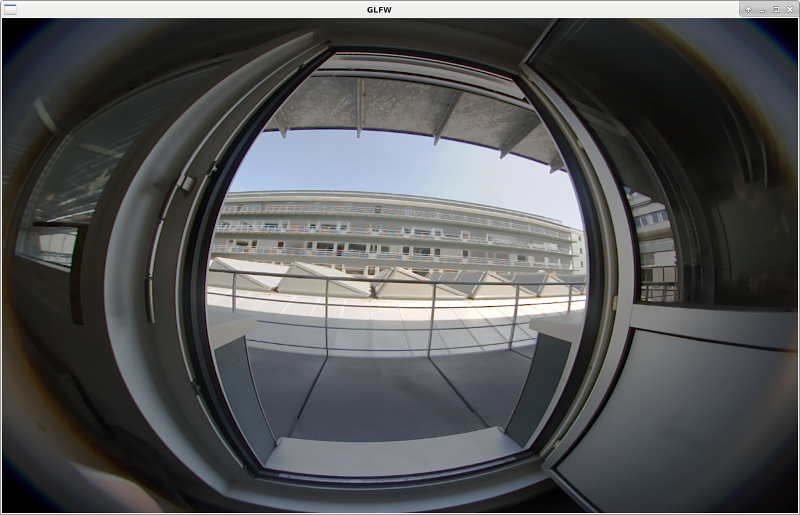
The GMSL Camera Capture Custom Board sample uses the GMSL camera interface, if available, on DRIVE PX 2. The sample opens an X window showing the input from the first camera on the selected CSI port. Parameters like i2cDevice, Sensor address, module names etc can be set for integrating with 3rdparty custom boards.
For information about the physical location of the ports on the DRIVE board, see "Camera Setup under Configuration and Setup" in Vibrante Linux SDK/PDK 4.1 for DRIVE PX 2 Development Guide.
A camera must be connected to one of the Drive PX 2 CSI ports. CSI port, i2cDevice, Sensor address, module name etc can specified in ca configuration file and passed using the --config-file=<path/to/file> parameter. For more information about the physical location of these ports on the board, see Camera Setup under Configuration and Setup in the Vibrante Linux SDK/PDK 4.1 for DRIVE PX 2 Development Guide. Refer to sample_sensor_info to query for supported camera types.
To launch the sample, execute:
./sample_camera_gmsl_custom --config-file=camera.cfg
When running on Tegra B, it is possible to specify the "slave" flag, which can be 0 or 1. If slave is true, then Tegra B will not be able to run cameras autonomously but it requires that camera to run at the same time from Tegra A. If slave is false, then Tegra B can control any camera that is not currently being used by Tegra A.
It is possible to define the camera buffer size using --fifo-size={3,...}, note that the size must be at least 3. A low number is advised when not recording in order to reduce the delay.
Screenshots can be captured by pressing s while the sample is running.
Before running camera applications only on Tegra B, you must disable FRSYNC and the forward/reverse control channel of Tegra A aggregator. Please look at Camera Setup (P2379) in Vibrante Linux SDK/PDK for DRIVE PX 2 Development Guide. This guide will show show you how to:
After this steps camera applications can run on Tegra B after reboot. Be aware that running camera applications on Tegra A re-enables the forward/reverse control channel and FRSYNC from MAX9286 and the procecedure of activating camera for Tegra B need to be repeated.
Cameras can be captured on Tegra B in slave mode, i.e. when they are already captured by an application on Tegra A. In such case it is possible to specify the "slave" flag, which can be 0 or 1. If slave is 1, then Tegra B will not be able to run cameras autonomously but it requires that camera to run at the same time from Tegra A. If slave is false, then Tegra B can control any camera that is not currently being used by Tegra A.