1 # Copyright (c) 2017, NVIDIA CORPORATION. All rights reserved.
3 @page dwx_camera_gmsl_sample GMSL Camera Capture Sample
5 The GMSL Camera Capture sample uses the GMSL camera interface, if available, on
6 NVIDIA DRIVE<sup>™</sup> PX 2 platforms. The sample opens an X window
7 showing the input from the first camera on the selected CSI port.
9 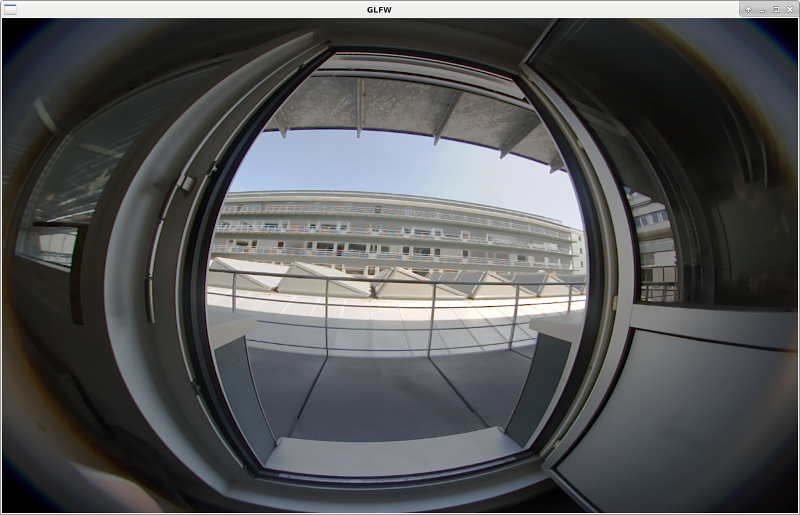
13 For information about the physical location of the ports on NVIDIA DRIVE PX 2
14 platforms, see "Camera Setup under Configuration and Setup" in _NVIDIA DRIVE 5.0 Linux
15 PDK Development Guide_.
19 A camera must be connected to one of the NVIDIA DRIVE PX 2 CSI ports.
21 The following options are supported:
22 - `--csi-port={ab,cd,ef}` specifies a CSI port. Default value: `ab`.
23 For more information about
24 the physical location of these ports on the board, see "Camera Setup" under
25 "Configuration and Setup" in the _NVIDIA DRIVE 5.0 Linux PDK
26 - `--camera-type` specifies the type of the camera. Use @ref dwx_sensor_indexer_tool
27 to query for supported camera types. Default value: `ar0231-rccb`.
28 - `--write-file` specifies the output file. If `--write-file` is not provided, no file is written out on disk.
29 - `--serializer-type` represents the format of the video with two possible options: `h264` or `uncompressed`.
30 When `serializer-type` is set to `h264`, you must also set the
31 `--serializer-bitrate`, which is by default set to `8000000`.
32 Furthermore, the frame rate of the recorded video can be overwritten
33 by providing `--serialize-framerate`.
34 - `--fifo-size={3,...}` specifies the camera buffer size. Note that the size must
35 be at least 3. To reduce the delay, use a low number when not recording.
37 If the camera type is not ar0231 or the CSI port is not the default ab, execute:
39 ./sample_camera_gmsl --csi-port=cd --camera-type=c-ov10640-b1
41 When running on NVIDIA<sup>®</sup> Tegra<sup>®</sup> B,
42 it is possible to specify the "slave" flag, which can
43 be 0 or 1. If slave is true, then Tegra B will not be able to run cameras
44 autonomously but it requires that the camera be simultaneously run from Tegra A.
45 If slave is false, then Tegra B can control any camera that is not currently
46 being used by Tegra A.
48 Screenshots can be captured by pressing `s` while the sample is running.
51 - Continental cameras model OV10640 can be launched under different names: the
52 generic name is `c-ov10640-b1` and is kept for backward compatibility.
53 The two other modes `ov10640-svc210` and `ov10640-svc212` will activate lense specific
54 configurations for an improved image quality.
60 Before running camera applications only on Tegra B, you must disable FRSYNC and
61 the forward/reverse control channel of Tegra A aggregator.
62 Please see *Camera Setup (P2379)* in *NVIDIA DRIVE 5.0 Linux PDK Development Guide*.
63 This guide will show show you how to:
64 * Turn MAX9286 aggregator on.
65 * Disable FRSYNC and the forward/reverse control channel on MAX9286 aggregator to avoid any interference with MAX96799.
67 After this steps camera applications can run on Tegra B after reboot.
68 Be aware that running camera applications on Tegra A re-enables the forward/reverse control channel and FRSYNC from MAX9286
69 and the procecedure of activating camera for Tegra B need to be repeated.
72 Cameras can be captured on Tegra B in slave mode, i.e. when they are already captured
73 by an application on Tegra A. In such case it is possible to specify the "slave" flag, which can
74 be 0 or 1. If slave is 1, then Tegra B will not be able to run cameras
75 autonomously but it requires that camera to run at the same time from Tegra A.
76 If slave is false, then Tegra B can control any camera that is not currently
77 being used by Tegra A.