1 # Copyright (c) 2017, NVIDIA CORPORATION. All rights reserved.
3 @page dwx_vehicleio_sample VehicleIO Sample
5 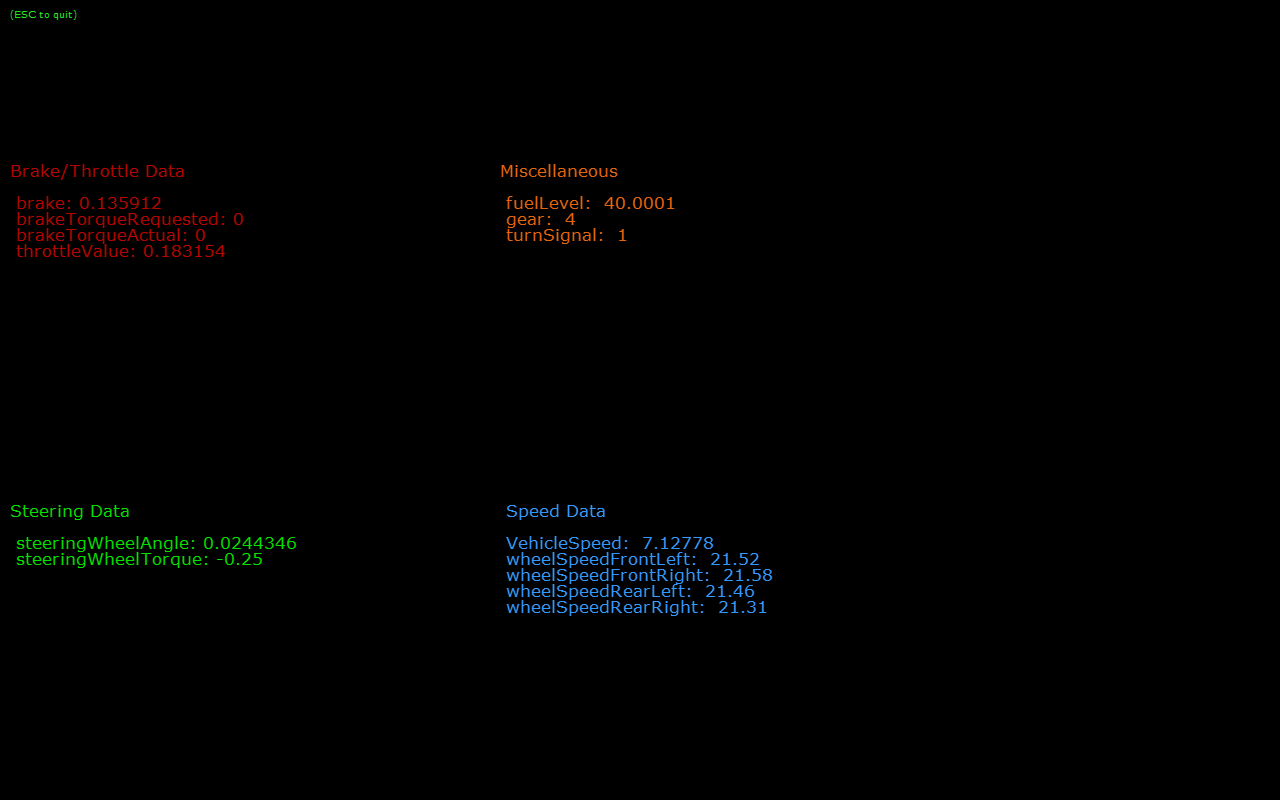
7 This VehicleIO sample demonstrates the ability to read and write the state of
8 the vehicle actuators (i.e. throttle, brake, steering, etc.) It can talk to
9 different vehicle control systems, one of which is DataSpeed. VehicleIO
10 abstracts the underlying physical protocols and connections. All the protocol
11 handling is done by the internal "driver layer" interface, while the state is
12 handled by VehicleIO module.
14 This sample has been tested with CAN-based DataSpeed vehicle control system and
15 validated with Ford MKZ and Ford Fusion vehicles. In order to send the
16 steering, brake or throttle commands, one can use a keyboard or a USB joystick
17 (tested with Logitech Gamepad F310). A few important Keyboard mappings are
18 listed below (please see main.cpp for all the keyboard and joystick mappings):
20 E - enable the vehicle control system
21 D - disable the vehicle control system
22 Arrow key UP - incrementel throttle with every arrow key UP press
23 Arrow key DOWN - incremental braking with every arrow key DOWN press
24 Arrow key LEFT - incremental steering rotation (counter-clockwise) with every key press
25 Arrow key RIGHT - incremental steering rotation (clockwise) with every key press
27 #### Running the Sample
29 To use with the pre-recorded CAN data, which is provided with the sample, one
30 can just run the sample without any arguments:
34 To use a custom pre-recorded CAN data, one can use the following command:
36 ./sample_vehicleio --driver=can.virtual --params=file=CAN.bin
38 For live CAN (in a vehicle), one can use the following command:
40 ./sample_vehicleio --driver=can.socket --params=device=can0
44 The sample opens an X window to display the various vehicle control parameters
45 such as throttle, braking, steering, etc. Once the window is in the focus, the
46 throttle, brakes, steering of the vehicle can be controlled via a keyboard or a
47 USB joystick, as described above.
49 The basic vehicle state information is also being printed to the terminal.