1 # Copyright (c) 2019-2020, NVIDIA CORPORATION. All rights reserved.
3 @page dwx_map_tracker_sample Map Tracker Sample
6 @note SW Release Applicability: This sample is available in **NVIDIA DRIVE Software** releases.
8 @section dwx_map_tracker_description Description
10 The Map Tracker sample demonstrates how to use the map tracker from the @ref maps_mainsection module
11 to robustly determine the lane where the vehicle can travel.
13 In the following situations, selecting the current lane by merely looking for
14 the closest point can yield erroneous results:
15 - Lanes are crossing one another, such as when lanes exit or merge.
16 - Localization is not completely accurate.
17 - Height information is lacking when travelling on bridges. This situation can
18 be especially problematic.
20 You can avoid incorrect lane assignments resulting from the above situations by
21 pruning the lane candidates, using temporal coherence, and comparing the vehicle
22 and lane orientations. These methods take advantage of the likelihood that the
23 vehicle is traveling along the lane.
25 The sample shows the application of the map tracker by projecting a virtual vehicle
26 in the selected current lane and and identifying candidate lanes
27 where the vehicle could go.
29 @section dwx_map_tracker_running Running the Sample
31 The command line for the map access sample, sample_maptracker, is:
35 While the application is running the following actions are possible:
37 - 'F1' displays controls on screen.
38 - 'Esc' closes the application.
39 - 'Spacebar' pauses the application.
40 - 'Mouse Wheel' allows to control camera zoom.
41 - 'right' mouse button allow to move the camera when the sample is paused.
42 - 'Up' and 'Down' arrow keys move the vehicle forward or backward.
44 @section dwx_map_tracker_output Output
46 The HD map is rendered with lines of different colors:
47 - Blue lines: lane dividers that cannot be crossed.
48 - Dark green lines: lane dividers that can be crossed.
49 - Grey lines: invisible lane dividers.
52 - Green lines: candidate lanes used by the map tracker to select the current lane
53 - Orange line: current lane returned by the map tracker
56 - Long yellow box: current pose of the vehicle
58 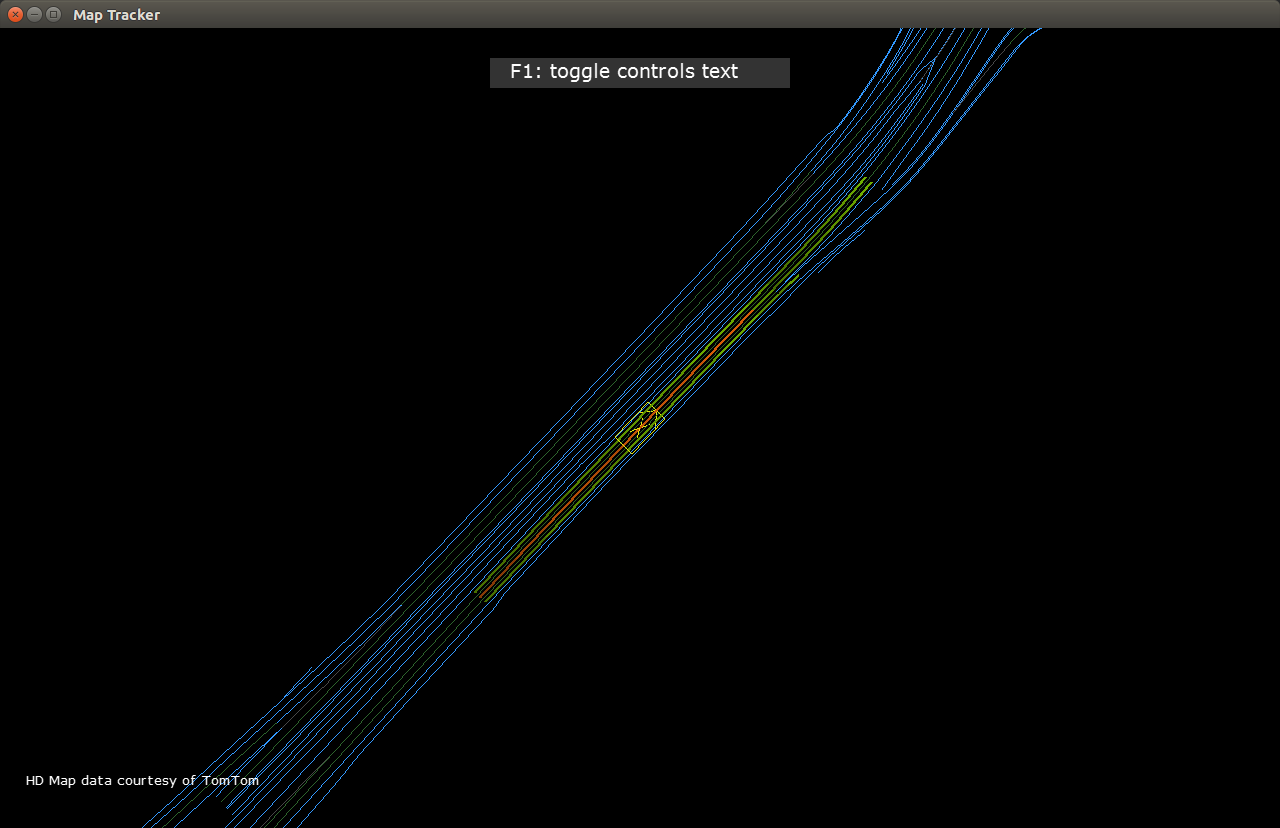
60 @section dwx_map_tracker_more Additional Information
62 For more details see @ref maps_mainsection.