1 # Copyright (c) 2019-2020, NVIDIA CORPORATION. All rights reserved.
3 @page dwx_replayer_tool Replayer Tool
6 @section dwx_replayer_tool_description Description
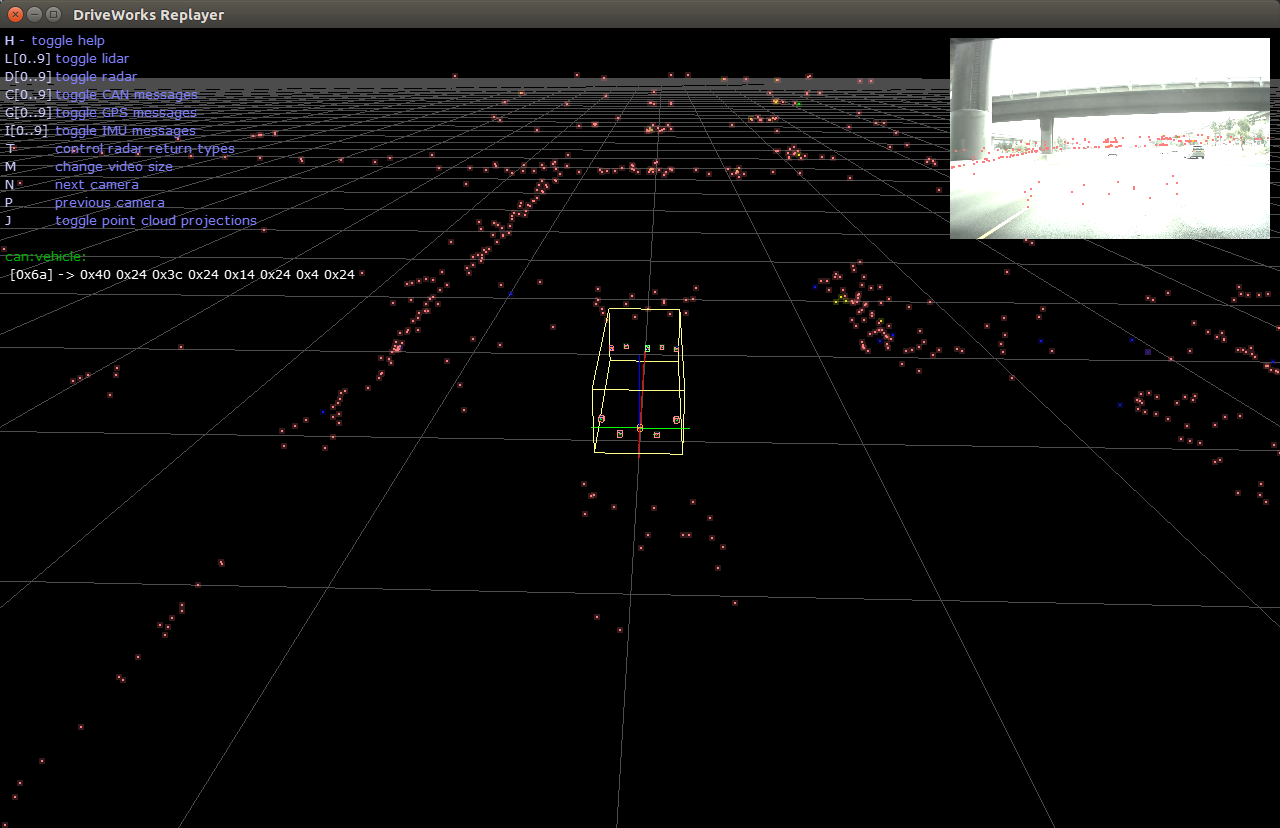
8 The Replayer tool replays sensor data captured with the @ref dwx_recording_tools, and visualizes all recorded data in the rig configuration file. The visualization settings for each individual sensor is specified in the command line.
10 @note SW Release Applicability: This tool is available in both <b>NVIDIA DriveWorks</b> and <b>NVIDIA DRIVE Software</b> releases.
12 @section dwx_replayer_tool_prerequisites Prerequisites
14 This tool is available on the x86 Host System and NVIDIA DRIVE<sup>™</sup> OS Linux.
16 On DRIVE platforms it is only supported on iGPU.
17 To specify the iGPU, you must prepend `CUDA_VISIBLE_DEVICES=1` before the tool command.
19 @section dwx_replayer_tool_usage Running the Tool
21 @subsection dwx_replayer_tool_rigfile Playing Sensors Listed in Rig File
23 Run the tool by executing:
25 export CUDA_VISIBLE_DEVICES=1
26 ./replayer --rig=<pathToRigConfigurationFile> [motion-compensation=1]
28 @subsection dwx_replayer_tool_individual Playing Individual Sensors
30 Run the tool by executing:
32 ./replayer --camera=[path to video]
33 --timestamp=[path to timestamp]
34 --can=[path to CAN data]
35 --candbc=[path to DBC file]
36 --imu=[path to IMU data]
37 --gps=[path to GPS data]
38 --lidar=[path to Lidar data]
39 --radar=[path to Radar data]
40 --motion-compensation=[0|1]
44 --motion-compensation=[0|1]
45 Description: Enables or disables motion compensation to lidar points with the IMU motion model.
47 @section dwx_recording_tools_output Output
49