1 # Copyright (c) 2019-2020 NVIDIA CORPORATION. All rights reserved.
3 @page dwx_imagetransformation Image Transformation Sample
6 @note SW Release Applicability: This sample is available in both **NVIDIA DriveWorks** and **NVIDIA DRIVE Software** releases.
8 @section dwx_imagetransformation_description Description
10 The Image Transformation sample demonstrates the basic image processing functions within DriveWorks.
12 It takes an H.264 video as input, reads the frames sequentially, processes the image, and displays the output next to the original video.
14 @section dwx_imagetransformation_usage Running the Sample
16 The command line for the sample is:
18 ./sample_imagetransformation --video=[path/to/video]
22 --video=[path/to/video]
23 Points to a recorded video.
24 Default value: path/to/data/samples/sfm/triangulation/video_0.h264
26 @section dwx_imagetransformation_output Output
28 The sample creates a window, processes the image, and displays the output to the right of the original video. The simplest output is a cropeed, resized and converted to monochrome image
29 The sample allows the user to select the are to transform.
31 Press T to toggle Thresholding and switch between different modes
33 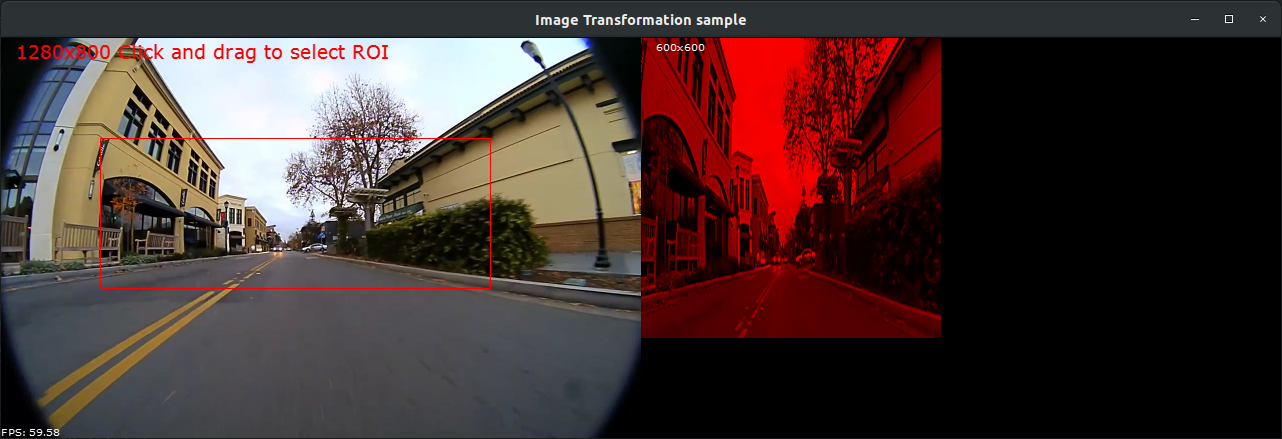
35 @section dwx_imagetransformation_more Additional information
37 For more details, see @ref imagetransformation_mainsection.