1 # Copyright (c) 2019-2020, NVIDIA CORPORATION. All rights reserved.
3 @page dwx_pointcloudprocessing_sample Point Cloud Processing Sample
6 @note SW Release Applicability: This sample is available in both **NVIDIA DriveWorks** and **NVIDIA DRIVE Software** releases.
8 @section dwx_pointcloudprocessing_sample_description Description
10 This sample demonstrates how to use point cloud processing APIs for primitive processing.
12 The sample fuses point clouds from two [VELO_HDL32E] recordings and one [VELO_HDL64E] recording. It then generates the range image and organized point cloud data. This data is used to compute the rigid transformation between two temporally adjacent point clouds.
14 The sample only supports recorded data as input. It does not support live data. Recordings from other types of Lidars are not guaranteed to work.
16 @section dwx_pointcloudprocessing_sample_running Running the Sample
18 ./sample_pointcloudprocessing --rigFile=[path/to/rig file/]
19 --numFrame=[max_frames_to_process]
20 --maxIters=[max_icp_iterations]
21 --displayWindowHeight=[window height in pixels]
22 --displayWindowWidth=[window width in pixels]
26 --rigFile=[path/to/rig file/]
28 The rig file contains all the sensor configurations required for initialization.
29 Default value: path/to/data/samples/pointcloudprocessing/rig.json
32 If specified, the sample processes frames up to this integer. It processes all frames by default.
36 The maximum number of iterations for ICP.
39 --displayWindowHeight=[window height in pixels]
40 Defines the sample's window height in pixels.
43 --displayWindowWidth=[window width in pixels]
44 Defines the sample's window width in pixels.
47 The following interactions with the sample are available at runtime:
49 - Mouse left button: rotates the point cloud.
50 - Mouse wheel: zooms in or out.
51 - Key left arrow: switches to trajectory view.
52 - Key right arrow: switches to main view.
54 @subsection dwx_pointcloudprocessing_sample_examples Examples
56 #### Running with GPU pipeline
58 ./sample_pointcloudprocessing --maxIters=20
60 In this example, the sample uses default recordings and processes up to 20 ICP iterations.
62 @section dwx_pointcloudprocessing_sample_output Output
64 The sample opens a window with several point clouds in different colors:
65 - Orange: Three rendered point clouds consisting of the [VELO_HDL32E] and [VELO_HDL64E] recordings, in the left column.
66 - Green: The rendered fused point cloud, in the top right column.
67 - White: The rendered range image using the fused point cloud, in the bottom right column.
69 Pressing the right arrow key switches to the trajectory view, which renders the fused point cloud motion trajectory over time.
70 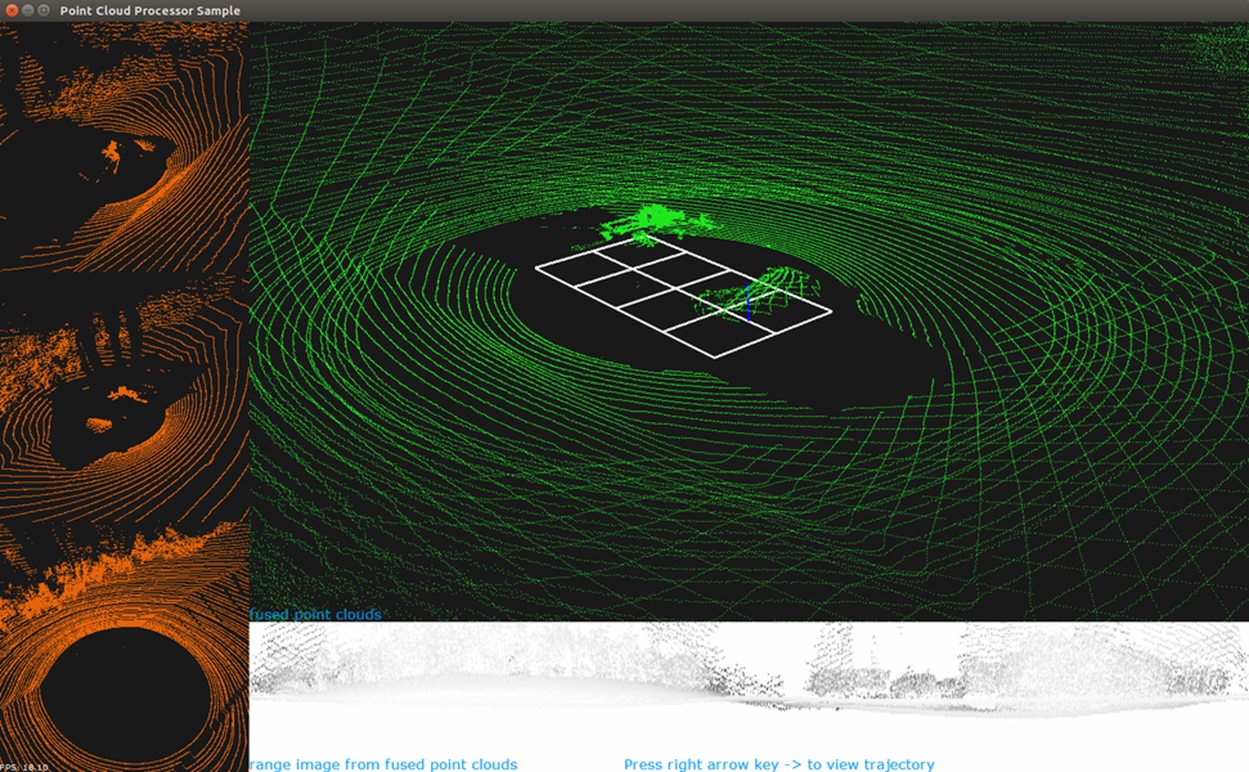
71 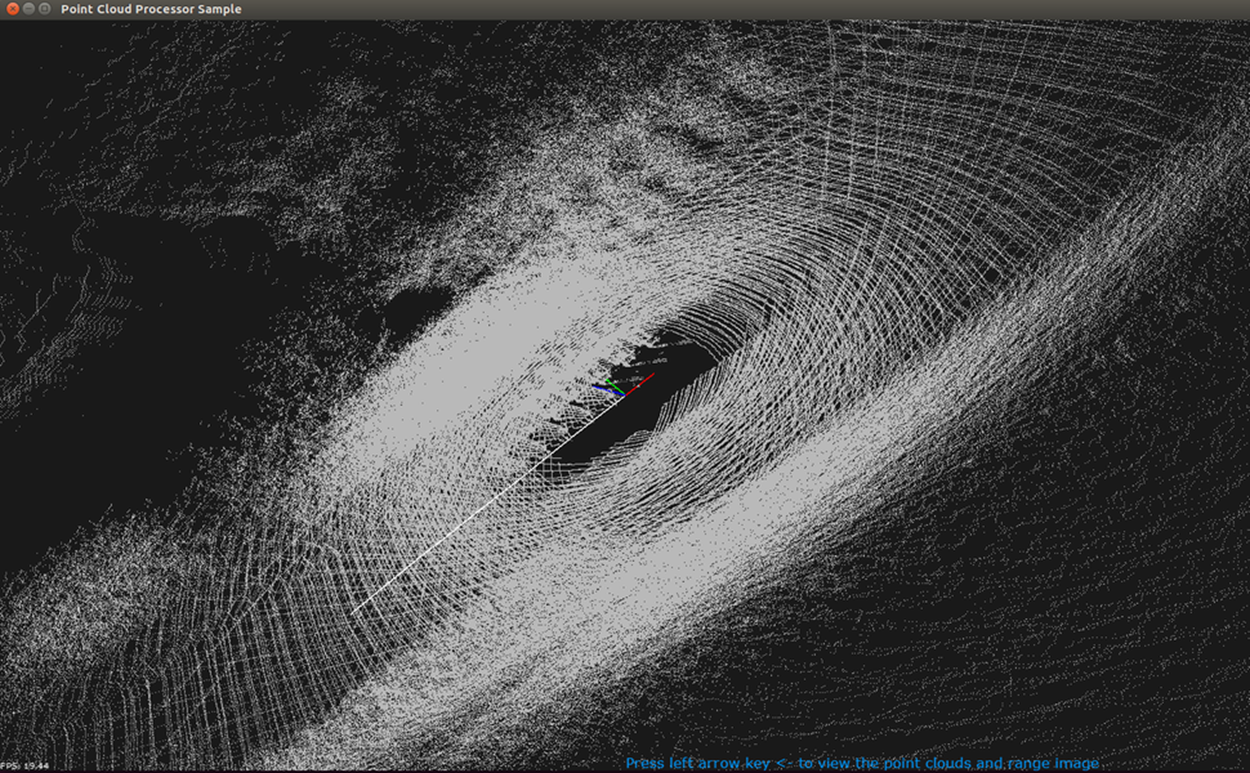
73 @section dwx_pointcloudprocessing_sample_more Additional Information
75 For more details see @ref pointcloudprocessing_mainsection.