Select a part or label to look inside. Drag with a mouse or one finger to orbit; use the camera buttons to zoom. In the joint view, drag the white arrow, or focus it and use arrow keys; Home and End select its angle limits. The angle slider is an alternative. Escape returns from a close-up.
- Rotating servo
- Following parts
- Drive direction
Choose a part
Choose a motion
Joint angle
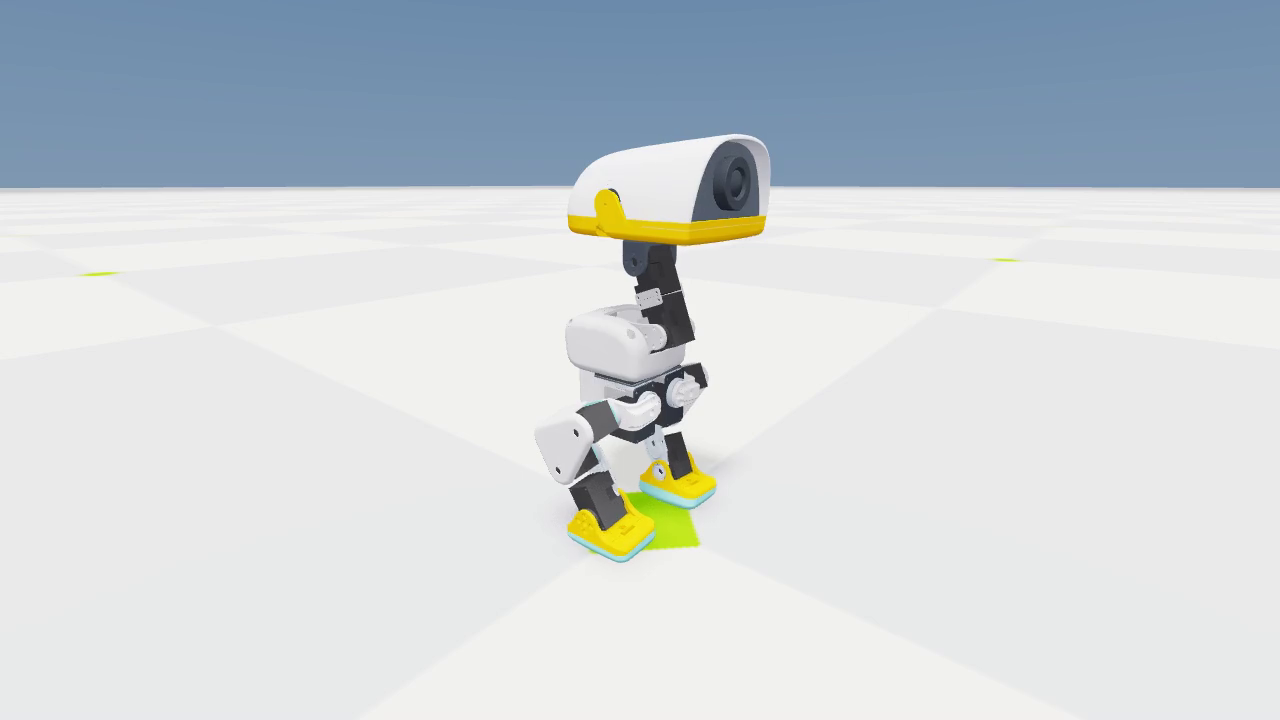
The walking model controls 14 joints: hip yaw, hip roll, hip pitch, knee, and ankle on each leg; neck pitch; and head pitch, yaw, and roll. The beak is fixed. Read the joint names and action order.
This CAD view shows joint geometry and connected parts. It does not simulate motor response, balance, or contact.
CAD © Pollen Robotics, converted to glTF and compressed, CC BY-NC-SA 4.0.