

Validate Ethernet Cluster Networking#
Once all of the switches are up, you need to verify the hardware health and proper configuration.
Platform Health#
The following components need to be checked for platform health:
System
Internal Components
Software Processes
Transceiver/Cable
Cabling Quality (L1)#
The following components need to be checked for cabling quality:
Tx/Rx Signal Level
Peer Connectivity
Tx/Rx Signal Integrity
Fabric Underlay Routing#
The following components need to be checked for fabric underlay routing:
Fabric Overlay Routing (EVPN)#
To show the Ethernet segments across all VNIs, run the following command:
To show the Ethernet segments across all VNIs:
nv show evpn multihoming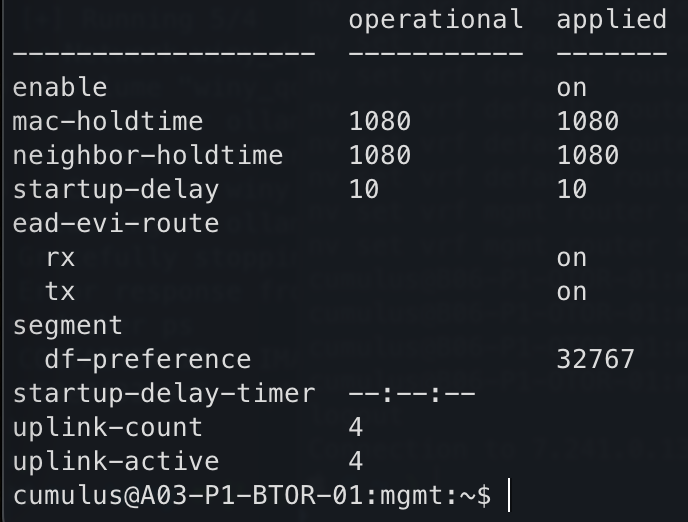
Figure 3 Ethernet Segments Across All VNIs#
Show Ethernet Segment Information#
The following steps show how to show the Ethernet segments across all VNIs, information about a specific ESI, the Ethernet segments for a specific VNI, the Ethernet segments across all VNIs learned through type-1 and type-4 routes, and verify ESI to VRF information.
To show the Ethernet segments across all VNIs, run the following command:
$ nv show evpn multihoming esi

Figure 4 Ethernet Segments Across All VNIs#
To show information about a specific ESI, run the following command:
$ nv show evpn multihoming esi <ESI_ID>

Figure 5 Ethernet Segments Across All VNIs#
To show the Ethernet segments for a specific VNI, run the following command:
$ nv show evpn vni <VLAN> multihoming esi

Figure 6 Ethernet Segments Across All VNIs#
To show the Ethernet segments across all VNIs learned through type-1 and type-4 routes, run the NVUE command:
$ nv show evpn multihoming bgp-info esi

Figure 7 Ethernet Segments Across All VNIs#
To verify ESI to VRF information, run the following command:
$ sudo vtysh -c 'show bgp l2vpn evpn es-vrf'

Figure 8 Ethernet Segments Across All VNIs#
To verify EVPN type-1 and type-4 routes learned, run the following command:
$ sudo vtysh -c 'show bgp l2vpn evpn route type ead'
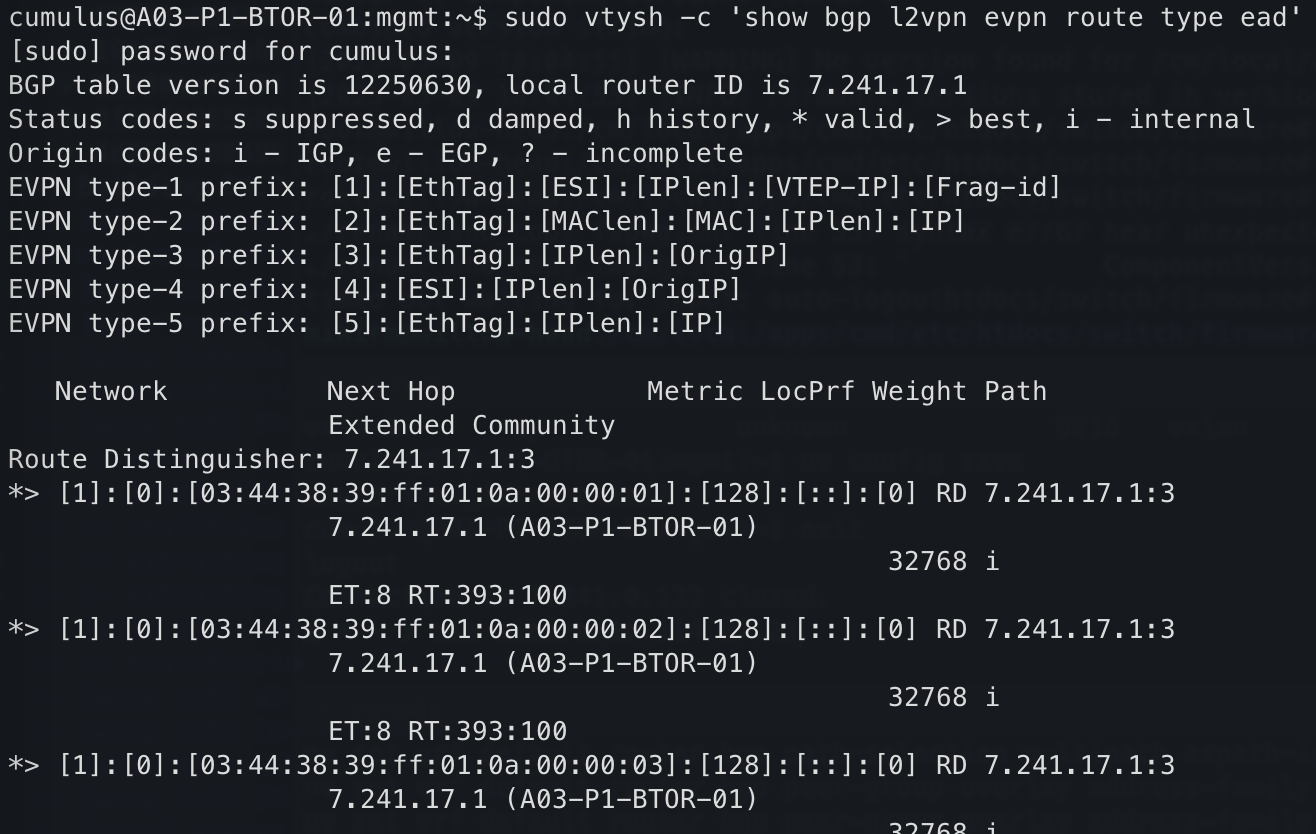
Figure 9 Ethernet Segments Across All VNIs#
To verify NVE interface (VTEP) state and configuration, run the following command:
$ nv show nve vxlan
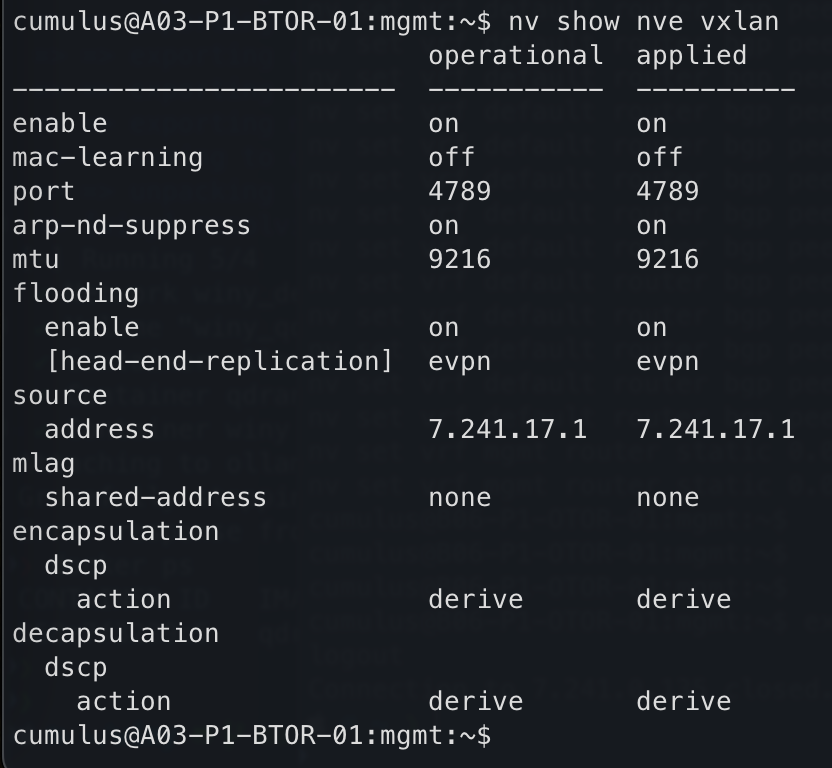
Figure 10 Ethernet Segments Across All VNIs#
Customer Network Reachability#
The following components need to be checked for customer network reachability:
Customer Edge to Cluster Border
BGP IPv4 AF Neighbors
BGP Prefix Exchange
Next-Hop Reachability
Packet Loss
Customer (external) to Cluster (internal)
End-to-End Reachability (if available) - Dependent on end-host connected to fabric (ex: DGX)
Packet Loss
Negative Testing#
The following components need to be checked for negative testing:
Customer Edge Failover
Disable Switch(es) / Link(s) / BGP Neighbor(s)
End-to-End Reachability
Packet Loss / Recovery Time
Cluster Fabric Failover
Disable Switch(es) / Link(s) / BGP Neighbor(s)
End-to-End Reachability
Packet Loss / Recovery Time