> For clean Markdown of any page, append .md to the page URL.
> For a complete documentation index, see https://docs.nvidia.com/nemo/automodel/llms.txt.
> For AI client integration (Claude Code, Cursor, etc.), connect to the MCP server at https://docs.nvidia.com/nemo/automodel/_mcp/server.
# Function Calling with NeMo AutoModel using FunctionGemma
This tutorial walks through fine-tuning [FunctionGemma](https://huggingface.co/google/functiongemma-270m-it), Google's 270M function-calling model, with NeMo AutoModel on the xLAM function-calling dataset.
## FunctionGemma Introduction
FunctionGemma is a lightweight, 270M-parameter variant built on the Gemma 3 architecture with a function-calling chat format. It is intended to be fine-tuned for task-specific function calling, and its compact size makes it practical for edge or resource-constrained deployments.
* Gemma 3 architecture, updated tokenizer, and function-calling chat format.
* Trained specifically for function calling: multiple tool definitions, parallel calls, tool responses, and natural-language summaries.
* Small/edge friendly: \~270M params for fast, dense inference on-device.
* Text-only, function-oriented model (not a general dialogue model), best used after task-specific finetuning.
## Prerequisites
* Install NeMo AutoModel and its extras: `pip install nemo-automodel`.
* A FunctionGemma checkpoint available locally or using [https://huggingface.co/google/functiongemma-270m-it](https://huggingface.co/google/functiongemma-270m-it).
* Small model footprint: can be fine-tuned on a single GPU; scale batch/sequence as needed.
## xLAM Dataset
The xLAM function-calling dataset contains user queries, tool schemas, and tool call traces. It covers diverse tools and arguments so models learn to emit structured tool calls.
* Dataset URL: [https://huggingface.co/datasets/Salesforce/xlam-function-calling-60k](https://huggingface.co/datasets/Salesforce/xlam-function-calling-60k)
* Each sample provides:
* `query`: the user request.
* `tools`: tool definitions (lightweight schema).
* `answers`: tool calls with serialized arguments.
Example entry:
```json
{
"id": 123,
"query": "Book me a table for two at 7pm in Seattle.",
"tools": [
{
"name": "book_table",
"description": "Book a restaurant table",
"parameters": {
"party_size": {"type": "int"},
"time": {"type": "string"},
"city": {"type": "string"}
}
}
],
"answers": [
{
"name": "book_table",
"arguments": "{\"party_size\":2,\"time\":\"19:00\",\"city\":\"Seattle\"}"
}
]
}
```
The helper `make_xlam_dataset` converts each xLAM row into OpenAI-style tool schemas and tool calls, then renders them through the chat template so loss is applied only on the tool-call arguments:
```python
def _format_example(
example,
tokenizer,
eos_token_id,
pad_token_id,
seq_length=None,
padding=None,
truncation=None,
):
tools = _convert_tools(_json_load_if_str(example["tools"]))
tool_calls = _convert_tool_calls(_json_load_if_str(example["answers"]), example_id=example.get("id"))
formatted_text = [
{"role": "user", "content": example["query"]},
{"role": "assistant", "content": "", "tool_calls": tool_calls},
]
return format_chat_template(
tokenizer=tokenizer,
formatted_text=formatted_text,
tools=tools,
eos_token_id=eos_token_id,
pad_token_id=pad_token_id,
seq_length=seq_length,
padding=padding,
truncation=truncation,
answer_only_loss_mask=True,
)
```
## Run Full-Parameter SFT
Use the ready-made config at [`examples/llm_finetune/gemma/functiongemma_xlam.yaml`](https://github.com/NVIDIA-NeMo/Automodel/blob/main/examples/llm_finetune/gemma/functiongemma_xlam.yaml) to start fine-tuning:
With the config in place, launch training (8 GPUs shown; adjust `--nproc-per-node` as needed):
```bash
automodel --nproc-per-node=8 examples/llm_finetune/gemma/functiongemma_xlam.yaml
```
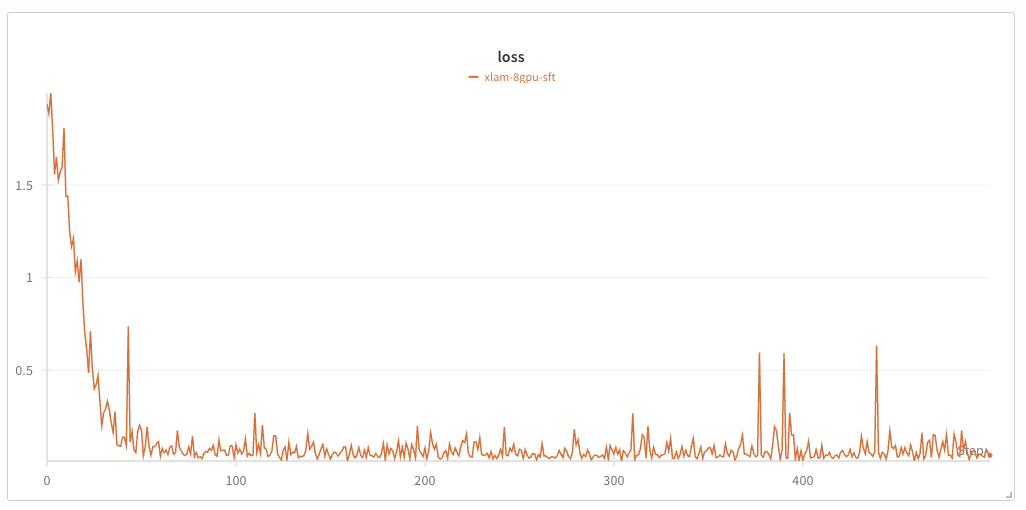
You should be able to see a training loss curve similar to the one shown below:
## Run PEFT (LoRA)
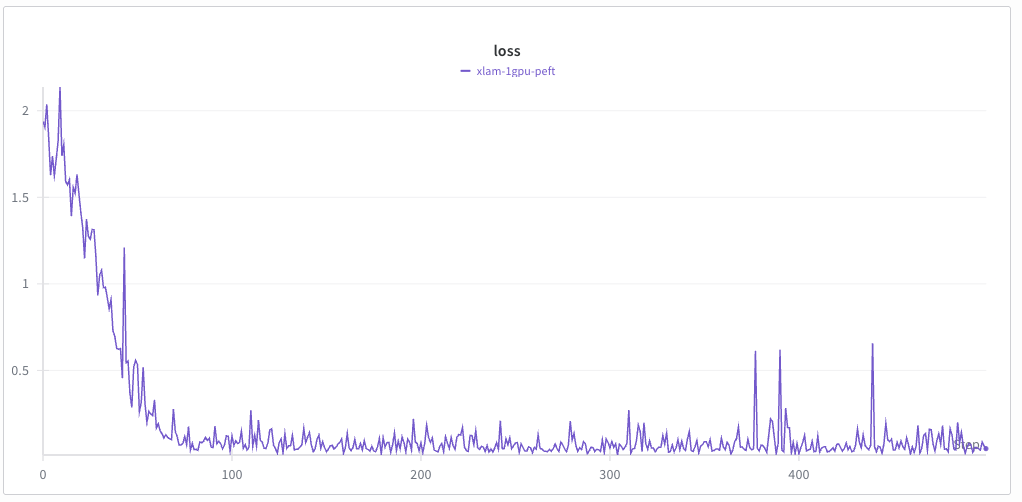
To apply LoRA (PEFT), uncomment the `peft` block in the config and tune rank/alpha/targets per the [SFT/PEFT guide](/recipes-e2e-examples/sft-peft). Example override:
```yaml
peft:
_target_: nemo_automodel.components._peft.lora.PeftConfig
target_modules: '*_proj'
dim: 16
alpha: 16
use_triton: true
```
Then fine-tune with the same recipe. Adjust the number of GPUs as needed.
```bash
automodel examples/llm_finetune/gemma/functiongemma_xlam.yaml
```