Node Instructions
Overview
Node instructions let you run automation on simulation nodes through the Air agent. You can write files, execute shell commands, or set initialization parameters — all through the UI or the instructions API.
Instructions are created against a specific node and execute after the node boots. By default, the Air agent waits for network connectivity before running each instruction, which ensures the node can reach other devices in the simulation before configuration begins.
To create an instruction in the UI, go to the Nodes tab, click the three-dot menu on a node row, and select Node Instructions. You can also right-click a node on the Topology canvas to access the same option.
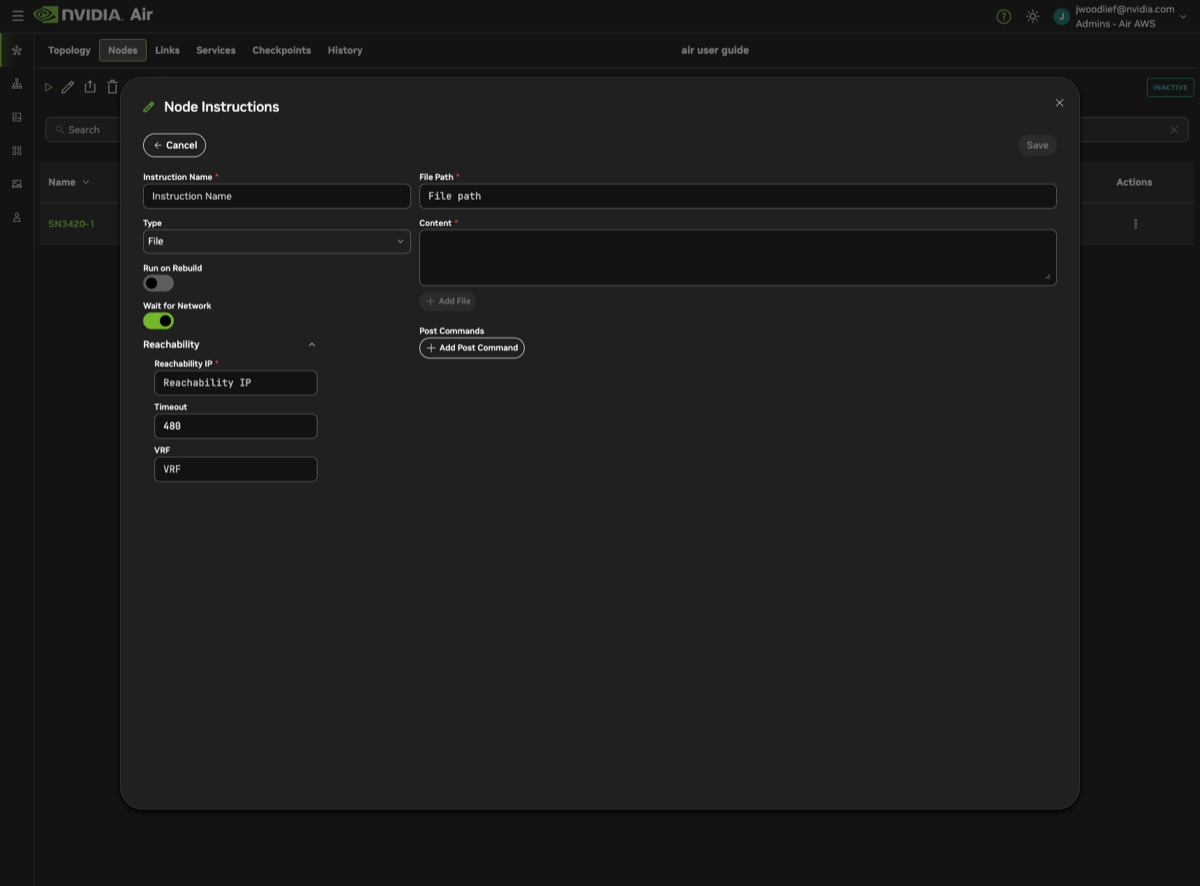
Network Readiness
When you create an instruction, wait_for_network defaults to true. This tells the Air agent to verify that the node can reach a target IP address before executing the instruction. The check is configured through the reachability_check object.
How Reachability Is Determined
The agent pings a target IP address (the reachability_ip) and retries until it gets a response or the timeout expires. If no VRF is specified, the agent tries the default routing table and then each VRF configured on the system. You can also specify a VRF explicitly to limit the check to that VRF.
| Field | Description | Default |
|---|---|---|
| reachability_ip | IPv4 address to ping before executing | Auto-populated from OOB server when available |
| timeout | Seconds to wait for reachability before giving up | 480 |
| vrf | VRF to use for the reachability check. When not set, the agent tries the default routing table and all configured VRFs. | None (auto-detect) |
OOB-Enabled Simulations
If your simulation has the OOB management network enabled, you do not need to provide a reachability_ip. Air automatically uses the oob-mgmt-server IP address as the reachability target. The agent confirms it can reach the OOB server before running your instruction.
Simulations Without OOB
If your simulation does not have the OOB network enabled, there is no management server to use as a default reachability target. In this case, you must either:
- Provide a
reachability_ipmanually — specify an IP address that the node should be able to reach once its network is up. - Set
wait_for_networktofalse— skip the network readiness check entirely. The instruction executes as soon as the agent starts, regardless of network state.
When to Disable Network Wait
Set wait_for_network to false when:
- Your instruction does not depend on network connectivity (for example, writing a local configuration file that is read on next reboot).
- You are running instructions on a simulation without OOB and do not have a known reachability target.
- You want instructions to execute immediately after the agent starts, without waiting for the network.
wait_for_network and reachability_check are set at creation time and cannot be changed after the instruction is created.