Sharing Images
Image sharing enables organizations to securely share custom OS images with other NVIDIA Air organizations.
Overview
When you upload a custom image to NVIDIA Air, that image is private to your organization by default. To share an image with another organization, you generate a claim code that the target organization uses to copy the image to their organization.
Image share requests expire after 24 hours by default.
Required Permissions
Image sharing requires specific roles assigned to your account:
| Action | Required Role | Scope |
|---|---|---|
| Share an image (create claim code) | AIR_IMAGE_SHARER | air:image_sharing |
| Claim a shared image | AIR_IMAGE_UPLOADER or AIR_IMAGE_PUBLISHER | air:image_write |
For information on how roles are assigned, see API Authentication.
Sharing an Image
To share an image with another organization:
- Navigate to the Images page.
- Locate the image you want to share.
- Click the Actions menu (three dots) on the right side of the image row.
- Select Share Image.
- Enter the target organization.
- Click Share.
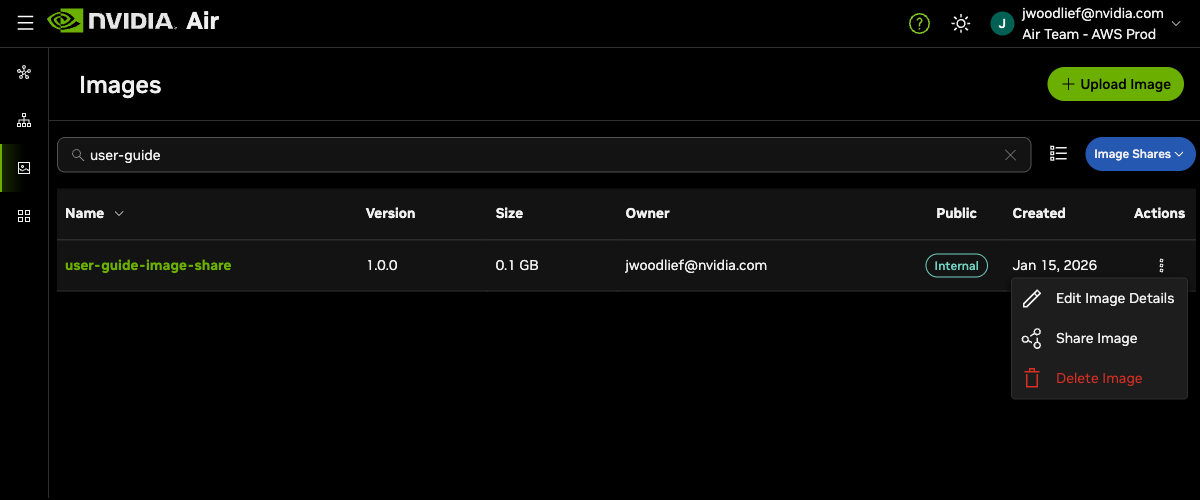
After creating the share, you receive a claim code. Send this claim code to the target organization through a secure channel.
Claiming a Shared Image
When another organization shares an image with you, they provide a claim code. To claim the shared image:
- Navigate to the Images page.
- Click the Image Shares dropdown button.
- Select Claim Image Share.
- Enter the claim code provided by the source organization.
- Click Claim.
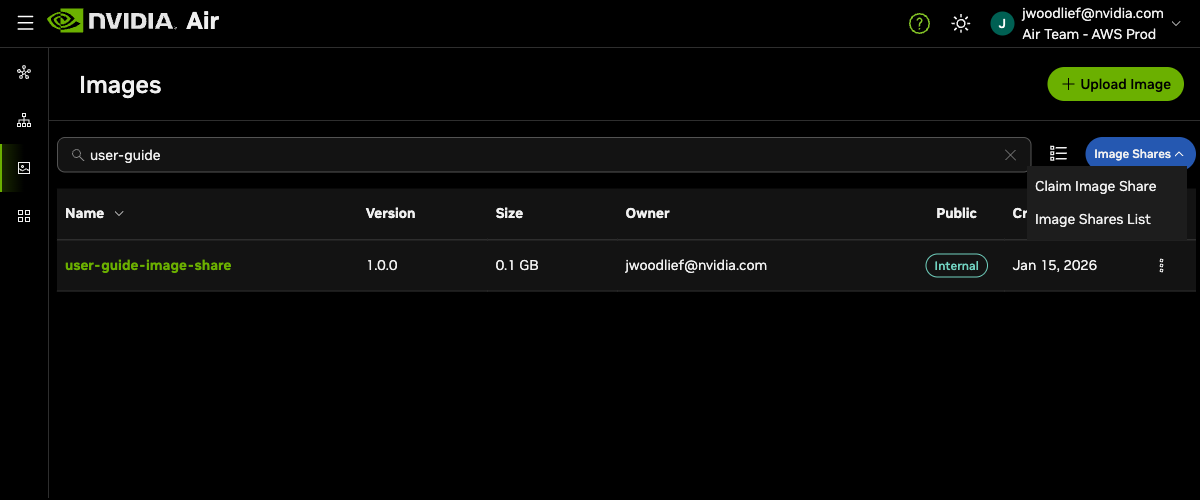
The image is copied to your organization.