


Performance Results#
This page reports representative throughput for the Active Speaker Detection NIM across GPUs, resolutions, and concurrency levels.
Performance Data#
The following data shows the performance of the NVIDIA Active Speaker Detection (ASD) NIM for concurrent inputs on a single GPU with the provided sample input files and the gRPC benchmark client. All measurements use a 30 FPS source clip at three input resolutions.
Label |
Resolution |
|---|---|
720p |
1280 x 720 |
1080p |
1920 x 1080 |
4K (UHD) |
3840 x 2160 |
The ASD NIM supports concurrent inputs per GPU. The number of concurrent inputs can be configured using the NV_AI4M_MAX_CONCURRENCY_PER_GPU environment variable (default: 1). The total number of concurrent inputs the server supports is the number of GPUs multiplied by NV_AI4M_MAX_CONCURRENCY_PER_GPU. Higher concurrency values consume more GPU memory and reduce the per-stream frame rate.
Note
These figures are representative benchmarks provided as a baseline for capacity planning, not guaranteed performance targets. Measured throughput varies with hardware configuration, driver and software versions, input characteristics (resolution, frame rate, and scene content), and concurrent workload on the GPU.
Live-Stream Throughput Capacity (30 FPS)#
The following chart shows each GPU’s peak aggregate throughput expressed as an equivalent number of 30 FPS live streams (peak aggregate throughput divided by 30 FPS). Use this metric to size a deployment for an expected processing workload.
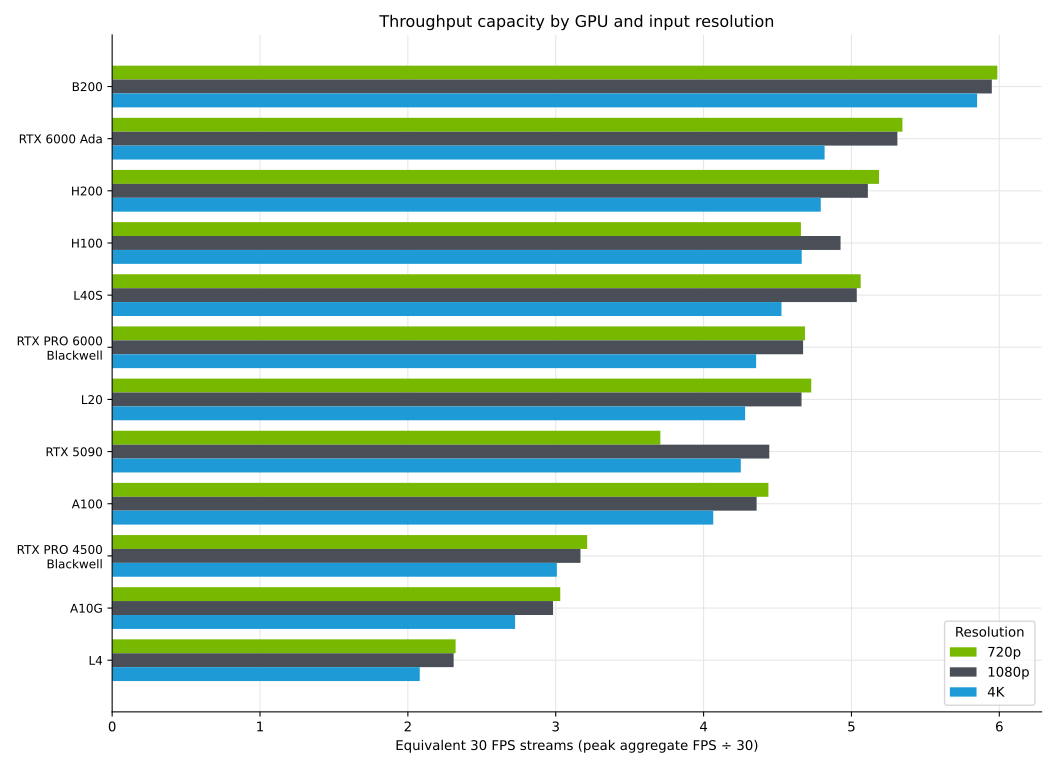
Equivalent 30 FPS live streams a single GPU sustains, by input resolution (720p / 1080p / 4K).#
Note
This is a capacity figure, not a guaranteed count of simultaneous live streams; it is most relevant to offline and batch processing. Sustaining N live streams concurrently additionally requires the per-stream throughput at concurrency N to stay at or above 30 FPS. Refer to Aggregate throughput and Per-stream throughput.
The following table lists the same capacity as a whole number of equivalent 30 FPS streams.
GPU |
720p 30 fps |
1080p 30 fps |
4K 30 fps |
|---|---|---|---|
B200 |
5 |
5 |
5 |
RTX 6000 Ada |
5 |
5 |
4 |
H200 |
5 |
5 |
4 |
L40S |
5 |
5 |
4 |
H100 |
4 |
4 |
4 |
RTX PRO 6000 Blackwell Server Edition |
4 |
4 |
4 |
L20 |
4 |
4 |
4 |
A100 |
4 |
4 |
4 |
RTX 5090 |
3 |
4 |
4 |
RTX PRO 4500 Blackwell Server Edition |
3 |
3 |
3 |
A10G |
3 |
2 |
2 |
L4 |
2 |
2 |
2 |
Real-time throughput also assumes the input arrives at least as fast as the NIM processes it. A client uploading over a slow link is bounded by the link rather than by the GPU.
Aggregate Throughput#
The following charts show the aggregate throughput — the total FPS processed across all concurrent streams — at each concurrency level (c1, c2, c4, c8) for each supported GPU, at each input resolution.
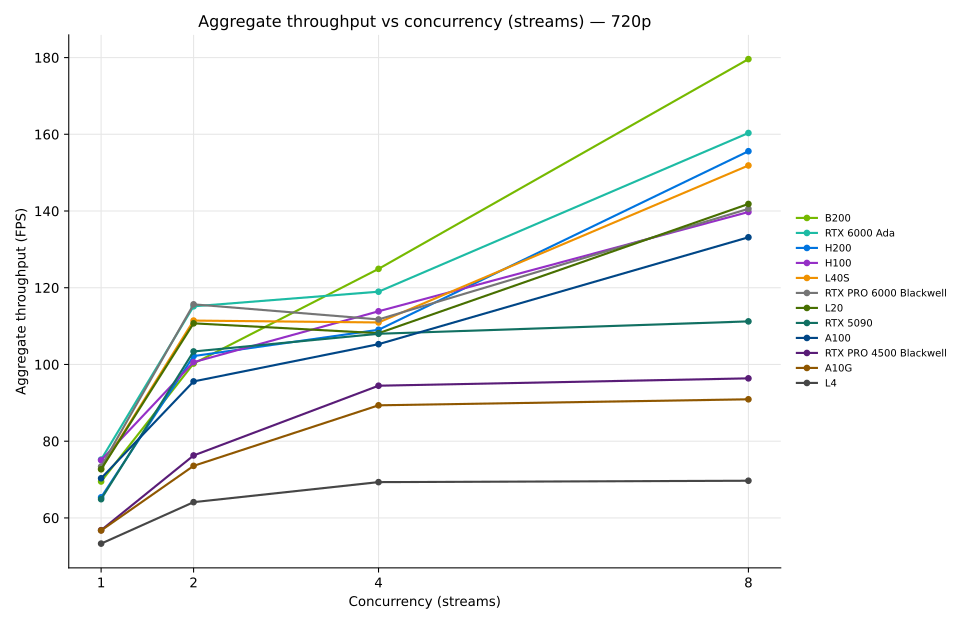
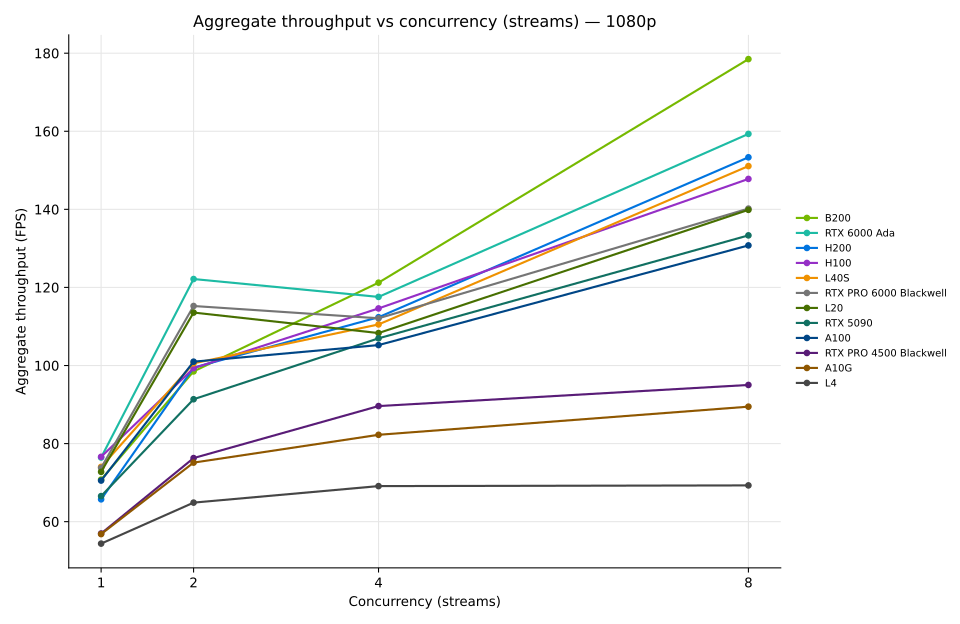
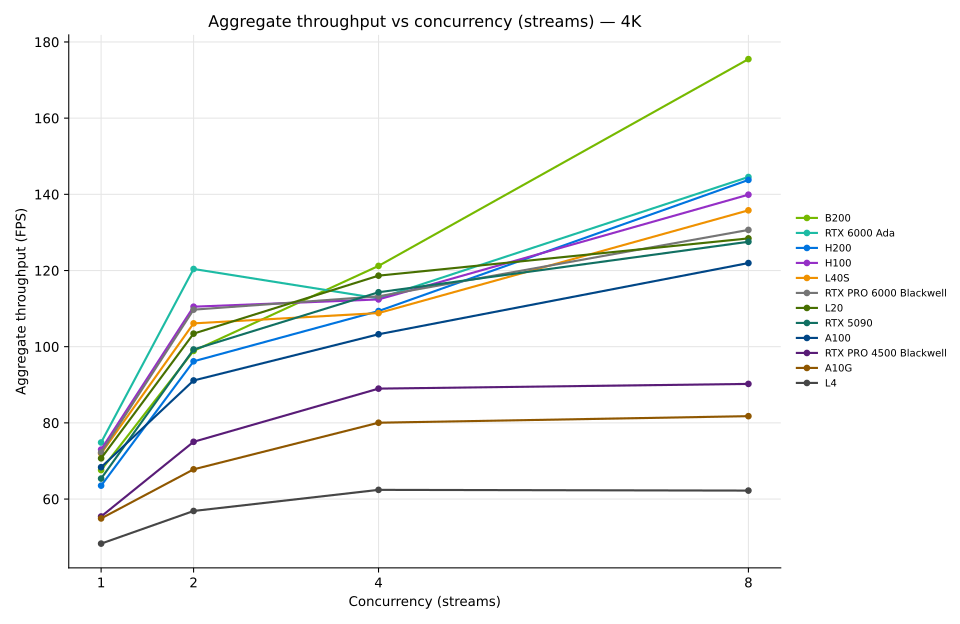
Aggregate throughput rises with concurrency until the GPU saturates, after which additional concurrency mainly divides the same total throughput into more, smaller per-stream shares rather than adding capacity. Resolution has only a small effect, so the NIM is bound more by the model than by pixel count.
Per-stream Throughput#
The following charts show the per-stream throughput — the average FPS that each individual stream receives — at each concurrency level for each supported GPU, at each input resolution. Use them to choose a concurrency level that keeps every stream at or above the frame rate your application requires — 30 FPS for live streams.
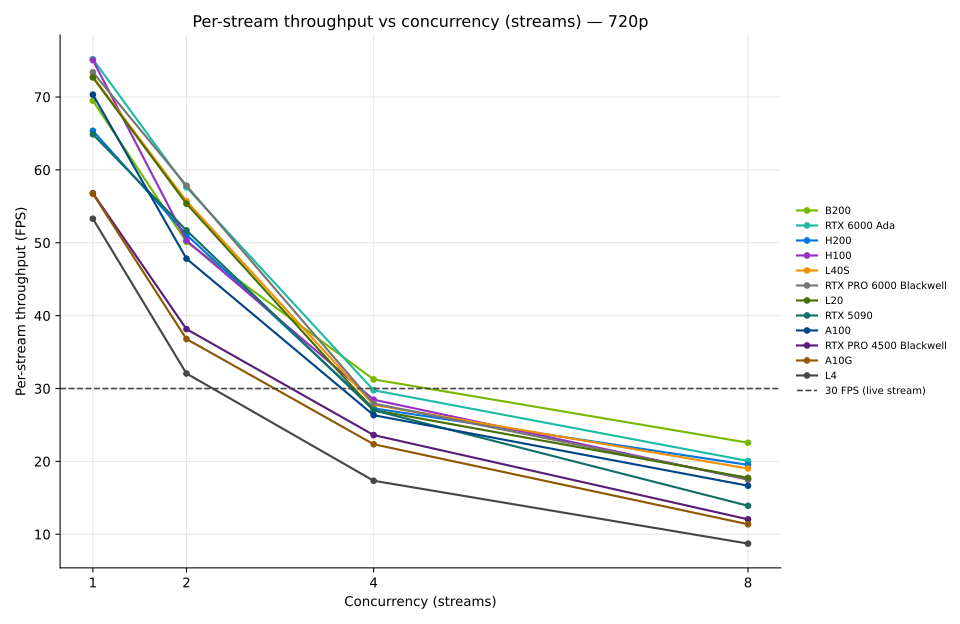
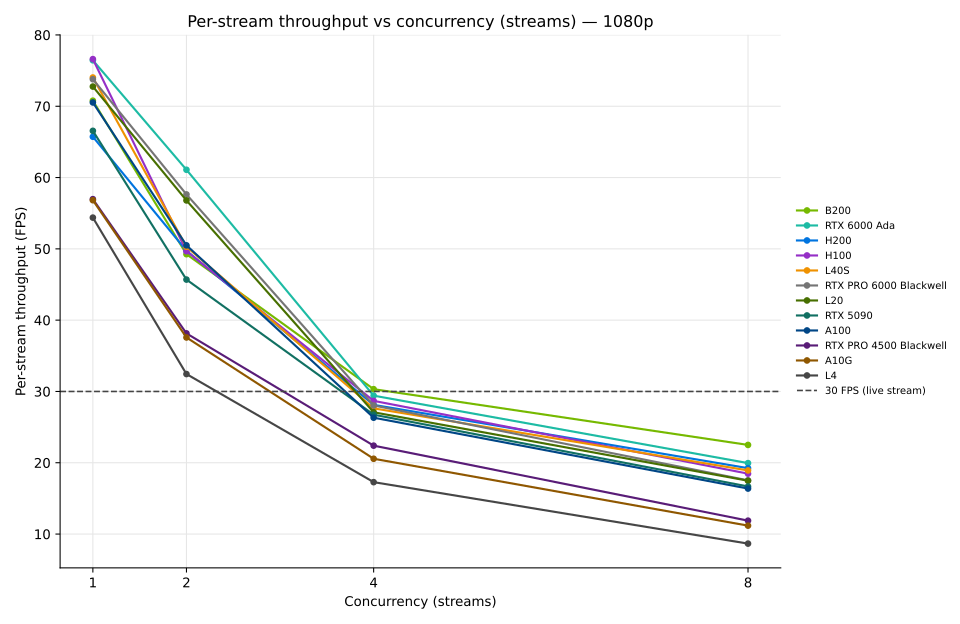
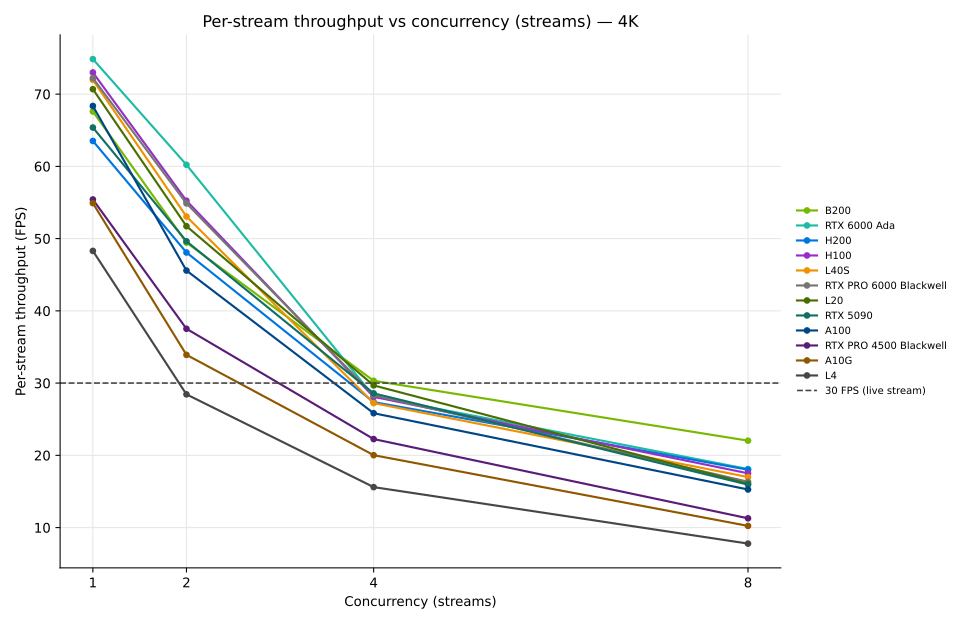
The dashed line marks the 30 FPS source rate. Where a GPU curve crosses below that line, that concurrency level can no longer sustain live 30 FPS streams. Per-stream throughput falls close to the 1/n trend after the GPU is saturated, because aggregate throughput is nearly flat across higher concurrency levels.