> For clean Markdown of any page, append .md to the page URL.
> For a complete documentation index, see https://docs.nvidia.com/sdgm/llms.txt.
> For AI client integration (Claude Code, Cursor, etc.), connect to the MCP server at https://docs.nvidia.com/sdgm/_mcp/server.
# REST API
> Automate training and batch predictions using the Kumo REST API.
## Overview
Kumo provides a REST API that allows you to automate and schedule predictive query training and batch predictions. After creating a predictive query in the UI, you can use the API to:
* **Retrain a query** — Re-ingest data from your source and retrain the model, keeping predictions fresh as new data arrives.
* **Run batch predictions** — Trigger recurring batch predictions (e.g. daily) using an existing predictive query.
* **Monitor job status** — Check the status of running jobs and view evaluation metrics on completion.
* **Cancel jobs** — Stop in-progress training or prediction jobs.
API calls that retrain or predict will first re-ingest data from your data source, equivalent to using **Retrain query** or **New Batch Prediction** in the UI.
***
## Generating an API Key
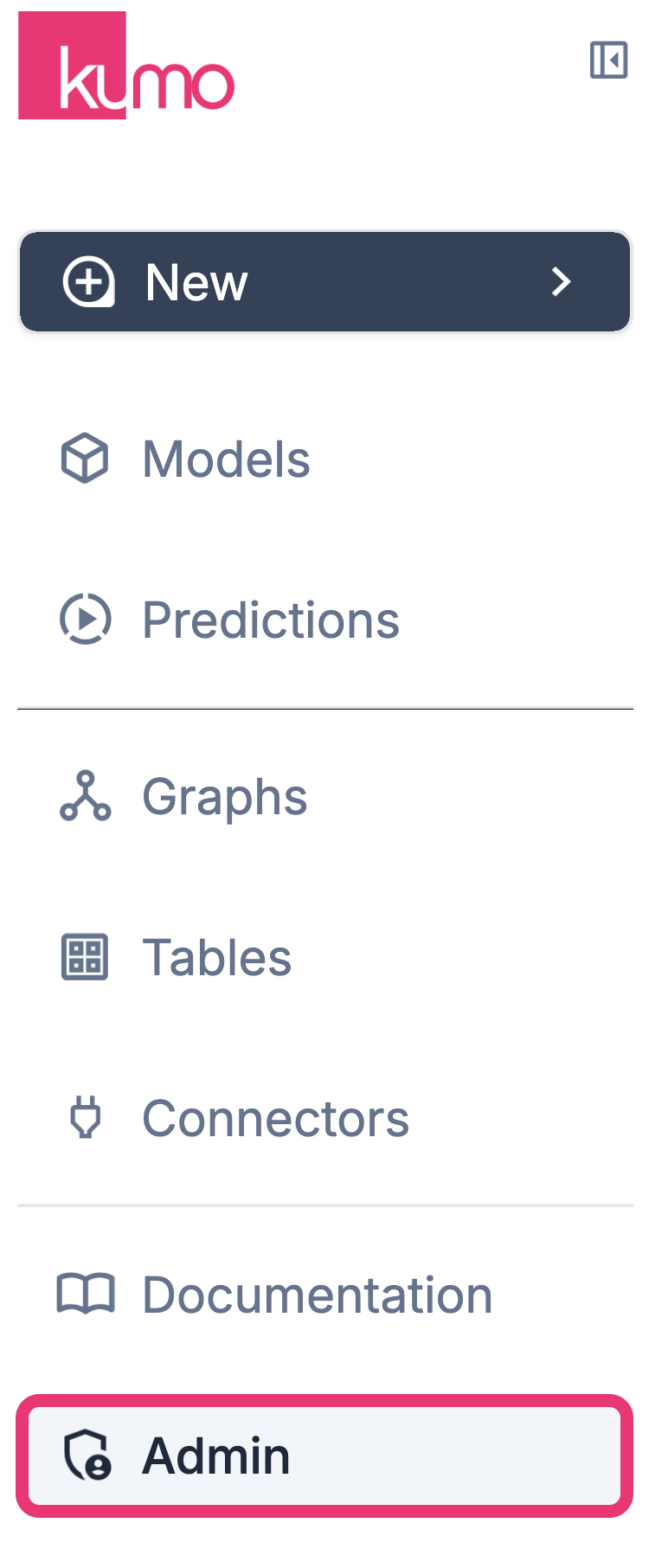
Kumo's REST API requires an API key to authenticate requests. To generate one, click the **Admin** tab in the left sidebar.
 Click **"Reset and generate new API Key"** to generate a unique, global API key that must be passed in the header of all REST API requests.
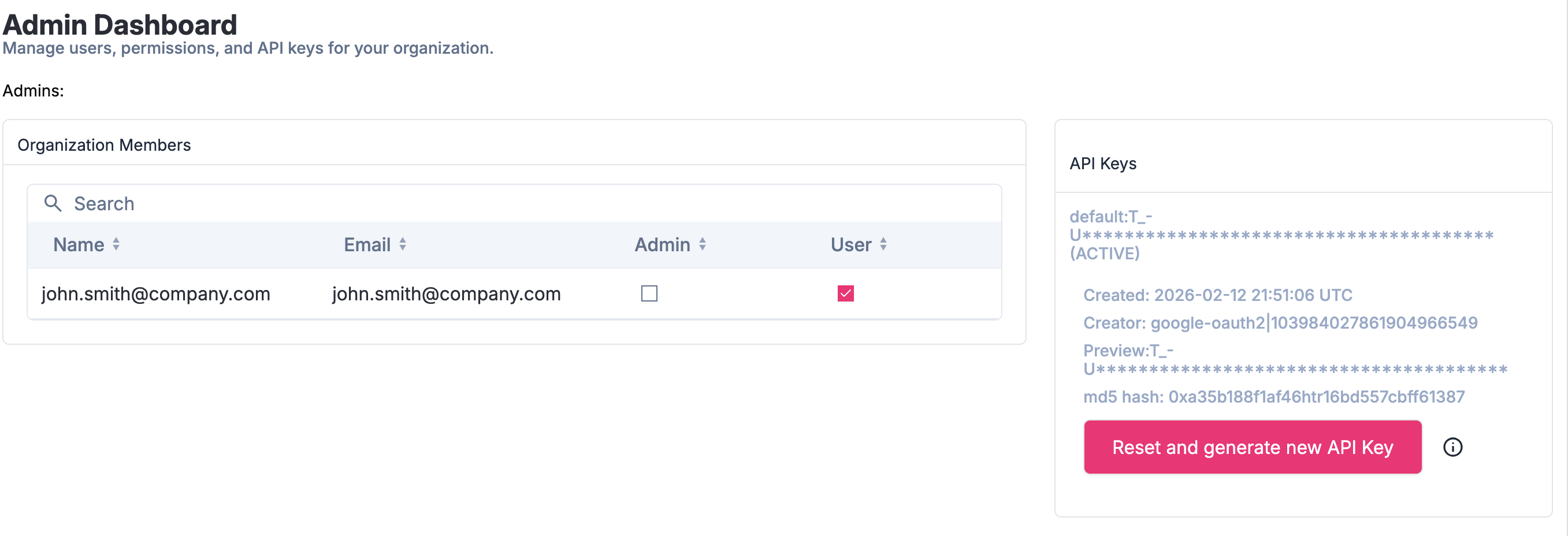
The API key is structured as `:` (e.g. `demo:qBX-J36iE8mL0o779j-U`).
***
## Using your API Key
### Authenticate a Request
Include the following header in every request to the REST API:
```
X-API-Key:
```
For example:
```
X-API-Key: demo:qBX-J36iE8mL0o779j-U
```
### Rotating Your API Key
It is best practice to periodically rotate your API key to limit exposure if it is ever compromised. Follow the same steps above to generate a new key — once generated, all previous keys are automatically invalidated.
Click **"Reset and generate new API Key"** to generate a unique, global API key that must be passed in the header of all REST API requests.

The API key is structured as `:` (e.g. `demo:qBX-J36iE8mL0o779j-U`).
***
## Using your API Key
### Authenticate a Request
Include the following header in every request to the REST API:
```
X-API-Key:
```
For example:
```
X-API-Key: demo:qBX-J36iE8mL0o779j-U
```
### Rotating Your API Key
It is best practice to periodically rotate your API key to limit exposure if it is ever compromised. Follow the same steps above to generate a new key — once generated, all previous keys are automatically invalidated.