


NVIDIA CUDA-X libraries for data science on Google Colab#
Overview#
cuDF is preinstalled on Google Colab and instantly accelerates Pandas with zero code changes. You can quickly get started with our tutorial notebook. This guide is applicable for users who want to utilize the full suite of NVIDIA CUDA-X libraries for Data Science for their workflows. It is broken into two sections:
Quick Install - applicable for most users and quickly installs all the stable packages.
Custom Setup Instructions - step by step set up instructions covering the must haves for when a user needs to adapt instance to their workflows.
In both sections, we will be installing the libraries on Colab using pip. The pip installation allows users to install libraries like cuDF, cuML, and cuGraph stable versions in a few minutes.
The installation process on Colab strives to be an “always working” solution, and sometimes will pin RAPIDS versions to ensure compatibility.
Section 1: Quick Install#
Links#
Please follow the links below to our install templates:
Pip#
Open the pip template link by clicking this button –>
 .
.Click Runtime > Run All.
Wait a few minutes for the installation to complete without errors.
Add your code in the cells below the template.
Section 2: Custom installation instructions#
1. Launch notebook#
To get started in Google Colab, click File at the top toolbar to Create new or Upload existing notebook
2. Set the Runtime#
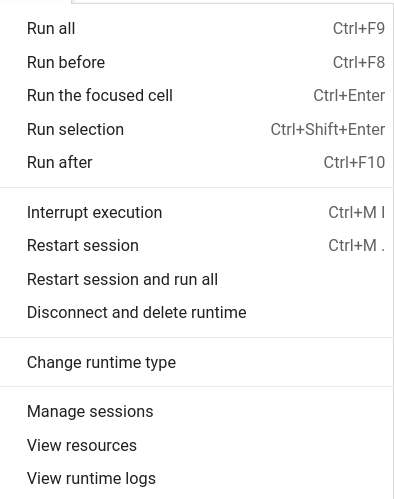
Click the Runtime dropdown and select Change Runtime Type
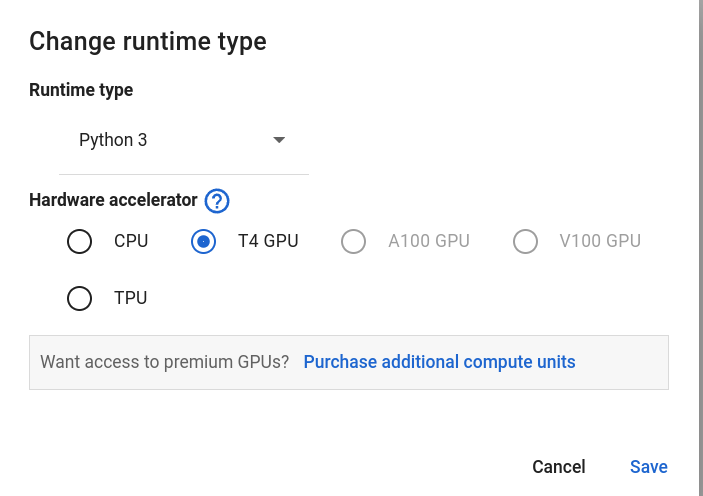
Choose GPU for Hardware Accelerator
3. Check GPU type#
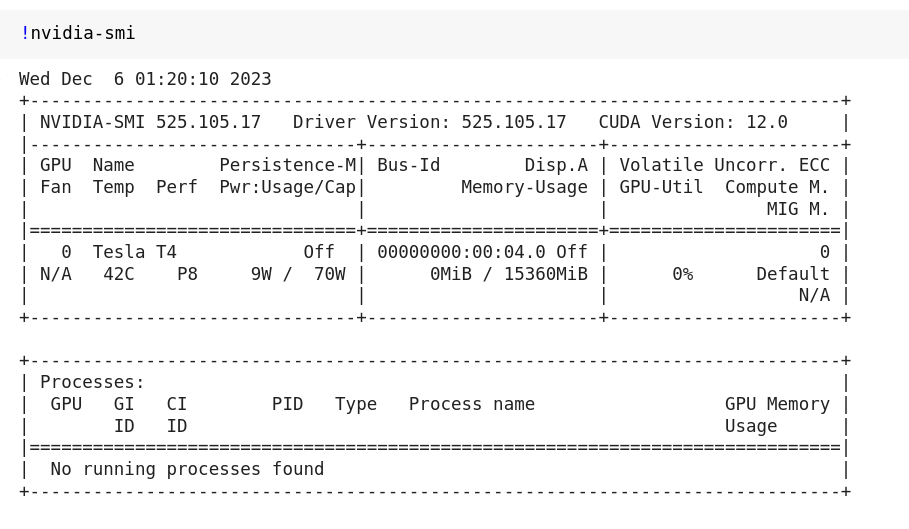
Check the output of !nvidia-smi to make sure you’ve been allocated a compatible GPU (see the system requirements).
4. Install NVIDIA CUDA-X Data Science libraries on Colab#
You can install NVIDIA CUDA-X libraries for data science using pip. The script first checks GPU compatibility with NVIDIA CUDA-X libraries for data science, then installs the latest stable versions of some core libraries (e.g. cuDF, cuML, cuGraph, and xgboost) using pip.
# Colab warns and provides remediation steps if the GPUs is not compatible with NVIDIA CUDA-X libraries for data science.

!git clone https://github.com/rapidsai/rapidsai-csp-utils.git
!python rapidsai-csp-utils/colab/pip-install.py
5. Verify the installation#
Run the following in a Python cell.
import cudf

gdf = cudf.DataFrame({"a": [1, 2, 3], "b": [4, 5, 6]})
gdf
The output should be
    a   b
0   1   4
1   2   5
2   3   6
6. Next steps#
Try a more thorough example of using cuDF on Google Colab, “10 Minutes to cuDF pandas accelerator mode (cudf.pandas)” (Google Colab link).