


Snowflake#
You can access cuDF and cuML in Snowflake Notebooks in Workspaces (Jupyter compatible)
or in the Snowflake Notebooks on Container Runtime for ML.
You can also install NVIDIA CUDA-X libraries for data science on Snowflake via Snowpark Container Services.
Snowflake Notebooks in Workspaces (Jupyter compatible)#
Snowflake Notebooks in Workspaces provide a Jupyter-compatible environment. The environment is pre-configured for AI/ML development with fully-managed access to GPUs, and it has cuDF and cuML built-in.
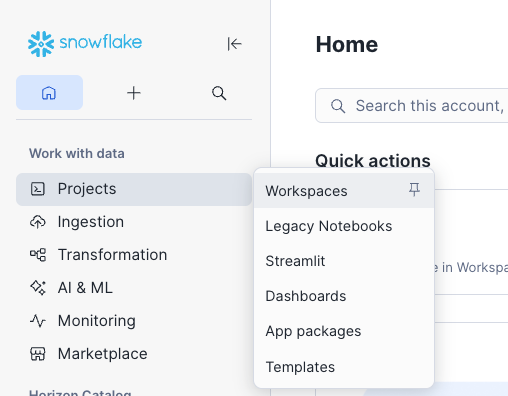
In the left panel, go to Projects → Workspaces.
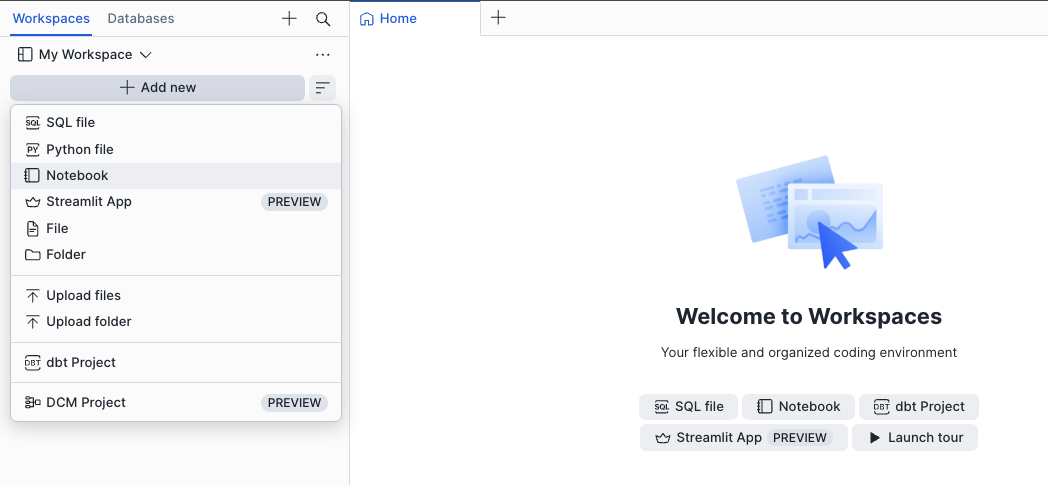
Inside your workspace, click + Add new and select Notebook to create a new notebook, or choose Upload files to import an existing
.ipynbfile.
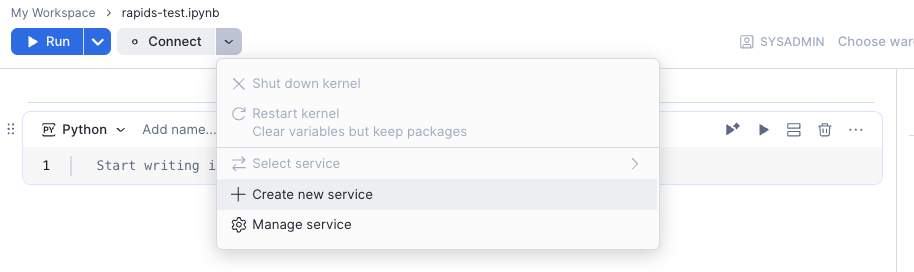
Once your notebook is open, click the Connect dropdown and select Create new service to attach a compute service that will run your notebook.
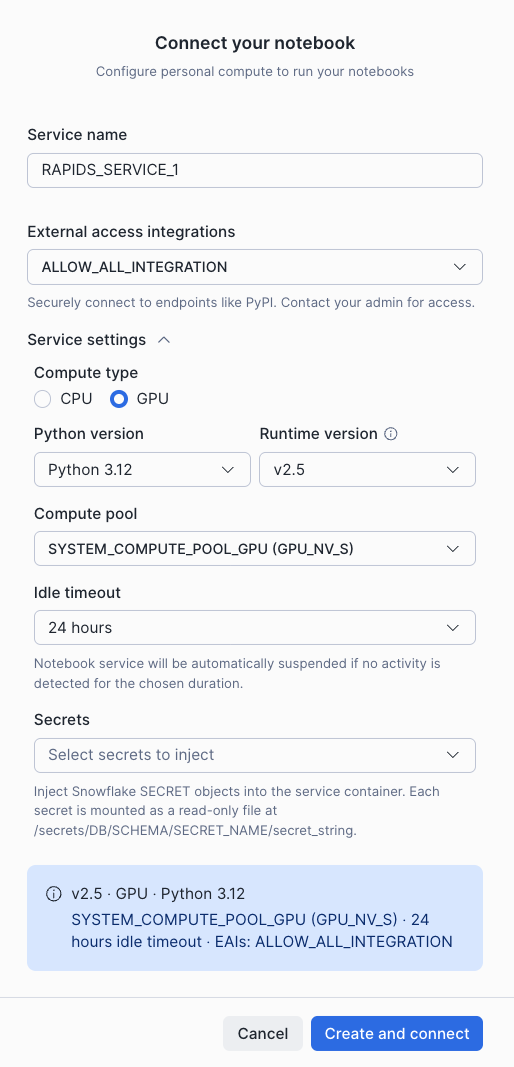
In the Connect your notebook dialog, give your service a name, set the Compute type to GPU, select a GPU compute pool (e.g.
SYSTEM_COMPUTE_POOL_GPU (GPU_NV_S)), and choose an External access integration (e.g.ALLOW_ALL_INTEGRATION) to allow package installation from PyPI and general internet access. Click Create and connect when ready.
You can import
cuDFand orcuMLand start using the notebook.