Templates
Create and use templates for dev pods and batch jobs in DGX Cloud Lepton, with customizable placeholders for flexible configuration.
Templates are used to create workloads in your workspace. You can create templates for dev pods and batch jobs to improve productivity by reusing the same configuration.
Create a Template
The process of creating a template is very similar to creating workloads as described in dev pods and batch jobs. You can specify the configuration of the template, and use placeholders to make the template more flexible.
Navigate to the Create Templates page on your workspace, where you can see a detailed form to create a template.
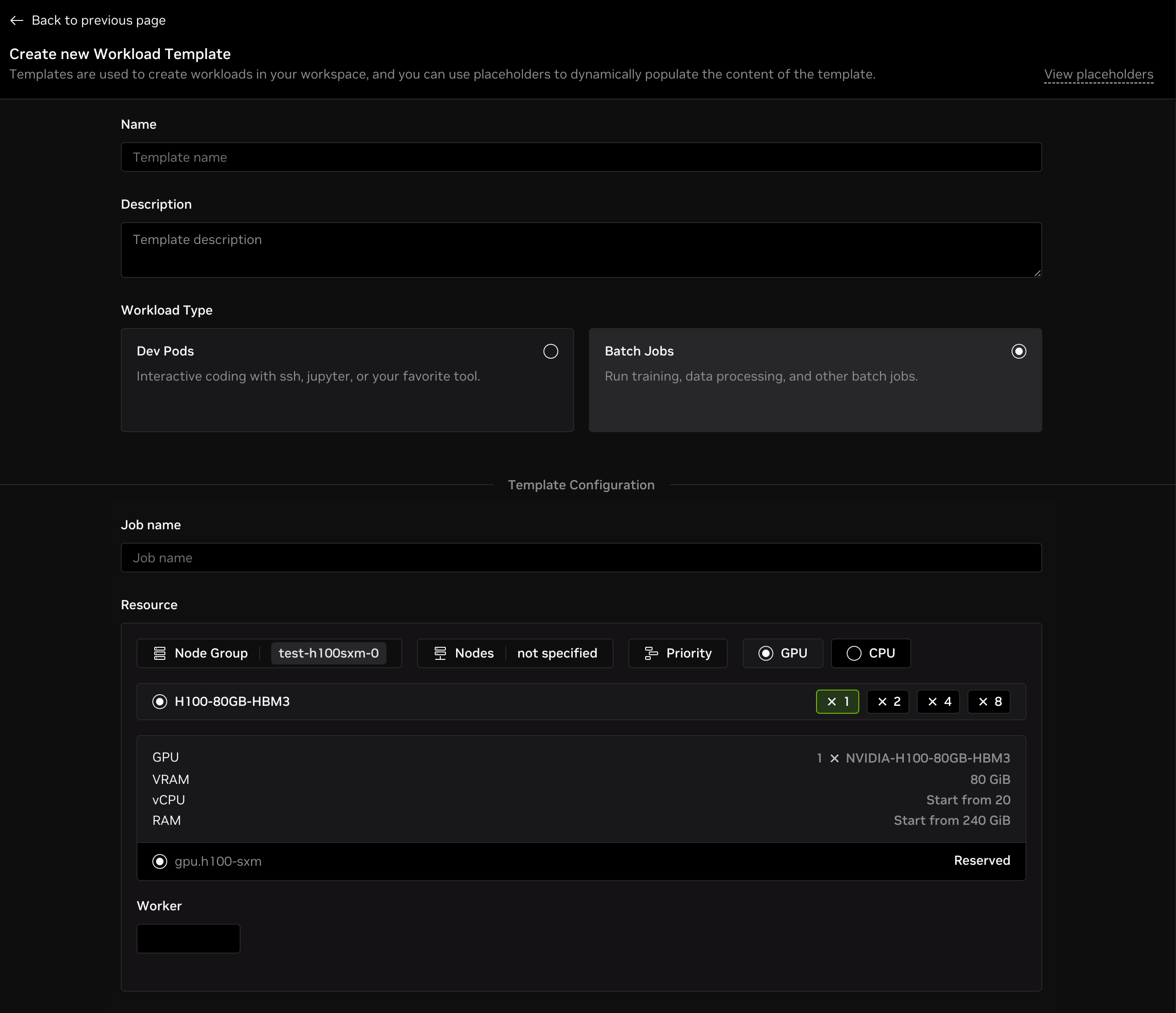
For a template, you need to specify a workload type, which can be one of the following:
- Dev Pods: Interactive coding with SSH, Jupyter, or your favorite tool.
- Batch Jobs: Run training, data processing, and other batch jobs.
Configuration
Now you can follow the page instructions to fill in the configuration for your template based on the selected workload type.
Dev Pods
The configuration for dev pods is the same as creating a dev pod. You can check the guide for more details.
Batch Jobs
The configuration for batch jobs is the same as creating a batch job. You can check the guide for more details.
Placeholders
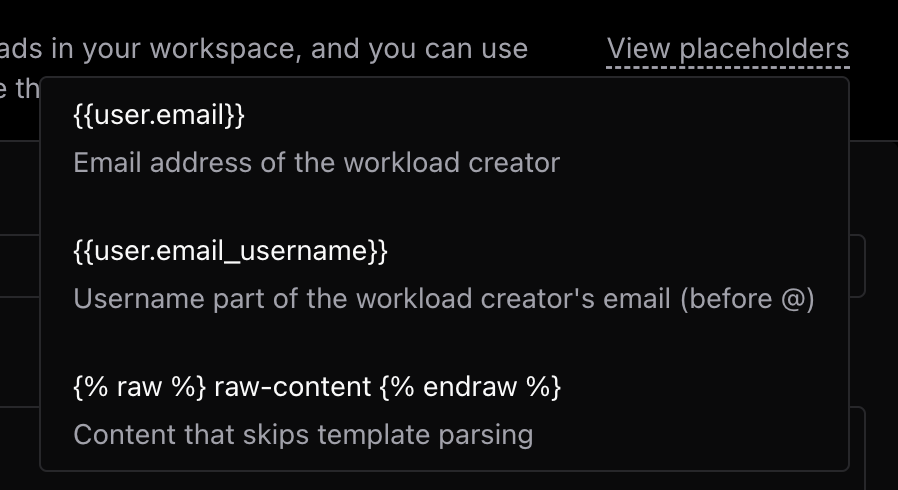
You can use placeholders in the configuration to make your template more flexible. Use placeholders in the following fields:
{{user.email}}: Email address of the workload creator.{{user.email_username}}: Username part of the workload creator's email (before @).{% raw %} raw-content {% endraw %}: Content that skips template parsing.
Example for placeholders
Take Dev Pod template as an example, you can use the placeholder {{user.email_username}} in the Job Name or Pod Name field to make the workload name unique for each creator.
Set Pod Name to {{user.email_username}}-dev-pod, and the workload name will be hey-dev-pod for user with hey@nvidia.com email address.
Use a Template
To use a template for dev pods that you have created, follow these steps:
- Head to the Create From Container Image page for dev pods.
- Click the Templates dropdown in the top right corner and select the target template.
- The form will be filled with the template configuration automatically, and you can modify fields as needed.