Token
Learn about Lepton's authentication tokens, including API Tokens and Service Account Tokens, and how to use them securely with the API, CLI, and SDKs.
Tokens are used to authenticate and authorize requests to DGX Cloud Lepton. They are essential for logging in via the CLI, API, or SDKs.
DGX Cloud Lepton supports two types of tokens, both managed on the Settings - Tokens page:
- API Token — a personal token tied to the user who created it. It inherits the creator's permissions and is the recommended choice for individual CLI, API, or SDK use.
- Service Account Token — a workspace-scoped token tied to a role rather than an individual user. It is intended for shared automation such as CI/CD pipelines, services, or scripts that should keep working independently of any single user.
Keep your tokens secure and do not share them with others. Tokens grant access to your workspace and its resources.
API Token vs. Service Account Token
| API Token | Service Account Token | |
|---|---|---|
| Who can create | Any member with token write permission | Workspace admin only |
| Permissions | Inherits the creator's permissions | Determined by the assigned role |
| Default expiration | 1 day | 30 days |
| Visibility in the list | Only visible to its creator | Visible to all workspace admins |
| Typical usage | Personal CLI / API / SDK access | CI/CD pipelines, automation, shared services |
Creating Tokens
Open the Settings - Tokens tab on the left-hand side of the workspace settings page and click Create Token.
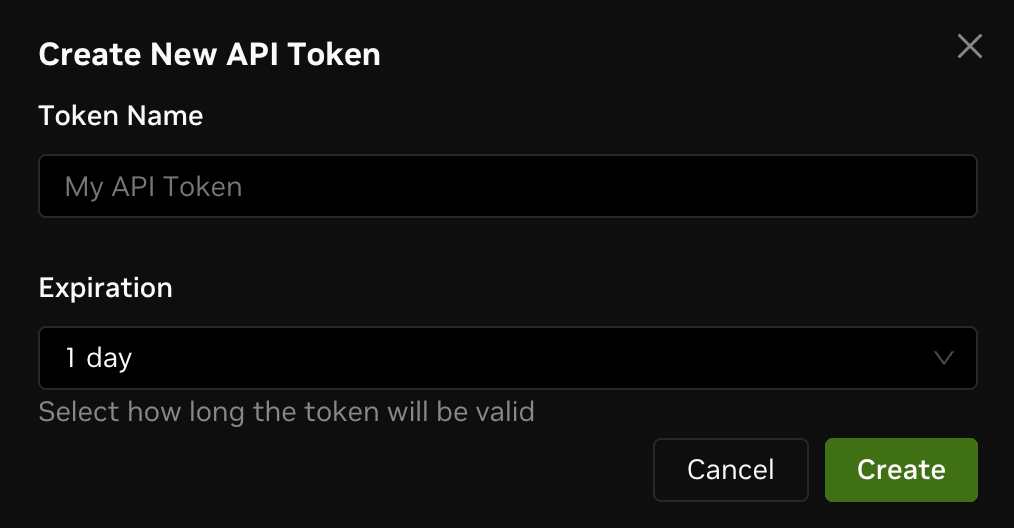
In the dialog, choose the Token Type and fill in the fields:
API Token
- Token Name — a name to help you identify the token later.
- Expiration — how long the token will be valid. Defaults to 1 day.
Service Account Token
Creating a Service Account Token requires the workspace admin role.
- Token Name — a name to help identify the token.
- Token Description — a short description of how this token will be used. Required, so that other admins can understand the purpose of the token.
- Role — the role that defines what this token can do. See Roles and Permissions for the list of built-in and custom roles. Each service account token is bound to a single role.
- Expiration — how long the token will be valid. Defaults to 30 days.
A Service Account Token is scoped to the current workspace.
The token value is only shown once at creation time. Copy and store it in a secure location (for example, a secret manager or your CI/CD secret store) before closing the dialog — it cannot be retrieved later.
Viewing Tokens
You can view existing tokens on the Tokens tab of the workspace settings page. Switch between the API Token and Service Account Token sub-tabs to see each list.
- The API Token list only shows tokens created by the current user.
- The Service Account Token list is shared across workspace admins and includes the description, assigned role, creator, and expiration of each token.
To revoke a token, click the delete icon in the Actions column. Revocation is immediate and cannot be undone.
Using Tokens
Both token types are used the same way — include the token in the Authorization header of your request:
For the CLI, you can also log in directly with an API Token:
Your Workspace ID can be found on the Settings - General page.