 |
DriveWorks SDK Reference| 0.6.67 Release |
|
|
DriveWorks SDK Reference| 0.6.67 Release |
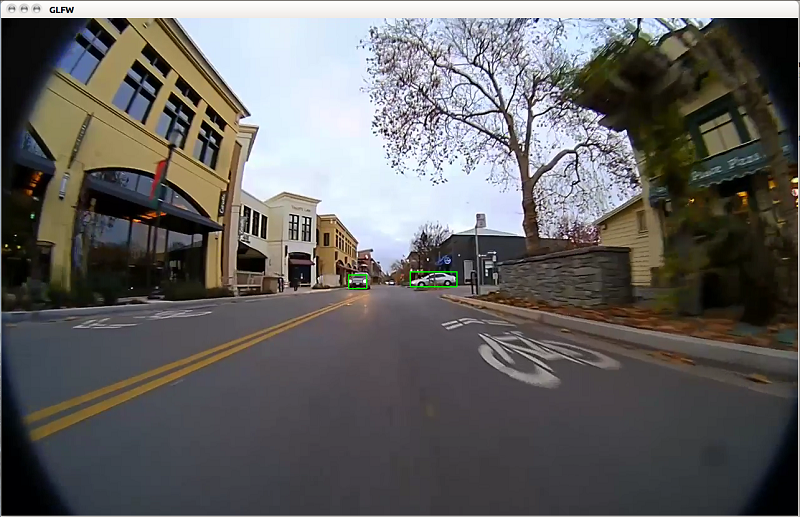
dwDetector module is a simple, low resolution, single-class sample that uses GoogLeNet architecture to show how to integrate a deep neural network (DNN) into DriveWorks to perform object detection. This sample is trained on a small amount of object detection data. For a more sophisticated, higher resolution, multi-class sample, see the DriveNet Sample.This sample demonstrates the usage of the dwDetector module for detecting and tracking 2D objects. The sample has 2 modes. If the video-count is set to 1, it expects a single video stream, and for each frame it provides 2 regions of interest, central and zoomed central, to the dwDetector module. The objects are fused by dwDetector.
If the video-count is set to 2, it expects 2 video streams where objects for each video are treated separately by the dwDetector module. In either case, dwDetector module runs data preparation, inference, and clustering to get object list. Furthermore, it tracks objects from previous frames to the current frame. Afterwards, the detected objects and tracked objects coming from previous frames are merged together to get the final list of objects for that frame.
The default usage is: ./sample_object_dwdetector
The sample must be an H.264 video stream.
The sample usage using TensorRT network is:
./sample_object_dwdetector --video1=video_file.h264 --tensorRT_model=TensorRT_model_file
                           --tracker=config_file.txt
Note that this sample loads its DataConditioner parameters from DNN metadata. This metadata can be provided to DNN module by placing the json file in the same directory as the model file with json extension; i.e. TensorRT_model_file.json. Please see data/samples/detector/tensorRT_model.bin.json as an example of DNN metadata file.
If a single video is desired, the sample usage is:
./sample_object_dwdetector --video-count=1 --video1=video_file.h264
If 2 videos are desired, the sample usage is:
./sample_object_dwdetector --video-count=2 --video1=video_file1.h264 --video2=video_file2.h264
The tracker configuration file includes the following parameters:
maxFeatureCount: Max number of features to track. Set this value between 1000 and 8000.iterationLK: Optimization iteration to locate features. By default, it is set to 40.windowSizeLK: Search window for Lucas Kanade features. By default, it is set to 14.detectInterval: The frequency of calling the detection routine. Set this value between 1 and n.maxFeatureCountPerObject: Max number of features to track for each object. By default, it is set to 500.maxObjectImageScale: Max image scale of the object to track. Set this value between 0 and 1. The multiplication of this parameter with the image size gives the maximum object size, in pixels.minObjectImageScale: Min image scale of the object to track. Set this value between 0 and 1. The multiplication of this parameter with the image size gives the maximum object size, in pixels.The sample creates a window, displays the video streams, and overlays the list and detected/tracked bounding boxes of the objects.