

Load Models from MatrixHub
Configure Dynamo on Kubernetes to retrieve model weights from an in-cluster MatrixHub registry.
MatrixHub is a model registry that can make model weights available inside your network. Pointing the Hugging Face client at an in-cluster MatrixHub endpoint lets Dynamo download a pre-cached model without retrieving the weights from the public Hugging Face service.
This guide deploys an OpenAI-compatible Dynamo service for Qwen/Qwen3-0.6B on Kubernetes.
It also describes an optional comparison against a public Hugging Face download.
Scope of the timing results
The times in this guide were measured for one environment, model, and warm container-image cache. They measure the initial model-weight download only; they are not a general performance benchmark for MatrixHub or Dynamo.
Prerequisites
Before you begin, make sure that the following are available:
- A Kubernetes cluster with the Dynamo Operator installed.
- A GPU node with an NVIDIA GPU available to Kubernetes.
- An in-cluster MatrixHub registry reachable at
http://matrixhub.example.com:30001. - The
Qwen/Qwen3-0.6Brepository pre-cached in MatrixHub. - Network access from the GPU node to
nvcr.ioand to the MatrixHub endpoint. - A machine with
kubectland a kubeconfig for the cluster.
To cache the model in MatrixHub, run the following command from a host that can reach your MatrixHub deployment:
Replace http://matrixhub.example.com:30001 with your MatrixHub endpoint.
Deploy Dynamo with MatrixHub
Connect to the cluster
Set the kubeconfig in each new terminal, then verify that the cluster is reachable:
Create the deployment manifest
Save the following manifest as dgd-vllm.yaml. Replace matrixhub.example.com:30001 and the model name as needed.
If you change the model, update both --model and --served-model-name, and ensure that the repository is available in MatrixHub.
HF_ENDPOINT directs the Hugging Face client used by the frontend and worker to MatrixHub.
The model repository and file layout must be compatible with Hugging Face Hub requests.
Apply and monitor the deployment
Wait for both pods to report 1/1 Running. The first deployment can take
several minutes while Kubernetes pulls the runtime image and starts vLLM.
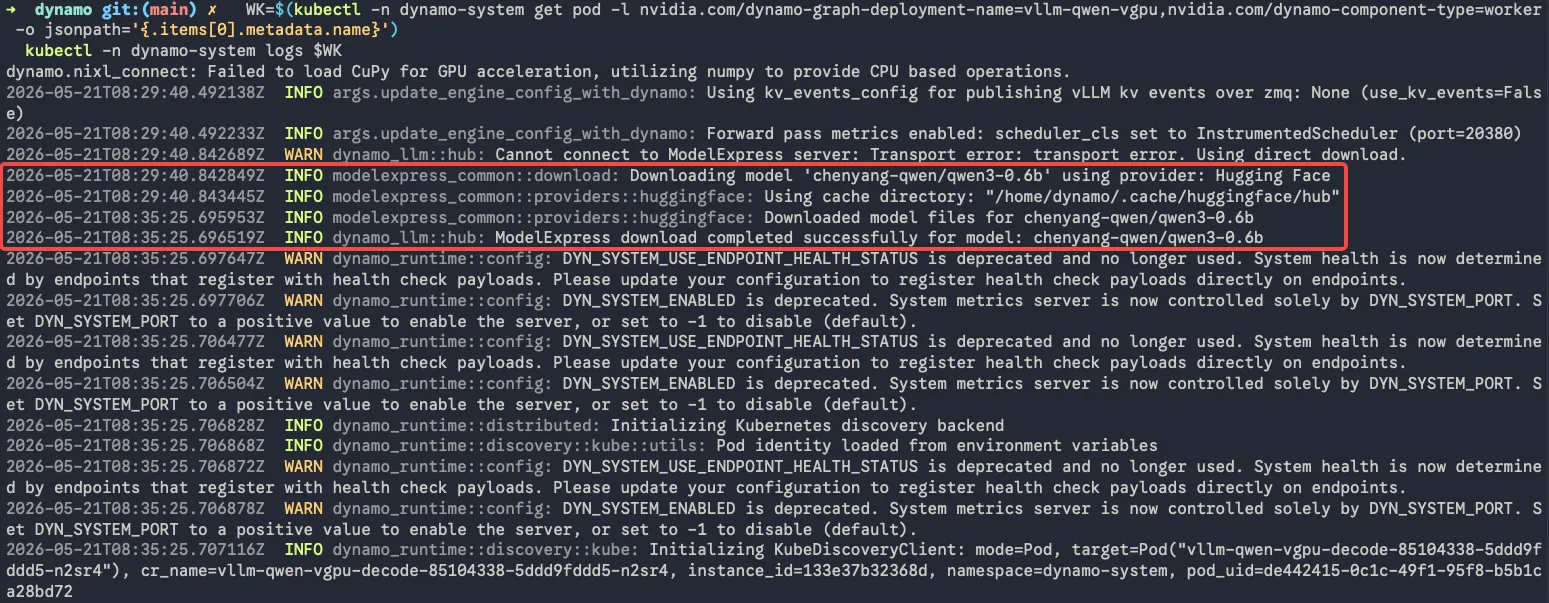
To inspect the model download, first identify the decode pod, then view its logs:
In the test environment, downloading the pre-cached model from MatrixHub took approximately 10 seconds.
Verify the service
Find the frontend pod and send an OpenAI-compatible chat-completions request from inside it:
Optional: compare with public Hugging Face
To measure the same deployment without MatrixHub, remove the HF_ENDPOINT environment-variable
block from both the Frontend and decode containers, then redeploy:
Without HF_ENDPOINT, the Hugging Face client uses its normal public endpoint.
In the test environment, downloading this model from public Hugging Face took approximately six minutes.
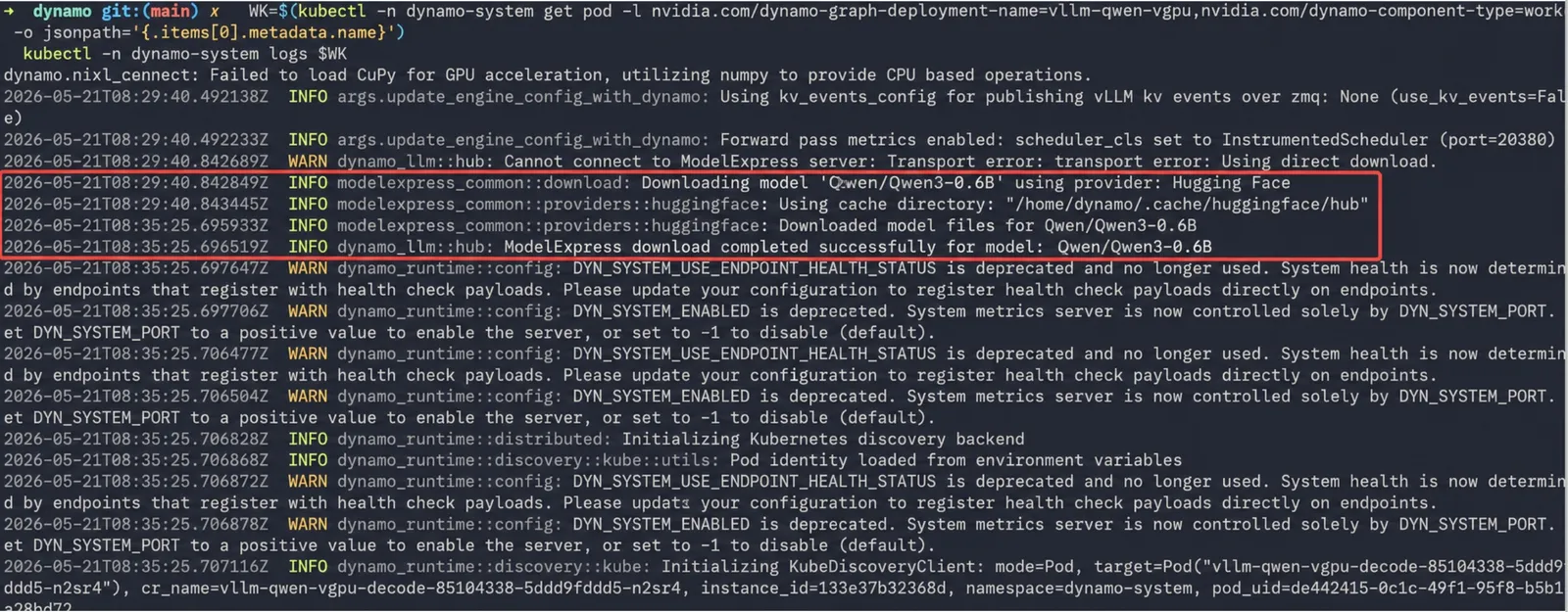
The comparison indicates that a nearby MatrixHub cache can substantially reduce the initial model-weight download time. Actual results depend on model size, cache state, network bandwidth, and the container-image cache.