
UEFI Firmware & Jetson ISO Compatibility#
This page provides compatibility information between different UEFI firmware versions and Jetson ISO versions for Jetson AGX Thor Developer Kit.
Compatibility Matrix#
UEFI Firmware Version |
Jetson ISO (r38.2) |
Jetson ISO (r38.4) |
Jetson ISO (r39.2 / r39.2.1) |
|---|---|---|---|
UEFI r38.0.0 (factory default) |
✅ OK |
✅ OK |
✅ OK |
UEFI r38.2.x |
✅ OK (requires Display Handoff) |
✅ OK (requires Display Handoff) |
✅ OK |
UEFI r38.4.x |
⛔ Not supported |
✅ OK |
✅ OK |
UEFI r39.2.x |
⛔ Not supported |
⛔ Not supported |
✅ OK |
Key Notes#
UEFI r38.0.0 (Factory Default)#
This is the firmware pre-installed on new Jetson AGX Thor Developer Kits from the factory.
Works with Jetson ISO (r38.2), Jetson ISO (r38.4), Jetson ISO (r39.2), and Jetson ISO (r39.2.1)
No Display Handoff mode change required
UEFI r38.2.x#
If your device has been updated to UEFI r38.2.x (e.g., after a previous JetPack 7.0 installation via Jetson ISO, SDK Manager, or L4T flash script):
Works with Jetson ISO (r38.2), Jetson ISO (r38.4), Jetson ISO (r39.2), and Jetson ISO (r39.2.1)
Requires enabling Display Handoff mode before USB installation with Jetson ISOs earlier than JetPack 7.2
JetPack 7.2 and later (Jetson ISO r39.2, r39.2.1) do not require manually changing the UEFI Display Hand-Off settings for reinstall. If the JetPack 7.2 or 7.2.1 OOBE boot path hangs after using efifb, use the tested simplefb path instead.
See Re-enable USB stick installation for the workaround steps
UEFI r38.4.x#
If your device has been updated to UEFI r38.4.x (e.g., after a JetPack 7.1 installation via Jetson ISO, SDK Manager, or L4T flash script):
✅ Works with Jetson ISO r38.4, r39.2, and r39.2.1 - No Display Handoff mode change required
⛔ Does NOT work with Jetson ISO r38.2 - Downgrade scenario is not supported
Warning
Downgrading from UEFI r38.4.x to an older Jetson ISO is not supported. You would have to do complete reflashing using Flash Script or SDK Manager.
UEFI r39.2.x#
If your device has been updated to UEFI r39.2.x (e.g., after a JetPack 7.2 or 7.2.1 installation via Jetson ISO, SDK Manager, or L4T flash script):
✅ Works with Jetson ISO r39.2 and r39.2.1 - No Display Handoff mode change required
⛔ Does NOT work with Jetson ISO r38.2 or r38.4 - Downgrade scenario is not supported
Warning
Downgrading from UEFI r39.2.x to an older Jetson ISO is not supported. You would have to do complete reflashing using Flash Script or SDK Manager.
How to Check Your UEFI Firmware Version#
When your Jetson AGX Thor Developer Kit powers on, the UEFI firmware version is displayed on the NVIDIA logo splash screen.
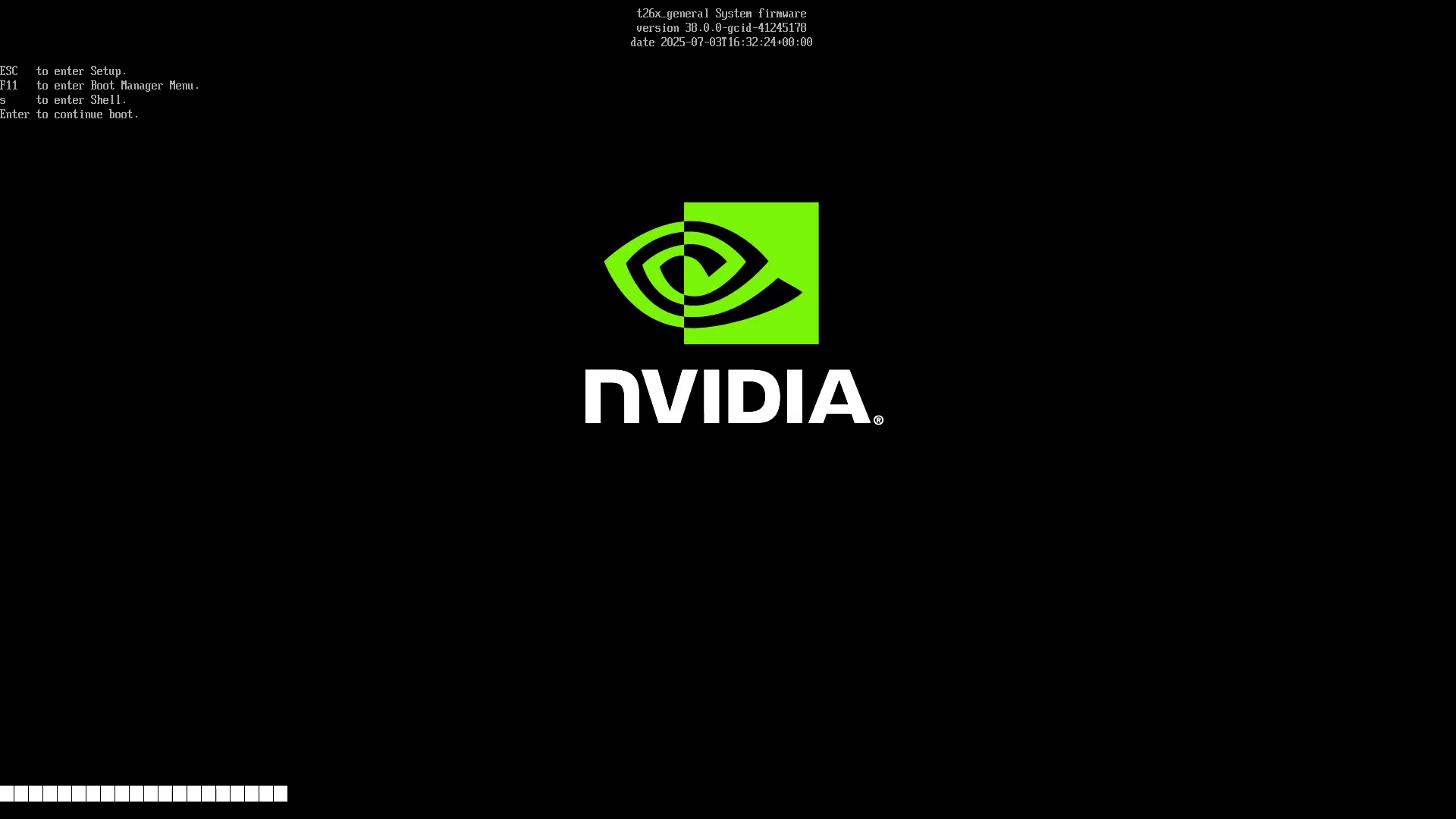
You can also check the version in the UEFI setup menu by pressing Esc during boot.