

User Interface for NVIDIA RAG Blueprint#
After you deploy the NVIDIA RAG Blueprint, use the following procedure to start testing and experimenting in the NVIDIA RAG Blueprint User Interface (RAG UI).
Important
The RAG UI is provided as a sample and for experimentation only. It is not intended for your production environment.
Open a web browser and navigate to
http://localhost:8090for a local deployment orhttp://<workstation-ip-address>:8090for a remote deployment.The RAG UI appears.
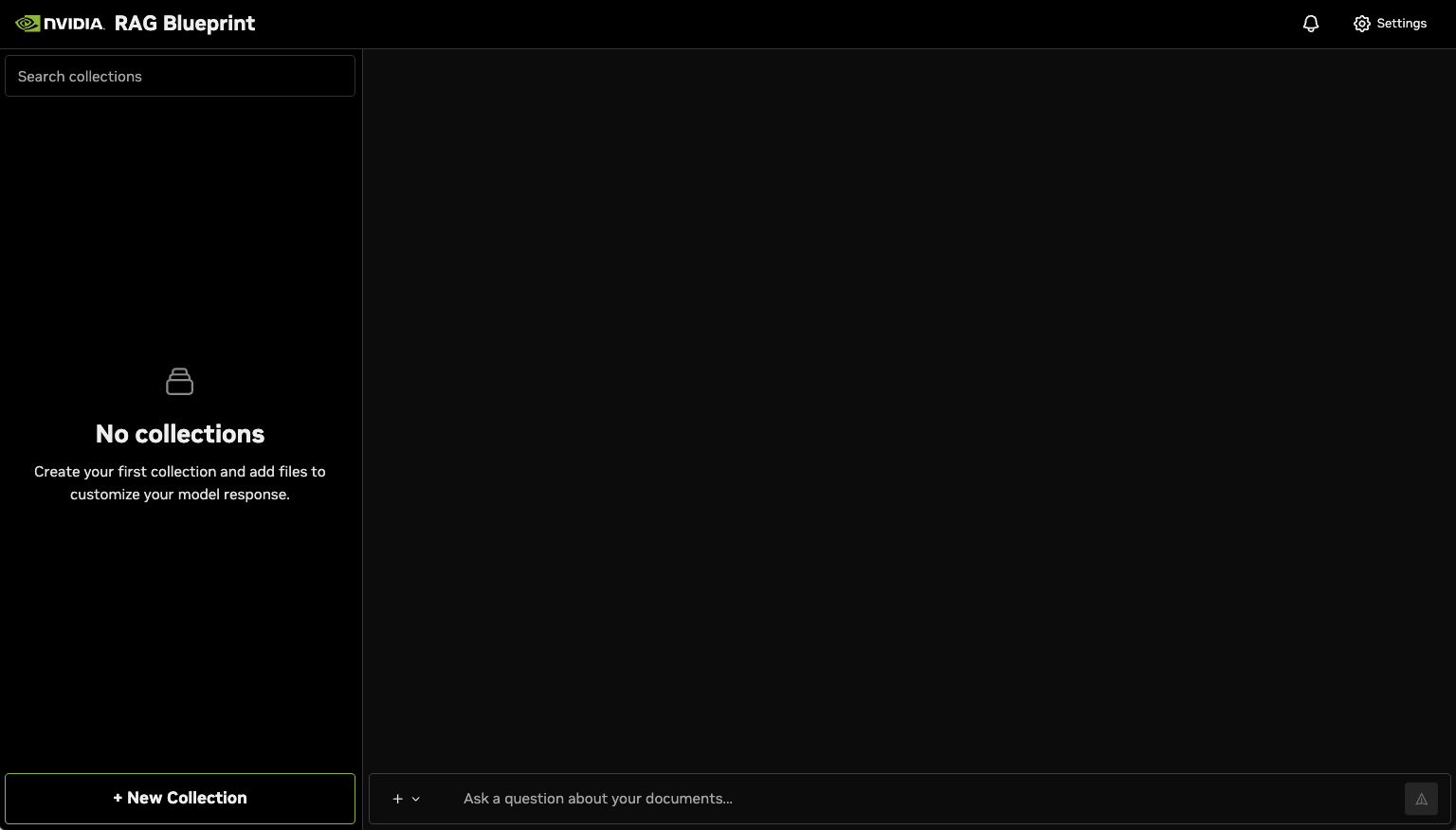
Click New Collection to add a new collection of documents. The Create New Collection dialog appears.
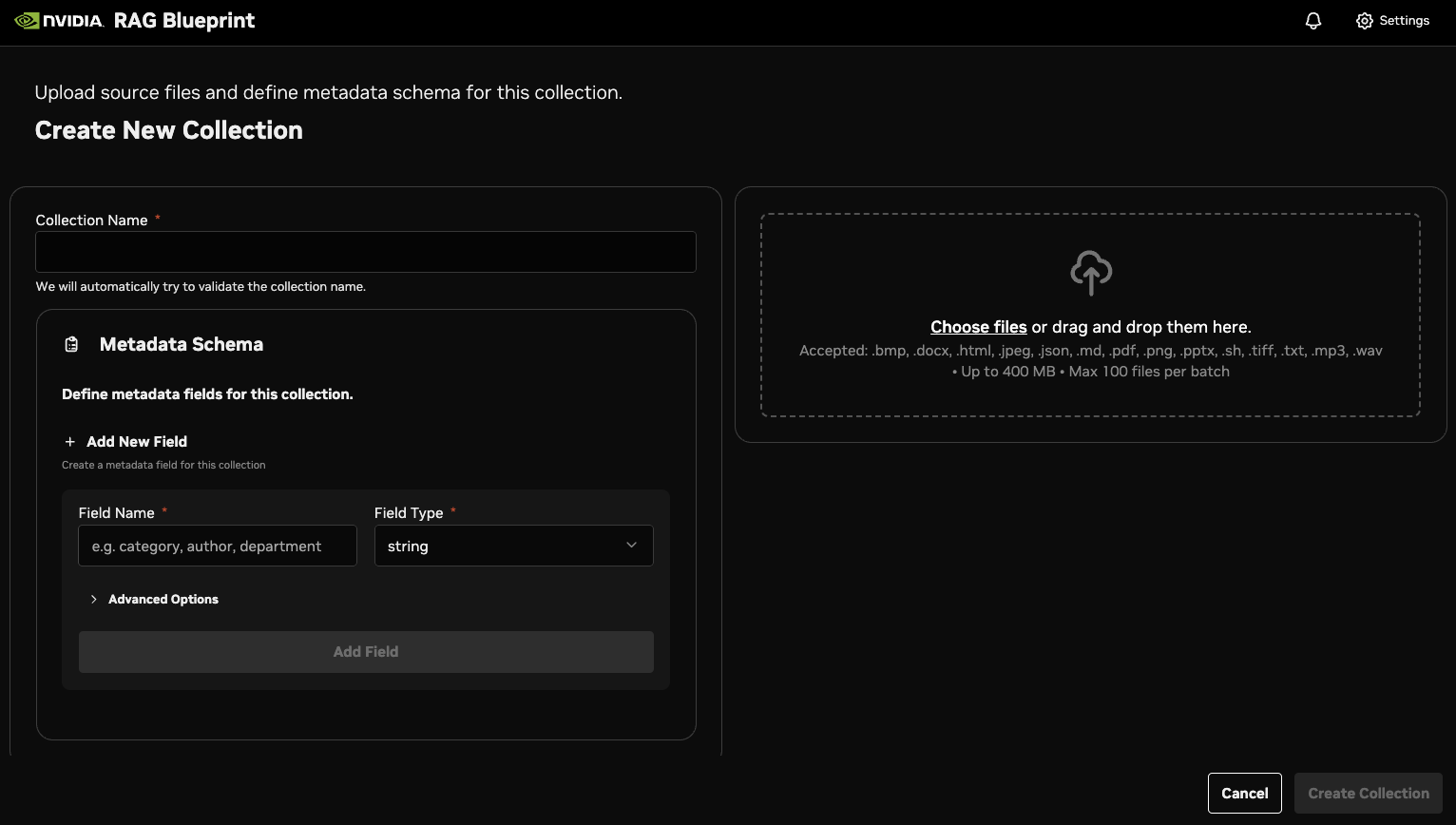
Choose some files to upload in the collection. Wait while the files are ingested.
Note
The UI file upload interface has a hard limit of 100 files per upload batch. When selecting more than 100 files, only the first 100 are processed. For bulk uploads beyond this limit, use multiple upload batches or the programmatic API.
Create two collections, one named test_collection_1 and one named test_collection_2.
For Collections, add the two collections that you created.
In Ask a question about your documents, submit a query related (or not) to the documents that you uploaded to the collections. You can query a minimum of 1 and a maximum of 5 collections. You should see results similar to the following.
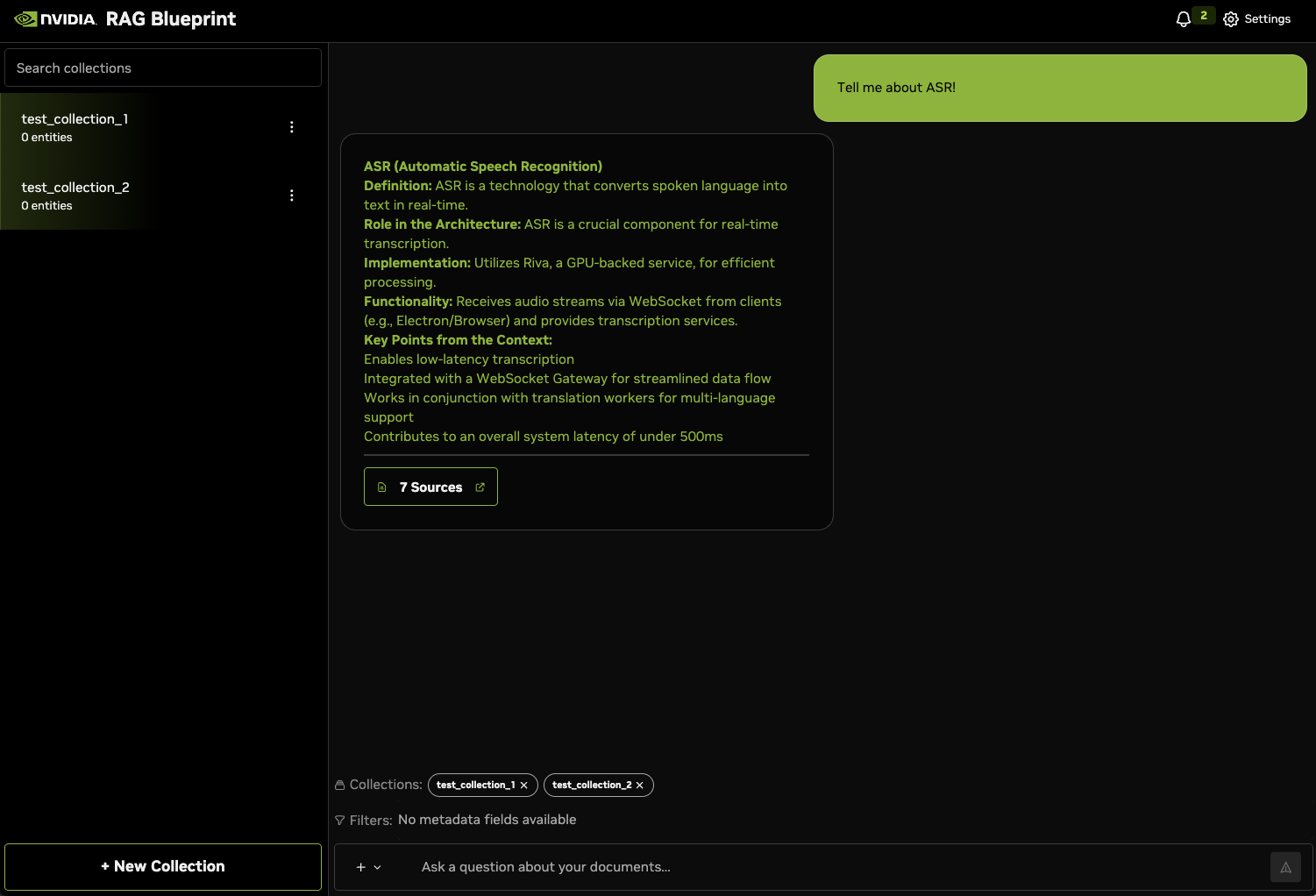
(Optional) Click Sources to view the documents that were used to generate the answer.
(Optional) Click Settings to experiment with the settings to see the effect on generated answers.
Known Issues and Troubleshooting the RAG UI#
The following issues might arise when you work with the RAG UI:
If you try to upload multiple files at the same time in the RAG UI, you might see an error similar to
Error uploading documents: { code: 'ECONNRESET' }. In this case, you can use the API directly for bulk uploading instead of the RAG UI.The RAG UI has a hard limit of 100 files per upload batch. If you select more than 100 files, only the first 100 files are processed. For uploads beyond this limit, use multiple upload batches or the API. The default timeout for file uploads in the RAG UI is set to 1 hour.
Complicated filter expressions with custom metadata are not supported from the RAG UI.
Immediately after document ingestion, there might be a delay before the RAG UI accurately reflects the number of Milvus entities in a collection. Although the count that appears might be temporarily inconsistent, the presence of a document in the RAG UI confirms its successful ingestion.