

Query Kumo Relational
Predictive Query Language (PQL) tells Kumo Relational what to predict from tables connected in a relational graph and which records should receive predictions. Use a PQL query to turn a business question into a request that identifies a target and one or more entities. For predictions about future activity, the query also specifies a time horizon.
Target × entity × horizon
Read a predictive query by answering three questions: What should Kumo Relational predict, which records need predictions, and how far into the future should it predict?
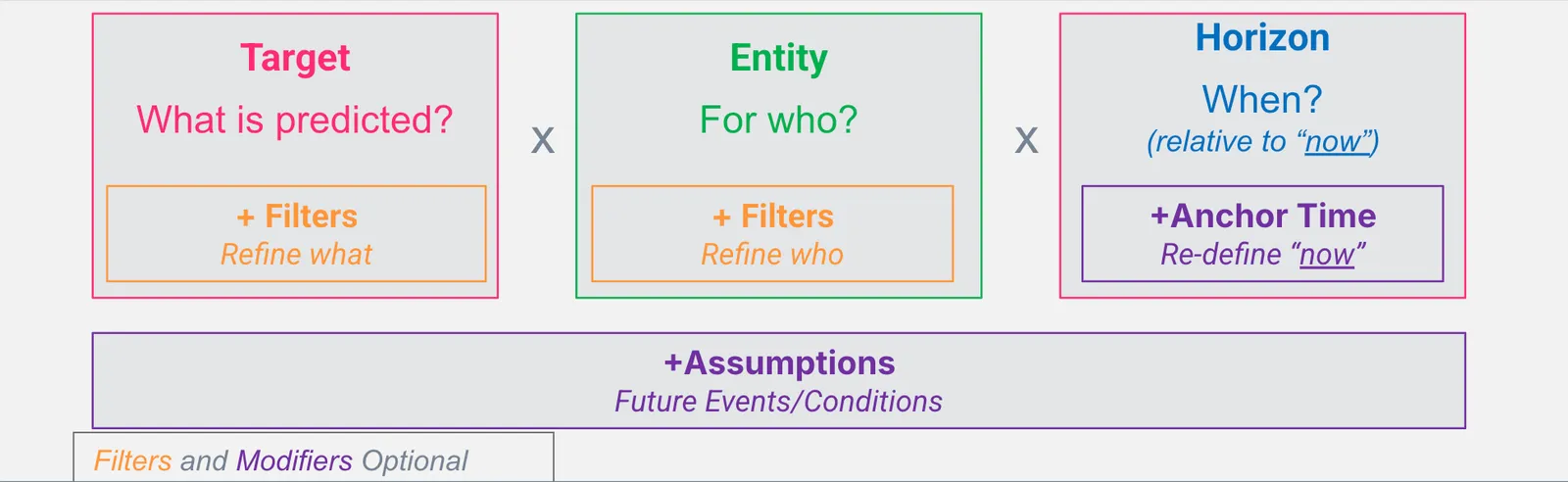
- Target: The value or event to predict, such as an existing column value or an aggregation of future activity.
- Entity: The table key that identifies each record for which Kumo Relational returns a prediction.
- Horizon: The future interval for a temporal target, measured from the time at which the prediction is made.
In the following pattern, angle brackets mark required values and square brackets mark optional clauses:
WHERE filters the historical context used for a prediction.
ASSUMING conditions the prediction on a hypothetical attribute value.
Complete examples
The target expression determines the type of prediction and whether the query needs a future horizon.
This query returns the predicted total order amount for customer 42 during the next 30 days.
This query returns a prediction of whether each listed customer will place at least one order during the next 30 days.
This query predicts the segment value for customer 42.
It does not need a horizon because the target is a column on the entity table rather than an aggregation of future activity.
Current Kumo Relational constraints
These limits apply when Kumo Relational validates a query. The broader PQL grammar can describe constructs that Kumo Relational does not currently accept.
See Write Predictive Queries for clause and aggregation details.
From query to prediction
After defining graph and storing a PQL string in query, associate the graph with a client and submit the query to predict():
The returned result contains the prediction for each entity selected by the query.
Continue with the query-writing tutorial or choose a prediction type.