


Validation#
Check Subnet Manager (SM) is enabled on the InfiniBand switches#
If UFM is deployed in the cluster:
ufm-c-1 > enable
ufm-c-1 # show ufm status
... Opensm Process is : [ Running ]
If no UFM deployed, then check directly on the InfiniBand switches:
CL-01 [subnet0: master] # configure terminal
CL-01 [subnet0: master] (config) # show ib sm
enable
Check Virtualization is enabled for the Subnet Manager on the InfiniBand switches#
If UFM is deployed in the cluster:
ufm-c-1 > enable
ufm-c-1 # show ib sm virtualization
enable
Ensure that show ib sm virtualization shows enabled and enable it if not enabled.
If no UFM deployed, then check directly on the InfiniBand switches:
CL-01 [subnet0: master] # configure terminal
CL-01 [subnet0: master] (config) # show ib sm virt
Enabled
Check the installed NVIDIA Network Operator version#
Use the following command to verify the installed version (example namespace used here is network-operator):
~# helm ls -n network-operator
NAME NAMESPACE REVISION UPDATED STATUS CHART APP VERSION
network-operator network-operator 1 2026-01-22 08:34:46.508300746 -0800 PST deployed network-operator-25.10.0 v25.10.0
Verify NVIDIA Network Operator is installed#
~# kubectl get pods -n network-operator
NAME READY STATUS RESTARTS AGE
network-operator-777f6bb468-dzdh5 1/1 Running 0 47s
Check values.yaml is properly applied by Helm#
Run the following command against the release you installed (example release name: network-operator) to show only the usersupplied values (what you passed via -f values.yaml):
~# helm get values network-operator -n network-operator
USER-SUPPLIED VALUES:
maintenanceOperator:
  enabled: false
nfd:
  deployNodeFeatureRules: true
  enabled: true
nvIpam:
  deploy: true
sriov-network-operator:
  sriovOperatorConfig:
    configDaemonNodeSelector:
      node-role.kubernetes.io/worker: ""
    featureGates:
      mellanoxFirmwareReset: false
      parallelNicConfig: true
sriovNetworkOperator:
  enabled: true
Compare this output with your values.yaml. If your keys and values show up as expected in the helm get values output, Helm has stored and applied them.
Verify NIC Cluster Policy is applied#
You verify that the NicClusterPolicy is applied by checking its status. In the output, look at STATUS – should be ready when the policy is fully applied:
~# kubectl get nicclusterpolicy -n network-operator
NAME STATUS AGE
nic-cluster-policy ready 2026-01-11T07:18:41Z
Verify IP Pools are applied#
~# kubectl get ippools.nv-ipam.nvidia.com -n network-operator
NAME SUBNET GATEWAY BLOCK SIZE
sriovibnet-pool-a-su-1 100.131.0.0/16 100.131.0.1 32
sriovibnet-pool-b-su-1 100.132.0.0/16 100.132.0.1 32
sriovibnet-pool-c-su-1 100.133.0.0/16 100.133.0.0.1 32
sriovibnet-pool-d-su-1 100.134.0.0/16 100.134.0.1 32
sriovibnet-pool-e-su-1 100.135.0.0/16 100.135.0.1 32
sriovibnet-pool-f-su-1 100.136.0.0/16 100.136.0.1 32
sriovibnet-pool-g-su-1 100.137.0.0/16 100.137.0.1 32
sriovibnet-pool-h-su-1 100.138.0.0/16 100.138.0.1 32
Verify SR-IOV setup#
After applying SR-IOV network node policy, IB network resource, and node pool configuration, you can see the status by running the following commands. Keep in mind that the setup may take a while before it is complete.
~# kubectl get sriovnetworknodestate -n network-operator
NAME SYNC STATUS DESIRED SYNC STATE CURRENT SYNC STATE AGE
dgx-01 InProgress Reboot_Required Draining 8h
dgx-02 Succeeded Idle Idle 8h
dgx-03 Succeeded Idle Idle 8h
dgx-04 InProgress Reboot_Required Draining 8h

~# kubectl get sriovnetworknodestates -n network-operator
NAME SYNC STATUS DESIRED SYNC STATE CURRENT SYNC STATE AGE
dgx-01 Succeeded Idle Idle 22h
dgx-02 Succeeded Idle Idle 22h
dgx-03 Succeeded Idle Idle 22h
dgx-04 Succeeded Idle Idle 22h
In the above example we see that dgx-02 and dgx-03 are ready while dgx-01 and dgx-04 are still in process of draining. To speed up the process, you can reboot the nodes manually. We can further validate if a node is ready if it shows the number of VFs we expect:
~# kubectl describe node dgx-01 | grep sriovib
nvidia.com/sriovib_resource_a: 8
nvidia.com/sriovib_resource_b: 8
nvidia.com/sriovib_resource_c: 8
nvidia.com/sriovib_resource_d: 8
nvidia.com/sriovib_resource_e: 8
nvidia.com/sriovib_resource_f: 8
nvidia.com/sriovib_resource_g: 8
nvidia.com/sriovib_resource_h: 8
[output truncated]
Verify NVIDIA Network Operator is operational#
When NVIDIA Network Operator is successfully deployed, the following command will show the pods created in the network-operator namespace, make sure the PODs’ status is Running:
~# kubectl get pods -n network-operator
NAME READY STATUS RESTARTS AGE
cni-plugins-ds-27lwh 1/1 Running 0 5d23h
cni-plugins-ds-8tpw6 1/1 Running 0 6d23h
cni-plugins-ds-lz58z 1/1 Running 0 6d23h
cni-plugins-ds-xx6t8 1/1 Running 0 6d23h
kube-multus-ds-6fcl4 1/1 Running 0 6d23h
kube-multus-ds-mdsfj 1/1 Running 0 6d23h
kube-multus-ds-sjzpk 1/1 Running 0 5d23h
kube-multus-ds-vg89t 1/1 Running 0 6d23h
network-operator-777f6bb468-dzdh5 1/1 Running 4 (40h ago) 6d23h
network-operator-node-feature-discovery-gc-75b88b7d68-j94wx 1/1 Running 0 22h
network-operator-node-feature-discovery-master-76985ff75b-4fw5z 1/1 Running 0 22h
network-operator-node-feature-discovery-worker-fzb4p 1/1 Running 0 22h
network-operator-node-feature-discovery-worker-kgsml 1/1 Running 0 22h
network-operator-node-feature-discovery-worker-lzpjx 1/1 Running 0 22h
network-operator-node-feature-discovery-worker-mtcrt 1/1 Running 0 22h
network-operator-node-feature-discovery-worker-p2vnn 1/1 Running 0 22h
network-operator-node-feature-discovery-worker-shg7j 1/1 Running 0 22h
network-operator-node-feature-discovery-worker-zsfjj 1/1 Running 0 22h
network-operator-sriov-network-operator-757b554f64-wrq5k 1/1 Running 0 6d23h
nv-ipam-controller-6669b9cc48-cj6kg 1/1 Running 5 (46h ago) 7d21h
nv-ipam-controller-6669b9cc48-djhqd 1/1 Running 0 7d21h
nv-ipam-node-7mdh5 1/1 Running 0 6d23h
nv-ipam-node-8kqpw 1/1 Running 0 6d23h
nv-ipam-node-kn5wv 1/1 Running 0 5d23h
nv-ipam-node-zqmzl 1/1 Running 0 6d23h
sriov-device-plugin-9lz4b 1/1 Running 0 22h
sriov-device-plugin-gjk6w 1/1 Running 0 22h
sriov-device-plugin-q4jfx 1/1 Running 0 22h
sriov-device-plugin-qvzjt 1/1 Running 0 22h
sriov-network-config-daemon-5mtwk 1/1 Running 0 22h
sriov-network-config-daemon-mdrwx 1/1 Running 0 22h
sriov-network-config-daemon-sm7x7 1/1 Running 0 22h
sriov-network-config-daemon-xkjm4 1/1 Running 0 22h
cni-plugins-ds
This is a daemon set running on every node with a GPU. (This is set as a toleration so it knows to run on only the GPU nodes). This cni plugin will copy the correct binaries to the nodes in the /opt/cni/bin folder.
kube-multus-ds
This is a daemon set for multus. This pod installs multus which allows a pod to have more than one virtual network interface.
network-operator-777f6bb468-dzdh5
This is the main Network Operator pod, created by the network-operator deployment in the network-operator namespace. It runs the NVIDIA Network Operator controller, which watches custom resources such as NicClusterPolicy and reconciles all networking components (drivers, device plugins, CNI, IPAM, etc.). The suffix 777f6bb468-dzdh5 comes from Kubernetes: 777f6bb468 is the ReplicaSet hash and dzdh5 is the individual pod ID.
network-operator-node-feature-discovery-gc
This is the NFD garbage-collector (NFD-GC) pod that the NVIDIA Network Operator deploys along with NFD. It periodically cleans up stale NodeFeature and NodeResourceTopology objects when nodes are removed or no longer valid, ensuring node feature data stays in sync with actual cluster nodes.
network-operator-node-feature-discovery-master
This is the NFD “master” pod that is deployed as part of the NVIDIA Network Operator. It receives hardware feature information from NFD worker pods and applies labels to Kubernetes nodes (for example, labels indicating SR-IOV, RDMA, or specific NIC/GPU capabilities).
network-operator-node-feature-discovery-worker
This is a NFD worker pod managed by the NVIDIA Network Operator. The NFD worker runs as a DaemonSet on each selected node and detects hardware and system features (NIC type, RDMA/SR-IOV capability, CPU flags, etc.) on that node. It then sends this information to the NFD master, which writes them as labels on the node object.
network-operator-sriov-network-operator
This is a specialized operator that handles the complexities of SR-IOV (Virtual Functions) and manages the lifecycle of the config-daemons pods.
nv-ipam-controller
This manages the “bookkeeping” for IP addresses. It ensures that when you create an IPPool, the addresses are delivered correctly across the cluster without conflicts.
nv-ipam-node
This is the local agent for IP management. When a pod starts up on a specific node, this pod quickly assigns it an IP address from the pool so it can come online instantly.
sriov-device-plugin
This is a pod from the SR-IOV network device plugin DaemonSet that the NVIDIA Network Operator (via the SR-IOV Network Operator) deploys on worker nodes. The SR-IOV device plugin discovers SR-IOV-capable NIC resources (PFs, VFs, and sometimes auxiliary devices) on the node and advertises them to Kubernetes as extended resources so pods can request them. When a pod requests one of these SR-IOV resources, the device plugin allocates a specific VF (or other SR-IOV device) to that pod, and the SR-IOV CNI then wires it into the pod’s network namespace for high-performance networking.
sriov-network-config-daemon
Another daemon set that interacts with the node’s kernel and the NVIDIA NIC firmware. They are responsible for taking a physical port and “slicing” it into virtual functions.
Use NVIDIA Collective Communications Library (NCCL) to verify inter-node GPU-to-GPU performance#
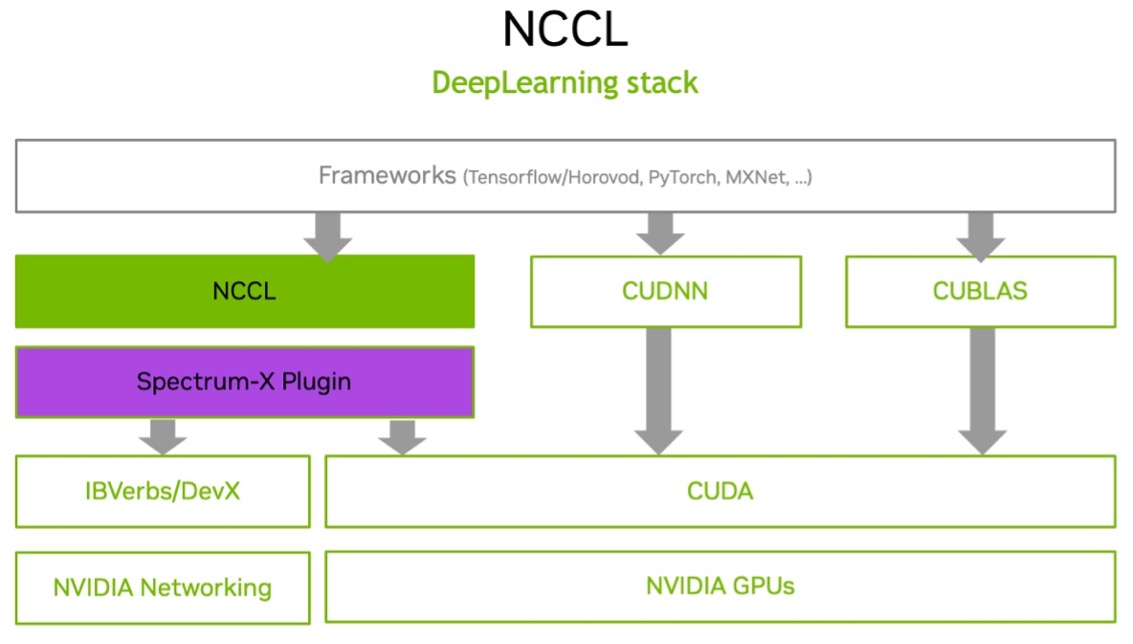
NCCL (pronounced “nickel”) is a low‑level communication library from NVIDIA that provides fast, GPU‑aware collective and point‑to‑point communication primitives for multi‑GPU and multi‑node systems through CUDA kernels.
The following example shows running NCCL tests on a Kubernetes (K8s) cluster. This test uses the high-speed interconnects between the DGX nodes within the SuperPOD / BasePOD cluster to confirm that the fabric is operating correctly to run distributed AI workloads.
Note: Multi-node NCCL tests on K8s cluster require mpi-operator, gpu-operator and NVIDIA network-operator.
Verify mpi-operator, gpu-operator and NVIDIA network-operator are installed on the headnode:
~# kubectl get deployment -n network-operator
NAME READY UP-TO-DATE AVAILABLE AGE
network-operator 1/1 1 1 24d
network-operator-node-feature-discovery-gc 1/1 1 1 7d
network-operator-node-feature-discovery-master 1/1 1 1 7d
network-operator-sriov-network-operator 1/1 1 1 13d
nv-ipam-controller 2/2 2 2 24d

~# kubectl get deployment -n gpu-operator
NAME READY UP-TO-DATE AVAILABLE AGE
gpu-operator 1/1 1 1 52d
gpu-operator-node-feature-discovery-gc 1/1 1 1 52d
gpu-operator-node-feature-discovery-master 1/1 1 1 52d

~# kubectl get deployment -n mpi-operator
No resources found in mpi-operator namespace.
If mpi-operator is not installed (shown in the above example) as part of the Kubernetes setup wizard, use the following command to install it, replace “0.7.0” with the latest version if needed:
~# kubectl apply --server-side -f https://raw.githubusercontent.com/kubeflow/mpi-operator/v0.7.0/deploy/v2beta1/mpi-operator.yaml
namespace/mpi-operator serverside-applied
customresourcedefinition.apiextensions.k8s.io/mpijobs.kubeflow.org serverside-applied
serviceaccount/mpi-operator serverside-applied
clusterrole.rbac.authorization.k8s.io/kubeflow-mpijobs-admin serverside-applied
clusterrole.rbac.authorization.k8s.io/kubeflow-mpijobs-edit serverside-applied
clusterrole.rbac.authorization.k8s.io/kubeflow-mpijobs-view serverside-applied
clusterrole.rbac.authorization.k8s.io/mpi-operator serverside-applied
clusterrolebinding.rbac.authorization.k8s.io/mpi-operator serverside-applied
deployment.apps/mpi-operator serverside-applied

~# kubectl get deployment -n mpi-operator
NAME READY UP-TO-DATE AVAILABLE AGE
mpi-operator 1/1 1 1 10s
Make sure the InfiniBand interfaces (e.g. ibp24s0, ibp64s0, etc) for compute on the DGX nodes are “UP”:
root@dgx-01:~# ip a | grep UP
… [output truncated]
11: ibp24s0: <BROADCAST,MULTICAST,UP,LOWER_UP> mtu 1500 qdisc mq state UP group default qlen 1000
12: ibp64s0: <BROADCAST,MULTICAST,UP,LOWER_UP> mtu 1500 qdisc mq state UP group default qlen 1000
13: ibp79s0: <BROADCAST,MULTICAST,UP,LOWER_UP> mtu 1500 qdisc mq state UP group default qlen 1000
14: ibp94s0: <BROADCAST,MULTICAST,UP,LOWER_UP> mtu 1500 qdisc mq state UP group default qlen 1000
15: ibp154s0: <BROADCAST,MULTICAST,UP,LOWER_UP> mtu 1500 qdisc mq state UP group default qlen 1000
16: ibp192s0: <BROADCAST,MULTICAST,UP,LOWER_UP> mtu 1500 qdisc mq state UP group default qlen 1000
17: ibp206s0: <BROADCAST,MULTICAST,UP,LOWER_UP> mtu 1500 qdisc mq state UP group default qlen 1000
18: ibp220s0: <BROADCAST,MULTICAST,UP,LOWER_UP> mtu 1500 qdisc mq state UP group default qlen 1000
….[output truncated]
Following is the NCCL test mpijob yaml file used in this use case:
apiVersion: kubeflow.org/v2beta1
kind: MPIJob
metadata:
  name: nccltest
spec:
  slotsPerWorker: 8
  runPolicy:
    cleanPodPolicy: Running
  mpiReplicaSpecs:
    Launcher:
      replicas: 1
      template:
        spec:
          imagePullSecrets:
            - name: ngc-registry-default
          containers:
            - image: deepops/nccl-tests:2312
              name: nccltest
              imagePullPolicy: IfNotPresent
              command:
                - sh
                - "-c"
                - |
                  /bin/bash << 'EOF'
                  mpirun --allow-run-as-root \
                    -np 16 \
                    -hostfile /etc/mpi/hostfile \
                    -bind-to none -map-by slot \
                    -mca pml ob1 \
                    -mca btl self,tcp \
                    -mca btl_tcp_if_include eth0 \
                    -mca oob_tcp_if_include eth0 \
                    -mca mpi_preconnect_all 1 \
                    all_reduce_perf_mpi -b 8 -e 16G -f 2 -g 1
                  && sleep infinity
                  EOF
    Worker:
      replicas: 2
      template:
        metadata:
          annotations:
            k8s.v1.cni.cncf.io/networks: sriovibnet-rdma-default-a-su-1,sriovibnet-rdma-default-b-su-1,sriovibnet-rdma-default-c-su-1,sriovibnet-rdma-default-d-su-1,sriovibnet-rdma-default-e-su-1,sriovibnet-rdma-default-f-su-1,sriovibnet-rdma-default-g-su-1,sriovibnet-rdma-default-h-su-1
        spec:
          imagePullSecrets:
            - name: ngc-registry-default
          containers:
            - image: deepops/nccl-tests:2312
              name: nccltest
              imagePullPolicy: IfNotPresent
              securityContext:
                capabilities:
                  add: [ "IPC_LOCK" ]
              resources:
                requests:
                  nvidia.com/sriovib_resource_a: "1"
                  nvidia.com/sriovib_resource_b: "1"
                  nvidia.com/sriovib_resource_c: "1"
                  nvidia.com/sriovib_resource_d: "1"
                  nvidia.com/sriovib_resource_e: "1"
                  nvidia.com/sriovib_resource_f: "1"
                  nvidia.com/sriovib_resource_g: "1"
                  nvidia.com/sriovib_resource_h: "1"
                  nvidia.com/gpu: 8
                limits:
                  nvidia.com/sriovib_resource_a: "1"
                  nvidia.com/sriovib_resource_b: "1"
                  nvidia.com/sriovib_resource_c: "1"
                  nvidia.com/sriovib_resource_d: "1"
                  nvidia.com/sriovib_resource_e: "1"
                  nvidia.com/sriovib_resource_f: "1"
                  nvidia.com/sriovib_resource_g: "1"
                  nvidia.com/sriovib_resource_h: "1"
                  nvidia.com/gpu: 8
Verify the NCCL test results by inspecting the logs of the launcher pod:
~# kubectl logs nccltest-launcher-bg87p
Warning: Permanently added 'nccltest-worker-0.nccltest.default.svc' (ED25519) to the list of known hosts.
Warning: Permanently added 'nccltest-worker-1.nccltest.default.svc' (ED25519) to the list of known hosts.
# nThread 1 nGpus 1 minBytes 8 maxBytes 17179869184 step: 2(factor) warmup iters: 5 iters: 20 agg iters: 1 validation: 1 graph: 0
# Using devices
# Rank 0 Group 0 Pid 291 on nccltest-worker-0 device 0 [0x1b] NVIDIA H100 80GB HBM3
# Rank 1 Group 0 Pid 292 on nccltest-worker-0 device 1 [0x43] NVIDIA H100 80GB HBM3
# Rank 2 Group 0 Pid 293 on nccltest-worker-0 device 2 [0x52] NVIDIA H100 80GB HBM3
# Rank 3 Group 0 Pid 294 on nccltest-worker-0 device 3 [0x61] NVIDIA H100 80GB HBM3
# Rank 4 Group 0 Pid 295 on nccltest-worker-0 device 4 [0x9d] NVIDIA H100 80GB HBM3
# Rank 5 Group 0 Pid 297 on nccltest-worker-0 device 5 [0xc3] NVIDIA H100 80GB HBM3
# Rank 6 Group 0 Pid 299 on nccltest-worker-0 device 6 [0xd1] NVIDIA H100 80GB HBM3
# Rank 7 Group 0 Pid 302 on nccltest-worker-0 device 7 [0xdf] NVIDIA H100 80GB HBM3
# Rank 8 Group 0 Pid 294 on nccltest-worker-1 device 0 [0x1b] NVIDIA H100 80GB HBM3
# Rank 9 Group 0 Pid 295 on nccltest-worker-1 device 1 [0x43] NVIDIA H100 80GB HBM3
# Rank 10 Group 0 Pid 296 on nccltest-worker-1 device 2 [0x52] NVIDIA H100 80GB HBM3
# Rank 11 Group 0 Pid 297 on nccltest-worker-1 device 3 [0x61] NVIDIA H100 80GB HBM3
# Rank 12 Group 0 Pid 298 on nccltest-worker-1 device 4 [0x9d] NVIDIA H100 80GB HBM3
# Rank 13 Group 0 Pid 299 on nccltest-worker-1 device 5 [0xc3] NVIDIA H100 80GB HBM3
# Rank 14 Group 0 Pid 302 on nccltest-worker-1 device 6 [0xd1] NVIDIA H100 80GB HBM3
# Rank 15 Group 0 Pid 304 on nccltest-worker-1 device 7 [0xdf] NVIDIA H100 80GB HBM3
# out-of-place in-place
# size count type redop root time algbw busbw #wrong time algbw busbw #wrong
# (B) (elements) (us) (GB/s) (GB/s) (us) (GB/s) (GB/s)
8 2 float sum -1 33.14 0.00 0.00 0 30.86 0.00 0.00 0
16 4 float sum -1 30.93 0.00 0.00 0 33.53 0.00 0.00 0
32 8 float sum -1 33.04 0.00 0.00 0 34.32 0.00 0.00 0
64 16 float sum -1 36.32 0.00 0.00 0 33.58 0.00 0.00 0
128 32 float sum -1 36.22 0.00 0.01 0 35.48 0.00 0.01 0
256 64 float sum -1 36.10 0.01 0.01 0 32.61 0.01 0.01 0
512 128 float sum -1 34.04 0.02 0.03 0 35.61 0.01 0.03 0
1024 256 float sum -1 36.99 0.03 0.05 0 34.07 0.03 0.06 0
2048 512 float sum -1 36.30 0.06 0.11 0 36.97 0.06 0.10 0
4096 1024 float sum -1 35.90 0.11 0.21 0 37.17 0.11 0.21 0
8192 2048 float sum -1 39.80 0.21 0.39 0 38.69 0.21 0.40 0
16384 4096 float sum -1 41.78 0.39 0.74 0 40.22 0.41 0.76 0
32768 8192 float sum -1 40.58 0.81 1.51 0 40.23 0.81 1.53 0
65536 16384 float sum -1 44.09 1.49 2.79 0 40.86 1.60 3.01 0
131072 32768 float sum -1 45.54 2.88 5.40 0 46.31 2.83 5.31 0
262144 65536 float sum -1 91.11 2.88 5.39 0 80.46 3.26 6.11 0
524288 131072 float sum -1 80.42 6.52 12.22 0 80.85 6.48 12.16 0
1048576 262144 float sum -1 81.95 12.80 23.99 0 80.84 12.97 24.32 0
2097152 524288 float sum -1 86.38 24.28 45.52 0 88.72 23.64 44.32 0
4194304 1048576 float sum -1 97.50 43.02 80.66 0 96.24 43.58 81.72 0
8388608 2097152 float sum -1 132.8 63.19 118.48 0 137.8 60.87 114.13 0
16777216 4194304 float sum -1 187.4 89.54 167.89 0 184.1 91.13 170.87 0
33554432 8388608 float sum -1 263.1 127.52 239.09 0 261.3 128.41 240.77 0
67108864 16777216 float sum -1 474.9 141.30 264.94 0 462.2 145.19 272.22 0
134217728 33554432 float sum -1 736.4 182.26 341.73 0 734.7 182.68 342.53 0
268435456 67108864 float sum -1 1275.6 210.43 394.57 0 1272.8 210.90 395.44 0
536870912 134217728 float sum -1 2474.9 216.92 406.73 0 2463.5 217.93 408.61 0
1073741824 268435456 float sum -1 4514.4 237.85 445.97 0 4532.1 236.92 444.22 0
2147483648 536870912 float sum -1 9118.2 235.52 441.59 0 9138.3 235.00 440.62 0
4294967296 1073741824 float sum -1 17227 249.32 467.48 0 17258 248.87 466.64 0
8589934592 2147483648 float sum -1 33681 255.04 478.19 0 33586 255.76 479.55 0
17179869184 4294967296 float sum -1 65993 260.33 488.11 0 66006 260.28 488.02 0
# Out of bounds values : 0 OK
# Avg bus bandwidth : 138.711