


Power Supply Replacement#
This topic describes how to replace a power supply unit (PSU) in an NVIDIA DGX VR NVL72 power shelf.
Power Supply Replacement Overview#
Identify the failed PSU.
Unpack the new PSU.
Remove the failed PSU.
Insert the new PSU.
Update the PSU firmware, if needed.
Check the status of the new PSU.
Identify the Failed Power Supply#
Identify the failed PSU by its amber LED.
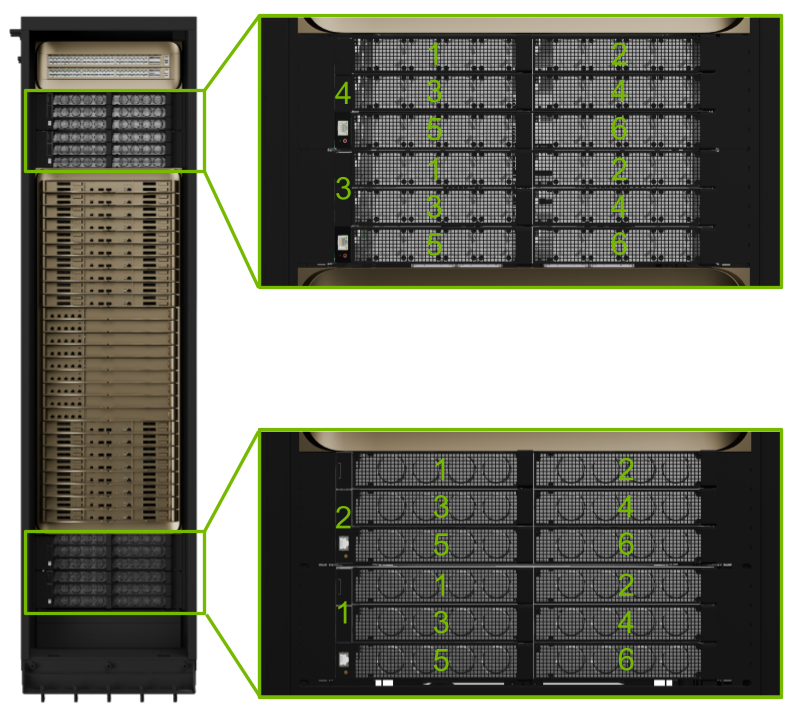
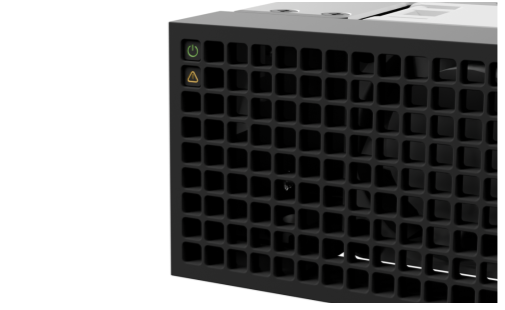
The power supplies are N+N redundant. You can replace any one PSU as long as at least six power supplies are fully active and healthy.
Replace the Power Supply#
Unpack the new PSU.
Push the failed PSU’s release tab to the left and pull on the handle to eject it from the power shelf.
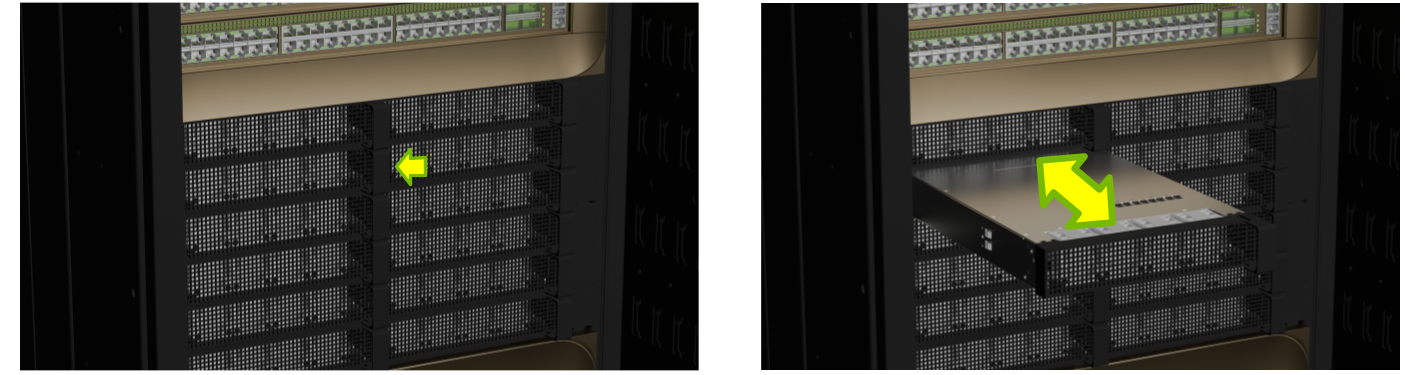
Pull the PSU all the way out.
Insert the new PSU until it locks in place. You should hear a click when it locks.
Finalize the Replacement Procedure#
Confirm that the LEDs power on and check with the system administrator that the fault has cleared.
Tell the system administrator that the replacement is complete in case a firmware update is needed.
Ship the old PSU back to NVIDIA Enterprise Support.