
Verification#
After the sample chart is deployed, the end-to-end demo can be verified by confirming that the pipeline is healthy and that video output from the receiver can be viewed in VLC (or another SRT client). A preview stream is exposed by the receiver over SRT; the cluster’s node address and the service or NodePort mapped to the receiver’s SRT port should be taken from your Helm values.
Open an SRT Stream in VLC#
The following steps are performed:
Start VLC media player.
Select Media → Open Network Stream (or Open Network).
In the URL field, enter an SRT URL in the following form:
srt://<node-of-pod>:<port>
<node-of-pod>is the Kubernetes or OpenShift node address on which the SRT listener is exposed.<port>is the mapped port for the receiver’s SRT preview (or the sender preview, if that path is being verified).
Obtain a node IP address for the SRT URL as follows:
oc get node -o wide
On plain Kubernetes, use kubectl get node -o wide instead of oc.
The INTERNAL-IP (or another address that is routable from the machine on which VLC is run) is used together with the external or NodePort value configured for the receiver’s SRT preview.
Example
srt://<internal-ip>:<external-srt-port>
Follow the same address pattern as in View Output via SRT for your release and environment.
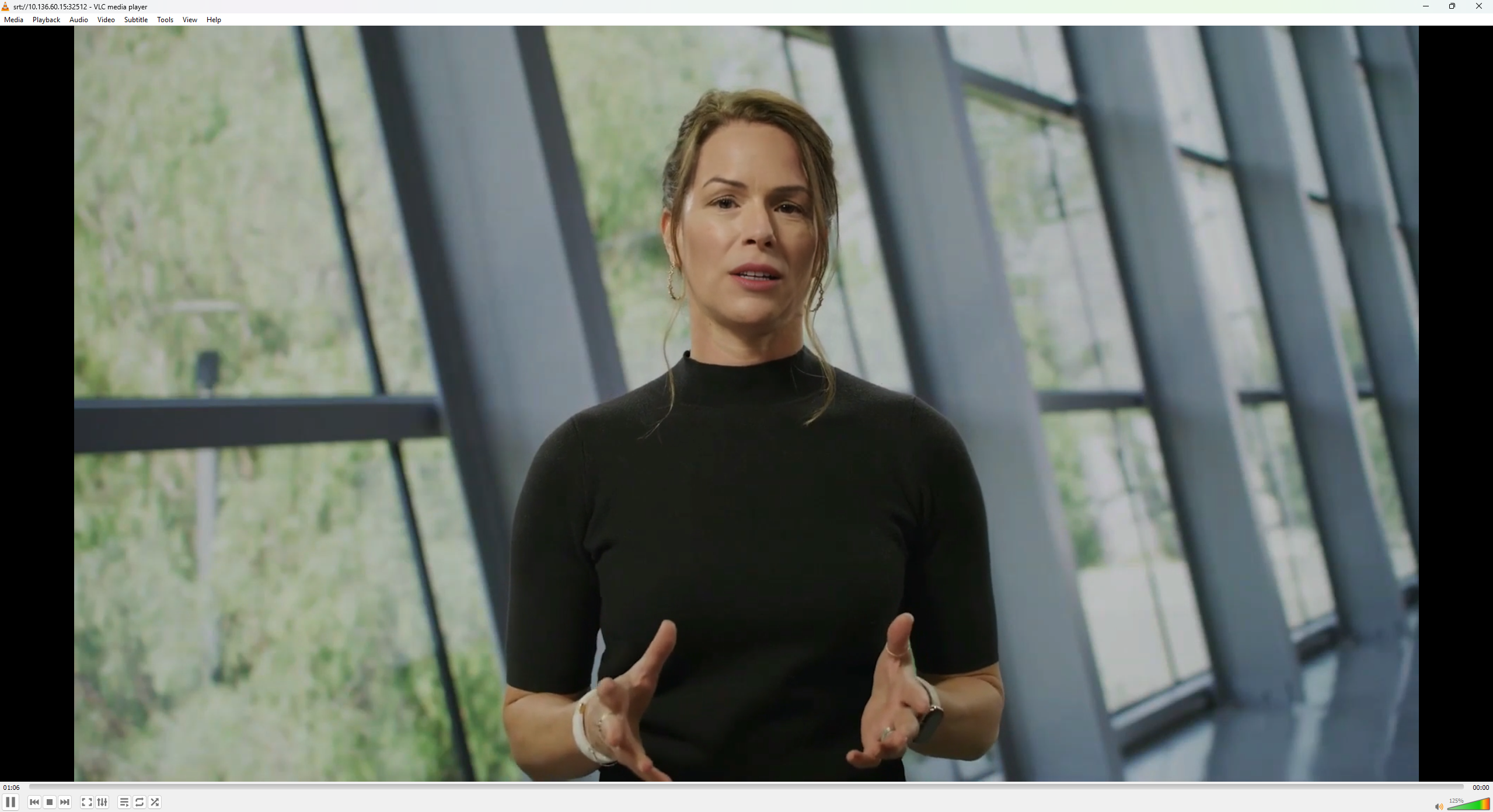
After playback is established, the preview should be similar to the following image.
NMOS Workflow#
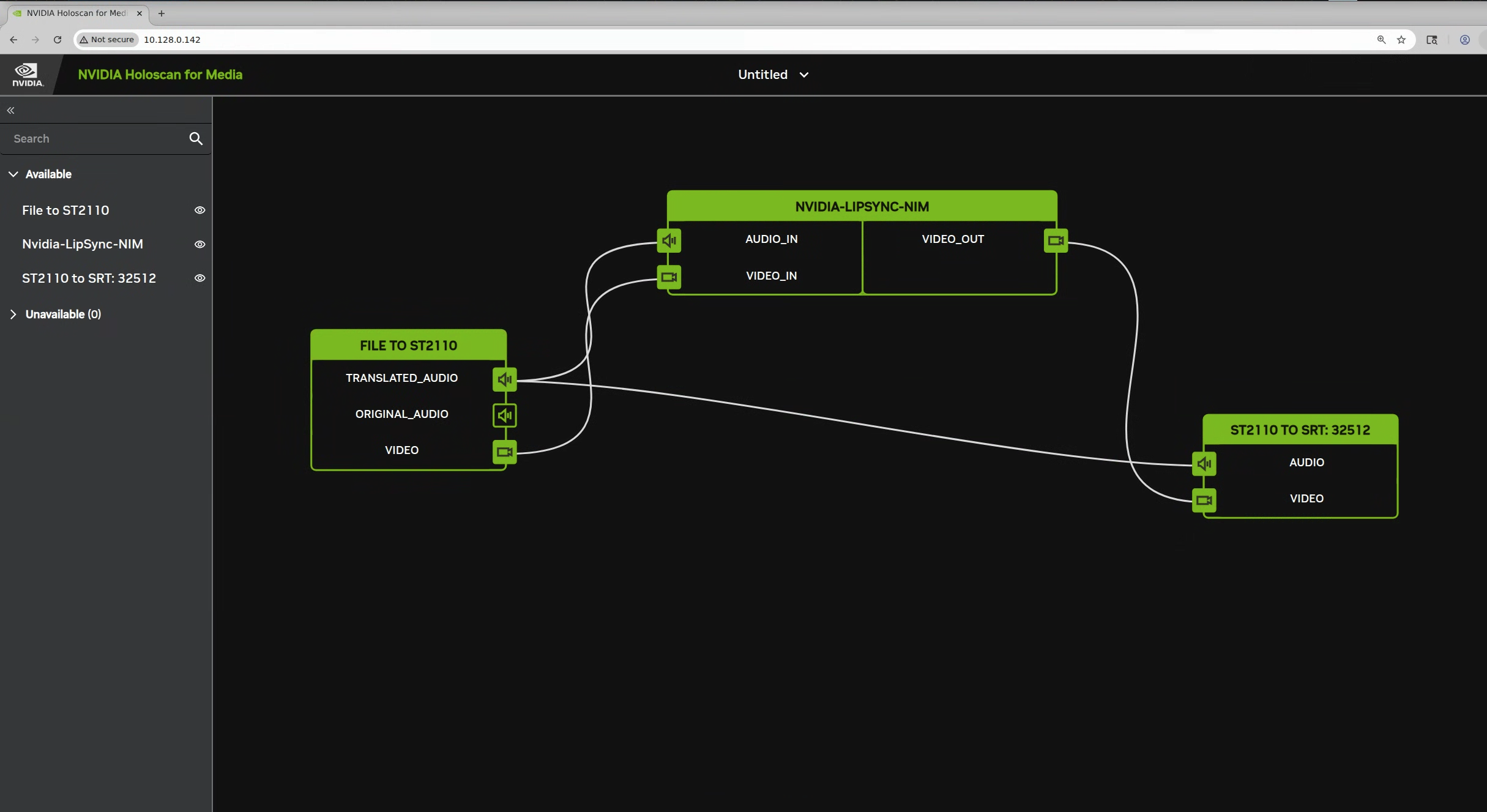
When the Helm charts are deployed with NMOS enabled, the sender, LipSync NIM service, and receiver are registered with the NMOS registry. In the NMOS Connection Manager UI, these components are listed under Available.
Each node is dragged from Available into the workspace; outputs are then connected to inputs so that media is routed sender → NIM → receiver in the order required by the deployment. The reference wiring is shown in the following diagram.
Connect the receiver first by establishing sender audio and LipSync NIM output to receiver. After the receiver connection is in place, connect the sender audio and video streams to the LipSync NIM. For more information, refer to Limitations and Known Behaviors and End-to-End Demo Chart Installation.
See Also#
End-to-End Demo Chart Installation: SRT port mapping and receiver settings.
Observability: Health checks and logs.