

Column Preprocessing
This Kumo Studio information is prerelease and is not yet supported. Stay tuned for the Docker and Kubernetes releases.
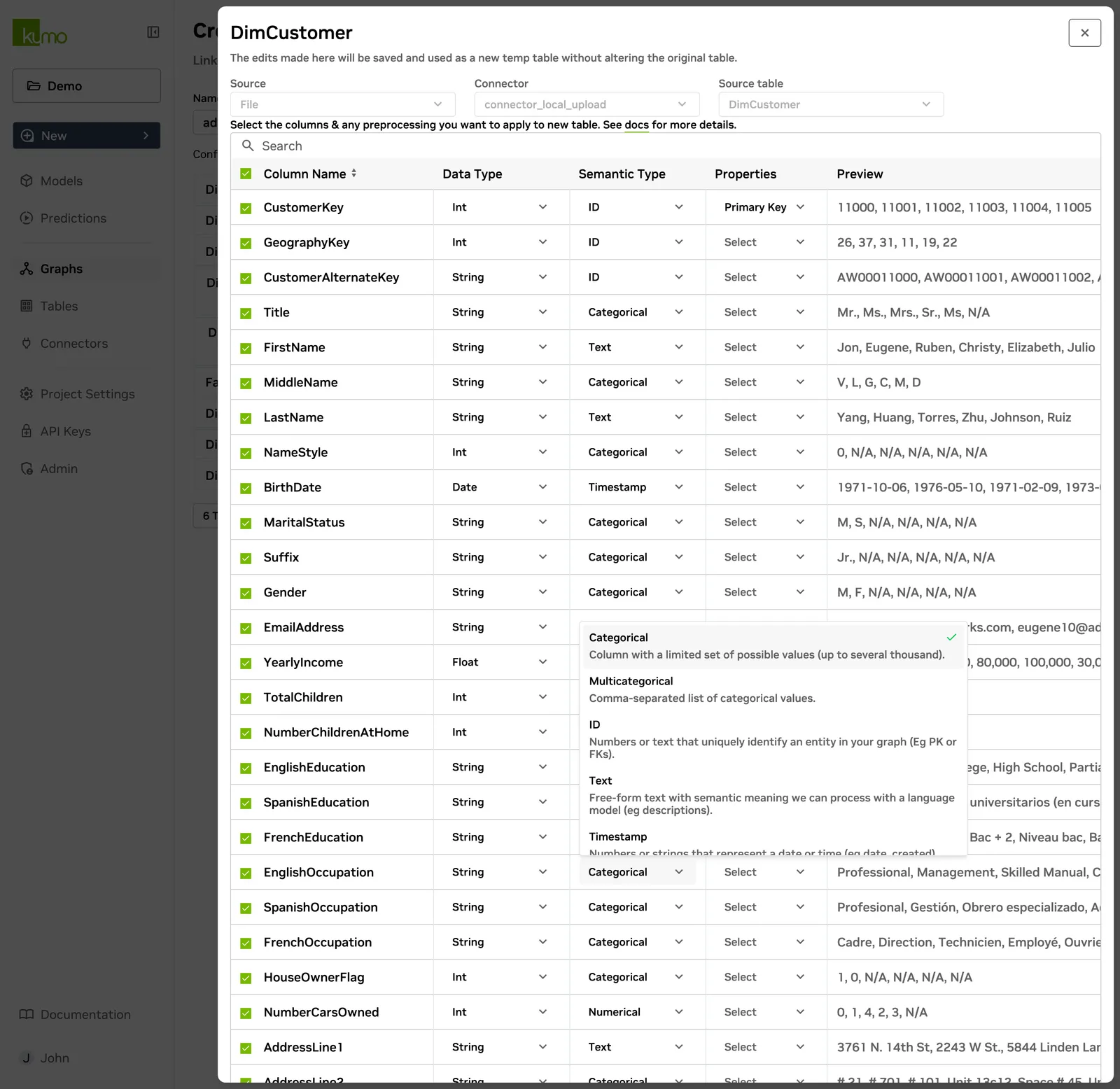
Data Type and Semantic Type
Kumo automatically detects column types for preprocessing, but you can manually adjust them. If a mismatch is detected, Kumo provides recommendations or alerts you with an invalid data type error.
Ensure that the semantic type (Type) aligns with the data type (Data Type) to avoid inconsistencies.
Supported Column Types
Kumo supports preprocessing for the following data types:
- Numerical – Integers and floats where numerical ordering is meaningful (for example, product price or discount percentage).
- Categorical – Single-token strings or booleans with a limited set of unique values (up to 4,000 by default), such as product type or subscription status.
- Multi-Categorical – Comma-separated lists of categorical values (for example, restaurant tags:
"vegetarian, italian, pickup_only"). - ID – Unique identifiers with no numerical meaning, such as customer IDs or product group numbers.
- Text – Multi-token strings where semantic meaning is important (for example, product descriptions and reviews).
- Timestamp – Date/time values in a valid format (preferably ISO 8601 or epoch time). For Parquet data, ensure timestamps are correctly cast to a
DATE/TIME/TIMESTAMPtype. - Embedding – Lists of equal-length floats, typically representations from AI models.
Unsupported Column Types
The following column types are not supported for preprocessing in Kumo. Transform them before ingestion:
- Full URLs – Extract meaningful components (such as domain and path) and treat them as categorical values.
- Lat/Long Coordinates – Convert to categorical geographic areas.
- IP Addresses – Remove PII, extract high-level details (such as subnet), and treat as categorical elements.
- Phone Numbers – Remove PII, extract relevant components (such as area code), and treat as categorical values.
Handling Nested or Complex Data
Kumo does not support nested schemas, arrays, or maps. To use such data, transform it into a string format:
Example: Converting an array to a string
Before: ["TV", "electronics", "promotion"]
After: "TV, electronics, promotion"
Text Embedding Models
Kumo Studio represents text features by averaging pretrained word vectors.
The default TextEmbedding model is "glove.6B-50d".
For encoder overrides in a Studio model plan, use one of these model names:
Other names fail Studio model plan validation. An accepted name does not guarantee that its vectors are installed in your deployment. If the requested vectors are unavailable, the job fails before training and lists the models present in the deployment. Ask your deployment administrator to provide the model, or select an available model.
The legacy SPCS configuration is limited to "glove.6B-50d".
Column Properties
Primary Key Column
Each row should have a unique primary key (for example, user_id).
If duplicate rows share the same key, Kumo retains only one and drops the rest.
Create Date Column
The Create date column represents when a row was created or when the data became valid. This helps define training timelines and ensures predictions use the correct time-based data.
End Date Column
The end date column restricts training and predictions to a specific timeframe.
- For temporal tasks, training includes only data valid within this timeframe.
- For batch predictions, Kumo uses only rows where the Create date is on or before the prediction time and the End date is before the prediction time.
Example: End Date for product availability
If a product goes out of stock on a particular date, set End date to the column tracking this date.
End_Date-aware sampling is currently supported only in the following contexts:
- The entity table (the table referenced after
FOR EACHin a predictive query). - The RHS table in link prediction tasks (the table referenced after
LIST_DISTINCT).