


Unified Virtual Memory (UVM)#
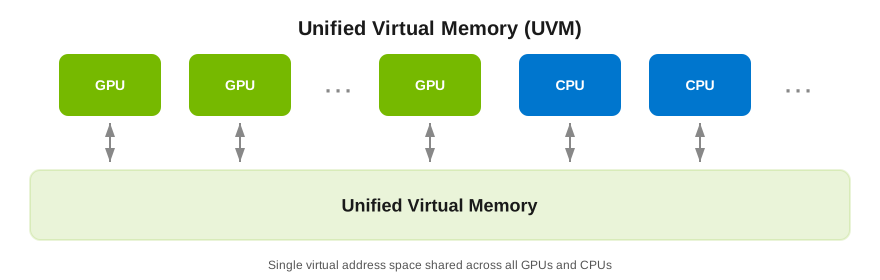
Unified Virtual Memory (UVM) gives the guest a single virtual address space visible to both CPU and GPU. Allocations in that space can be touched from host and device code without the application issuing an explicit copy for every transfer, which simplifies some CUDA programs.
For behavior and enablement steps, refer to the Unified Virtual Memory documentation.
UVM Known Issues and Limitations#
Unified Virtual Memory (UVM) is restricted to 1:1 time-sliced and MIG vGPU for Compute profiles that allocate the entire framebuffer of a compatible physical GPU or GPU Instance. Fractional time-sliced vGPUs do not support UVM.
UVM is only supported on Linux Guest OS distros. Windows Guest OS is not supported.
Enabling UVM disables vGPU migration for the VM, which may reduce operational flexibility in environments reliant on live migration.
On NVIDIA A100 (Ampere) GPUs, enabling UVM on a multi-vGPU VM in SR-IOV Heavy mode disables P2P over NVLink and NVSwitch between the vGPUs assigned to that VM. Refer to Peer-to-Peer (P2P) CUDA Transfers for details. This restriction does not apply to NVIDIA Hopper (H100/H200) or newer architectures.
UVM is disabled by default and must be explicitly enabled for each vGPU that requires it by setting a specific vGPU plugin parameter for the VM.
Note
When deploying NVIDIA NIM, if UVM is enabled and an optimized engine is available, the model will run on the TensorRT-LLM (TRT-LLM) backend. Otherwise, it will typically run on the vLLM backend.
Hypervisor Platform Support for UVM#
Unified Virtual Memory (UVM) is disabled by default. If used, you must enable unified memory individually for each vGPU for Compute VM that requires it by setting a vGPU plugin parameter. How to enable UVM for a vGPU VM depends on the hypervisor that you are using.
vGPU Support for UVM#
UVM is supported on 1:1 MIG-backed and time-sliced vGPUs. These vGPUs have the entire framebuffer of a MIG GPU Instance or physical GPU assigned to a single vGPU.
For the architecture-specific board and vGPU matrix, refer to UVM Board Support.