
Boot Tab#
Use the Left or Right arrow key to select the Boot tab. Use the Up or Down arrow key to select an item, and then press Enter to select it.
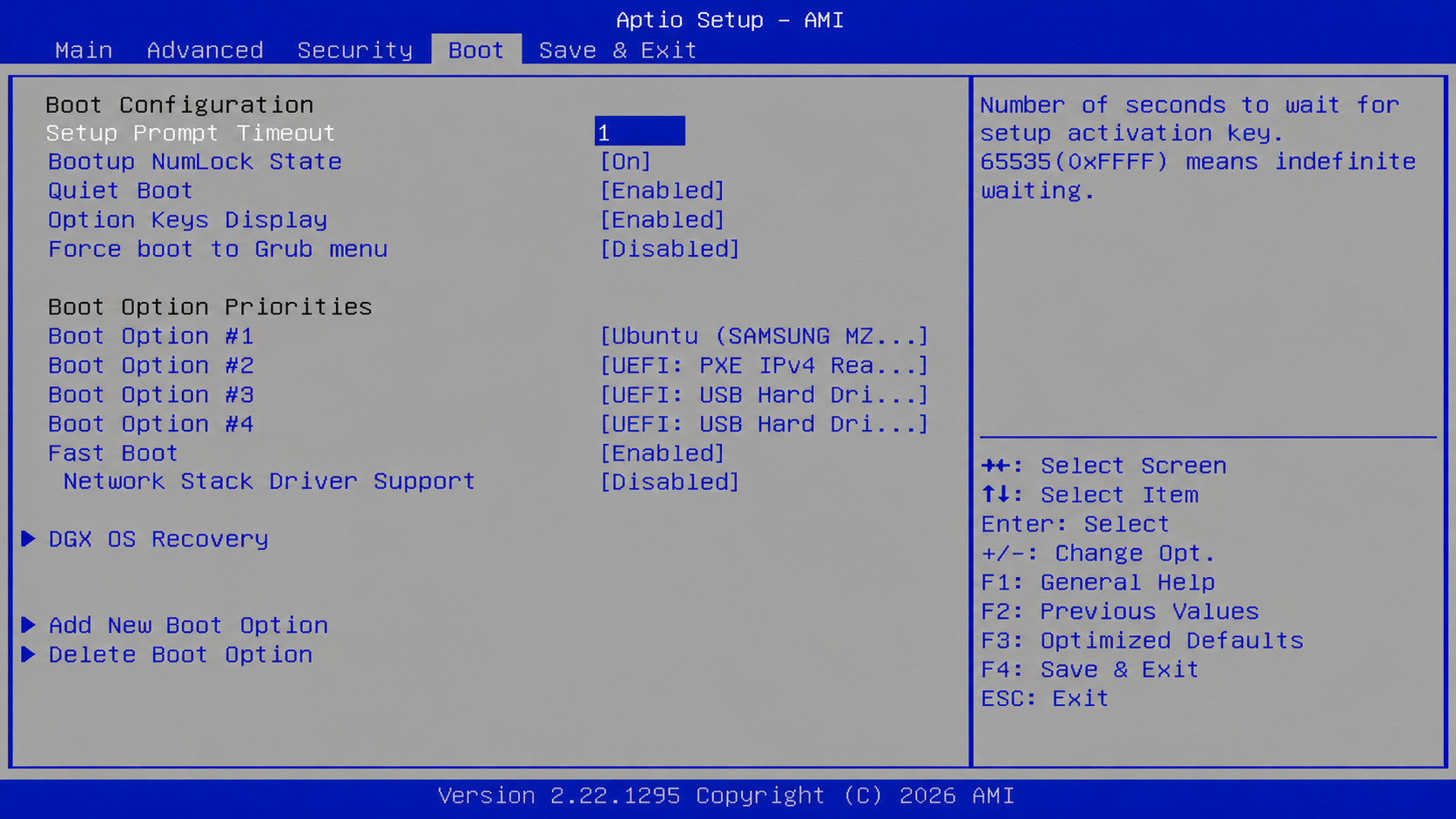
Boot Configuration#
Location: Boot tab
Setup Prompt Timeout: Sets the number of seconds to wait for the setup activation key.
65535(0xFFFF) means an indefinite wait. The default is1second.Bootup NumLock State: Sets the keyboard NumLock state during boot. The options are
OnandOff.Quiet Boot: Enables or disables Quiet Boot. The default is
Enabled.
Boot Option Priorities#
Location: Boot tab
This setting prioritizes the bootable devices from which the system boots. To select devices, press Enter on each entry from top to bottom.
New UEFI OS Boot Option Policy controls the placement of newly detected
UEFI boot options. The default is Place First so that any newly installed
operating system has the highest priority. The options are Default,
Place First, and Place Last.
Fast Boot#
Location: Boot tab, under Boot Option Priorities
Enable this setting to boot the system in Fast Boot mode. When Fast Boot is enabled, the Network Stack Driver Support setting is available.
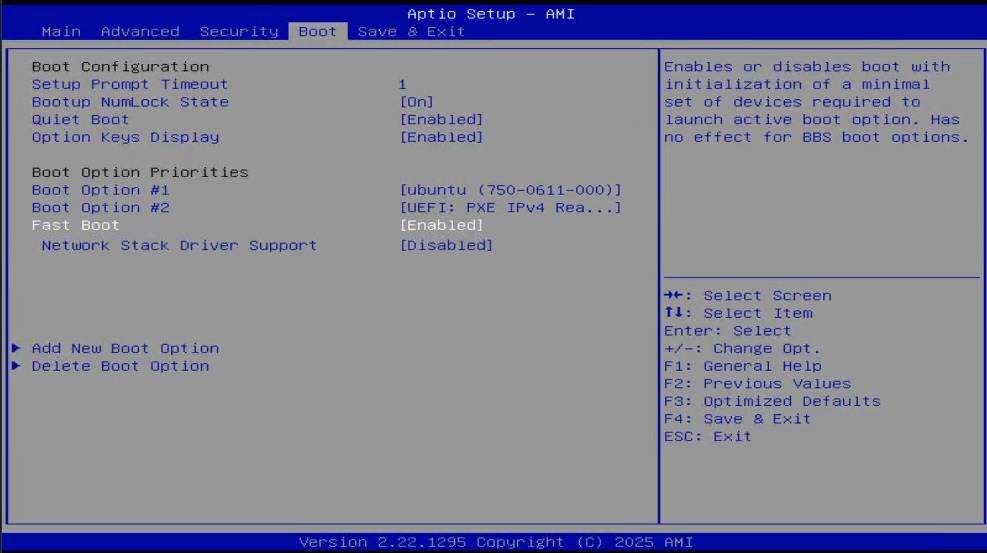
Network Stack Driver Support
Enabled: The network stack driver is supported during Fast Boot.Disabled: The network stack driver does not start during Fast Boot.
Add New Boot Option#
Path: Boot → Add New Boot Option
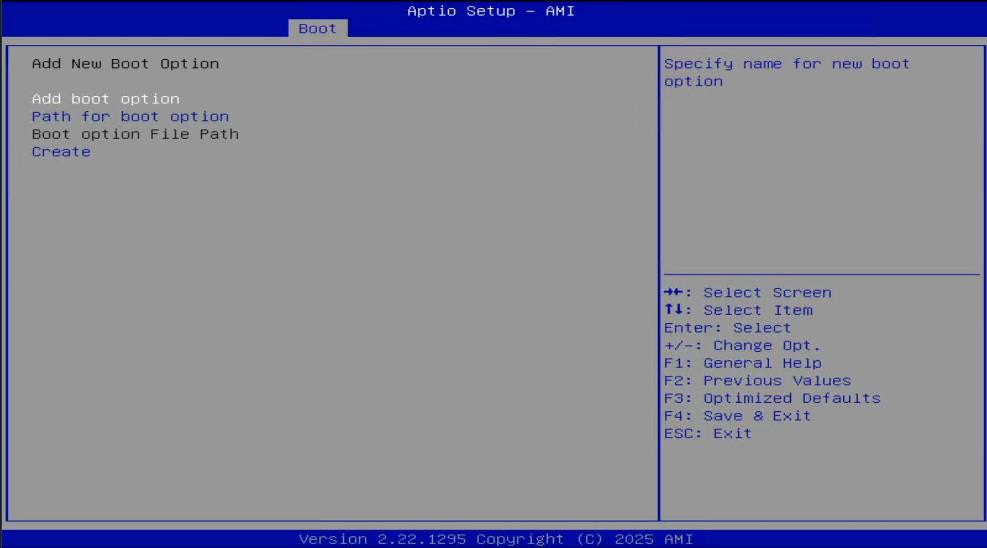
Add Boot Option: Specifies the name of the new boot option.
Path for Boot Option: Specifies the path to the boot option.
Boot option File Path: Specifies the boot option file path.
Create: Creates the boot option.
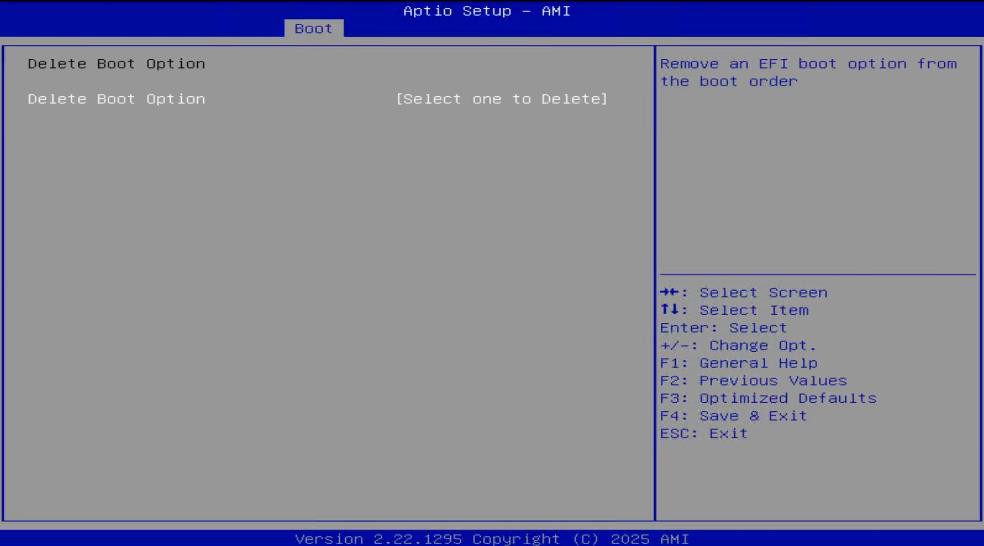
Delete Boot Option#
Path: Boot → Delete Boot Option
Use this setting to remove an EFI boot option from the boot order.