
Hardware Layout#
Developer Kit#
Side Views#
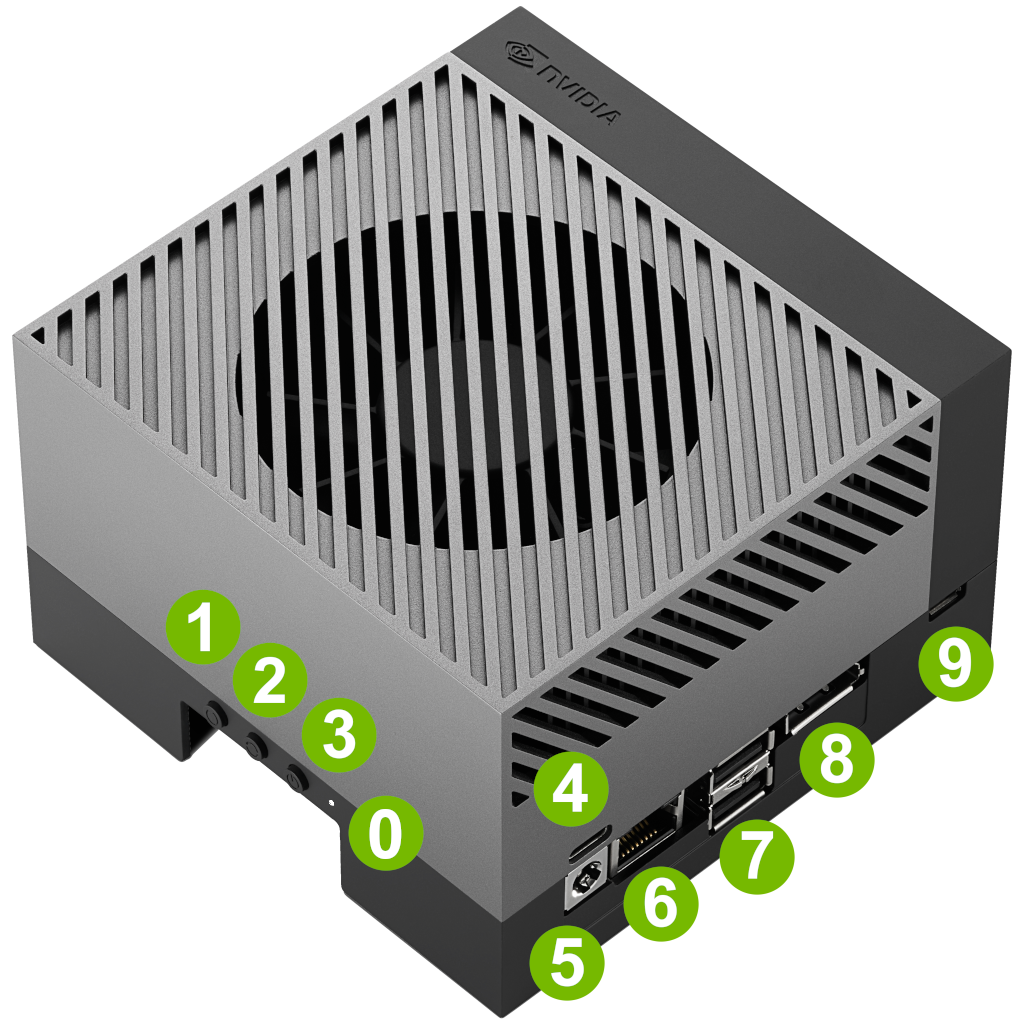
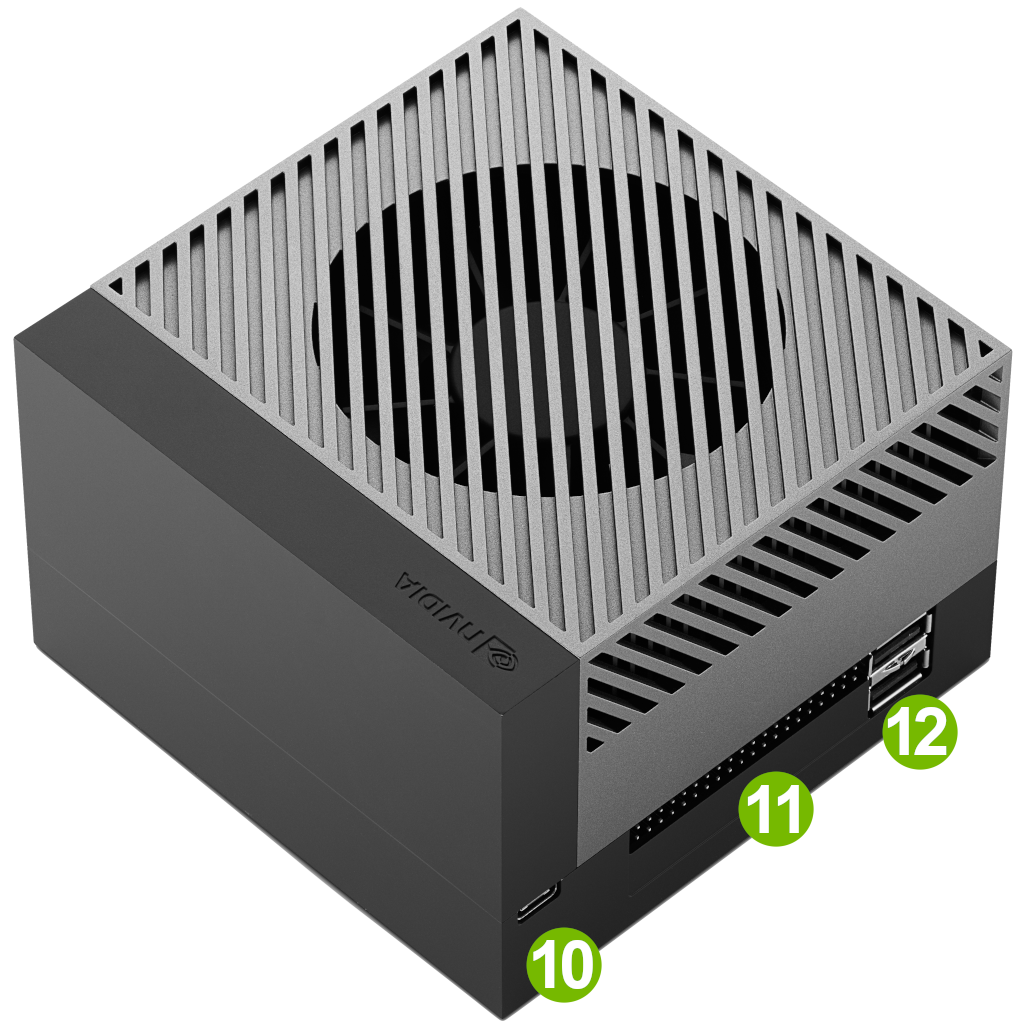
Part Names#
Mark. |
Name |
Note |
|---|---|---|
0 |
White LED |
|
1 |
Power button |
|
2 |
Force Recovery button |
|
3 |
Reset button |
|
4 |
USB Type-C port |
DFP only |
5 |
DC power jack |
|
6 |
Ethernet port |
|
7 |
USB Type-A ports |
2x USB 3.2 Gen 2 |
8 |
DisplayPort output |
This is the only display interface on Jetson AGX Orin Developer Kit |
9 |
USB micro-B port |
For debug |
10 |
USB Type-C port |
Also for flashing (UFP and DFP) |
11 |
40-pin connector |
|
12 |
USB Type-A ports |
2x USB 3.2 Gen 1 |
Carrier Board#
Note
For the detail specification of the carrier board, see NVIDIA Jetson AGX Orin Developer Kit Carrier Board Specification.
Bottom View#
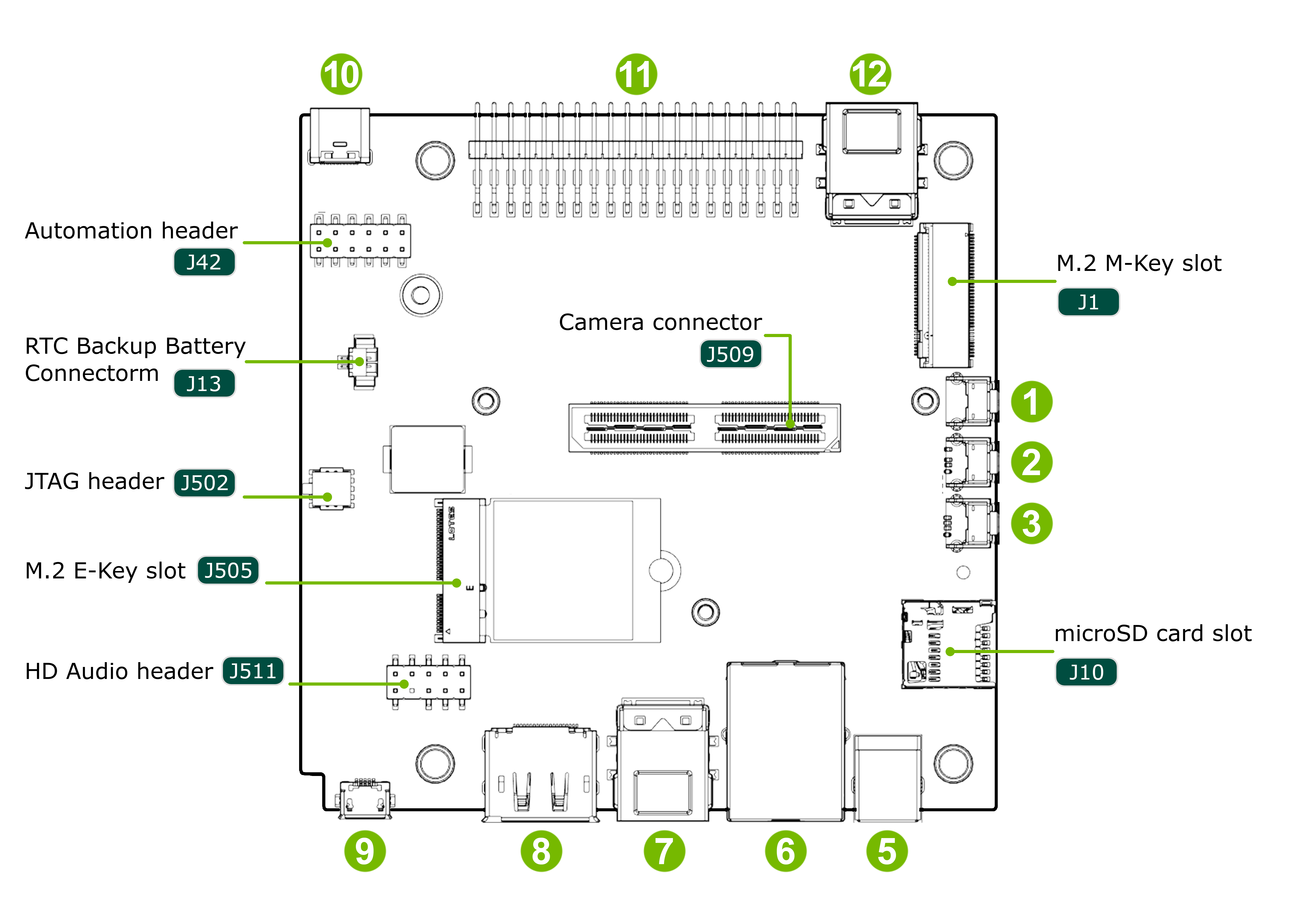
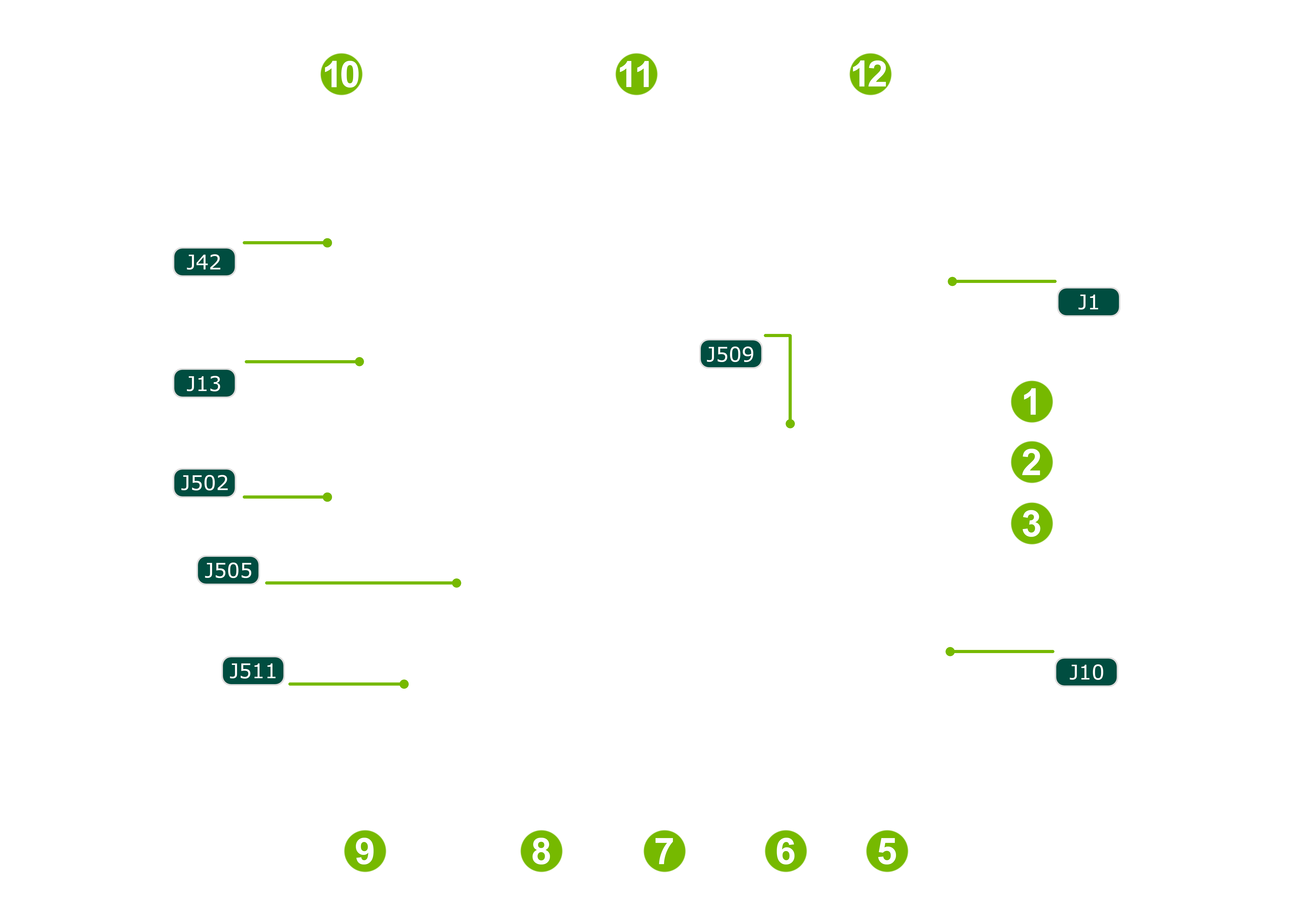
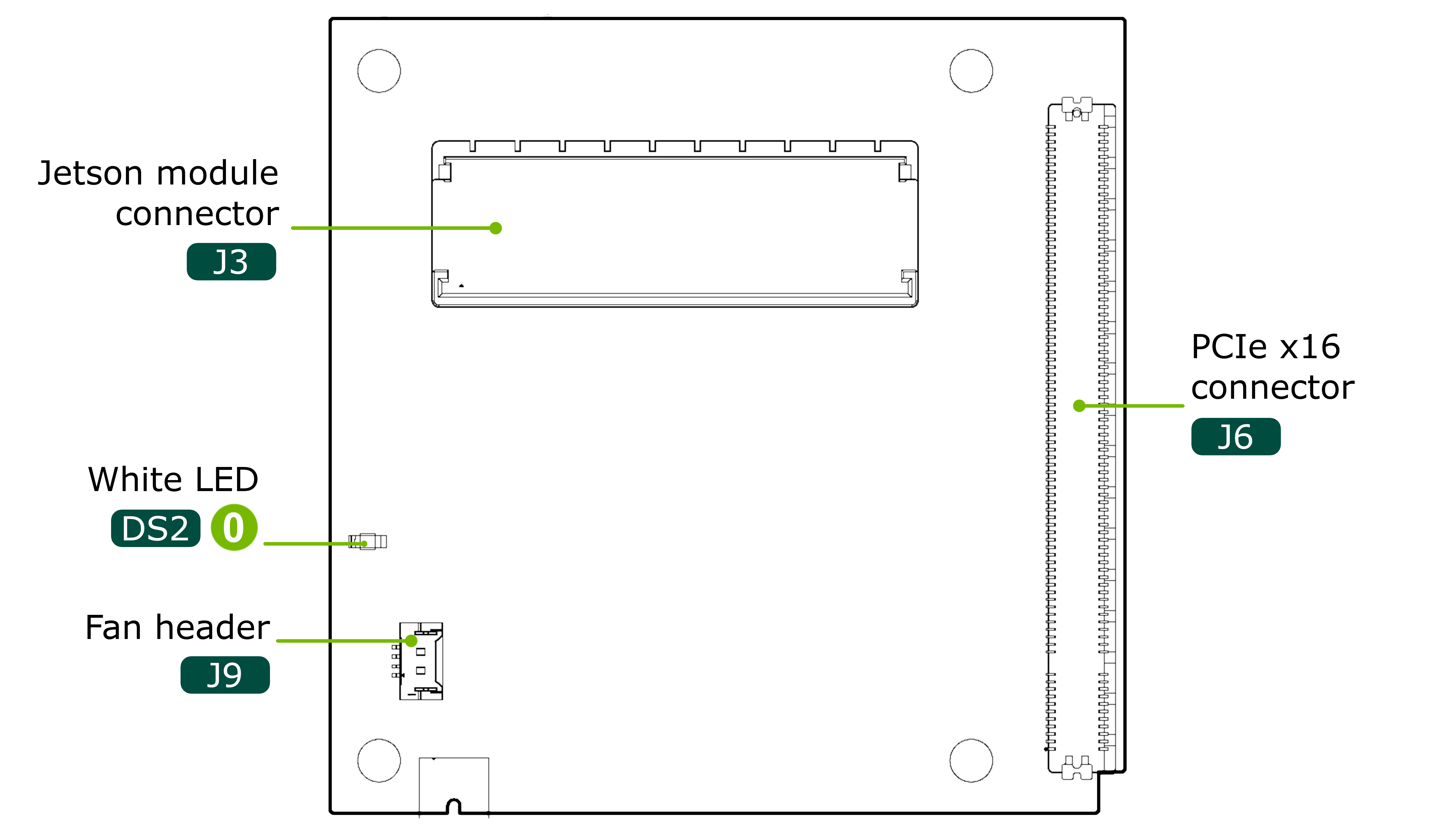
Carrier Board Part Names#
Mark. |
Name |
Specification |
|---|---|---|
DS2 |
White LED |
|
S1 |
Power button |
|
S3 |
Force Recovery button |
|
S2 |
Reset button |
|
J24 |
USB Type-C port (above DC power jack) |
DFP only, USB 3.2 Gen 2 |
J41 |
DC power jack |
5.5 mm OD, 2.5mm ID, center positive |
J17 |
Ethernet port |
Up to 10GBASE-T |
J33 |
USB Type-A ports (next to Ethernet port) |
2x USB 3.2 Gen 2 |
J18 |
DisplayPort output |
Supports MST |
J26 |
USB micro-B port |
For Debug UART |
J40 |
USB Type-C port (next to 40-pin header) |
UFP and DFP, USB 3.2 Gen 2 |
J30 |
40-pin connector |
|
J42 |
Automation header |
(Pin detail below) |
J13 |
RTC backup battery connector |
(compatible battery below) |
J509 |
Camera connector |
|
J502 |
JTAG Debug connector |
|
J505 |
M.2 E-Key slot |
|
J511 |
HD Audio header |
|
J1 |
M.2 M-Key slot |
|
J10 |
microSD card slot |
UHS-1 |
J3 |
Jetson module connector |
699 pin |
J6 |
PCIe x16 connector |
PCIe 4.0 x8 |
J9 |
Fan connector |
4-pin, 1.25mm pitch |
Miscellaneous Port and Connector Details#
Note
For the detail, see Jetson AGX Orin Developer Kit Carrier Board Specification.
DisplayPort Output#
To connect a display to the developer kit, use the DisplayPort output port (J18). This is the only way to get the display out on the developer kit. The NVIDIA Jetson AGX Orin Developer Kit does not support HDMI or DisplayPort over USB-C.
To connect to a monitor or TV that only accepts HDMI, you can use an adaptor/cable that converts DisplayPort to HDMI.
DisplayPort output port supports:
Storage#
Default storage:
eMMC flash memory on the Jetson AGX Orin module.
Optional storage:
NVMe SSD card (on M.2 M-Key slot J1)
USB thumb-drive (on any USB port)
microSD card (in microSD card slot J10)
You can flash the base L4T BSP on to any of the storage medium above using SDK Manager.
40-pin Header#
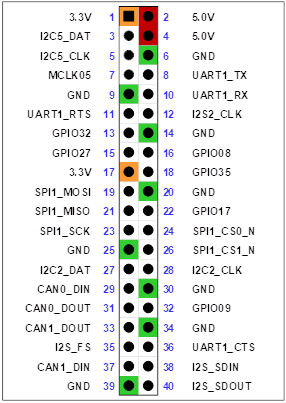
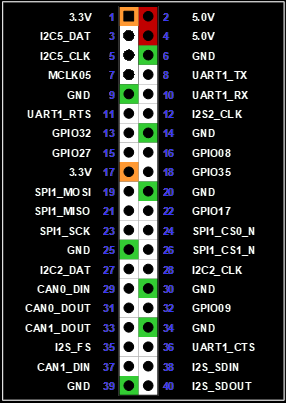
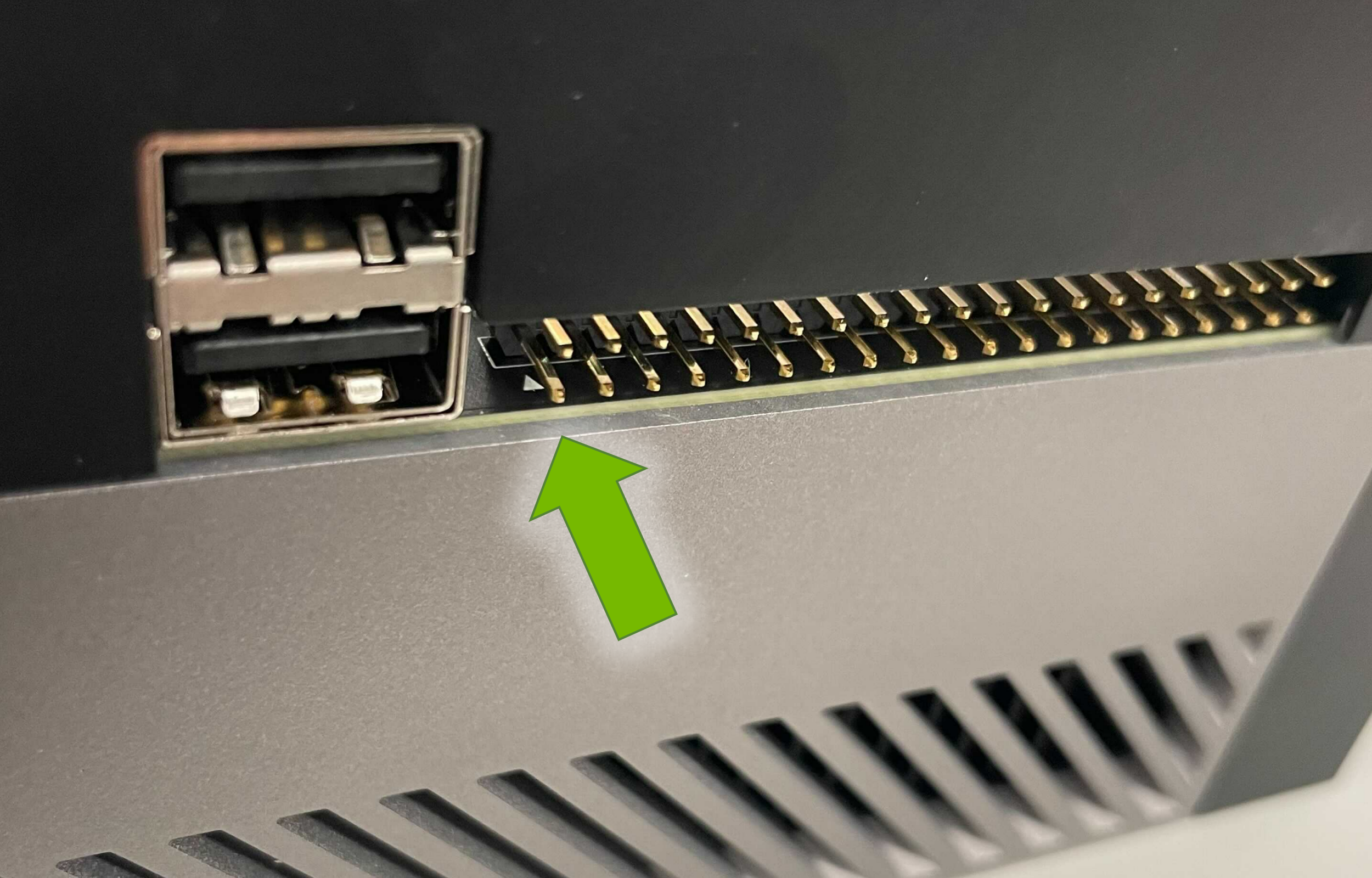
To identify the orientation of the 40-pin header (i.e. Pin 1), look for the white triangle marking on the PCB.
For details, see NVIDIA Jetson AGX Orin Developer Kit Carrier Board Specification.
Automation Header (J42)#
pin #1, #12: GND
pin #2, #3, #4: Input, same function as three buttons: Recovery, Reset, Power.
pin #5-#6: Open: Auto Power-On disable; Short: Auto Power-On enable.
pin #7: CVB_STBY: output, indicating module is in sleep or not.
pin #8: SYSTEM_OC: input, to trigger Tegra throttling.
pin #9-#10: Open: Wake(Boot) on LAN from Off state is disabled; Short: Wake(Boot) on LAN from Off state is enable.
pin #11: JTAG_TRST, JTAG Test Reset.
For details, see NVIDIA Jetson AGX Orin Developer Kit Carrier Board Specification.