

End-to-End Physical AI With the Unitree G1#
Physical AI is redefining how robots interact with the world.
Humanoid robots are uniquely suited to operate in environments built for people, including reaching across tables and grasping everyday objects.
This course introduces the GR00T reference workflow: a validated, open, and reproducible sim-first to deployment workflow for Unitree G1 manipulation policy learning with Jetson Thor.
This is not a standalone demo or a general humanoid platform kit. It is a reference workflow for humanoid enablement that packages supported NVIDIA models, libraries, and frameworks into one reproducible workflow:
Teleoperation in simulation or on the real robot
Demonstration data collection
GR00T Vision-Language-Action (VLA) post-training
Evaluation in Isaac Lab-Arena
Deployment back to the G1
The workflow is productized, validated, open, and reproducible. It gives developers a simplified onboarding path for using NVIDIA’s stack on common humanoid robot manipulation workflows, with the Unitree G1.
What You’ll Build#
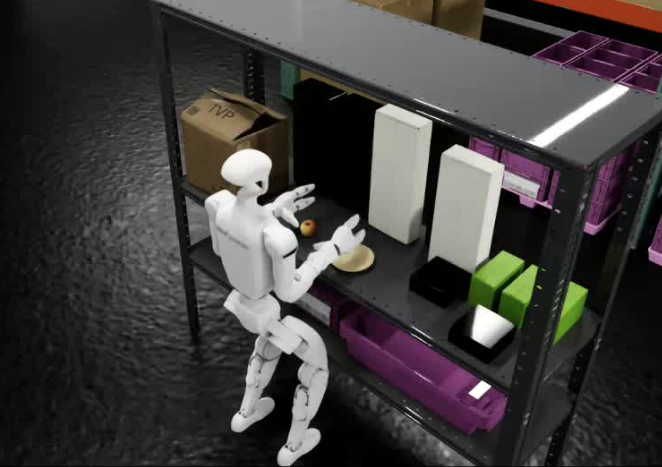
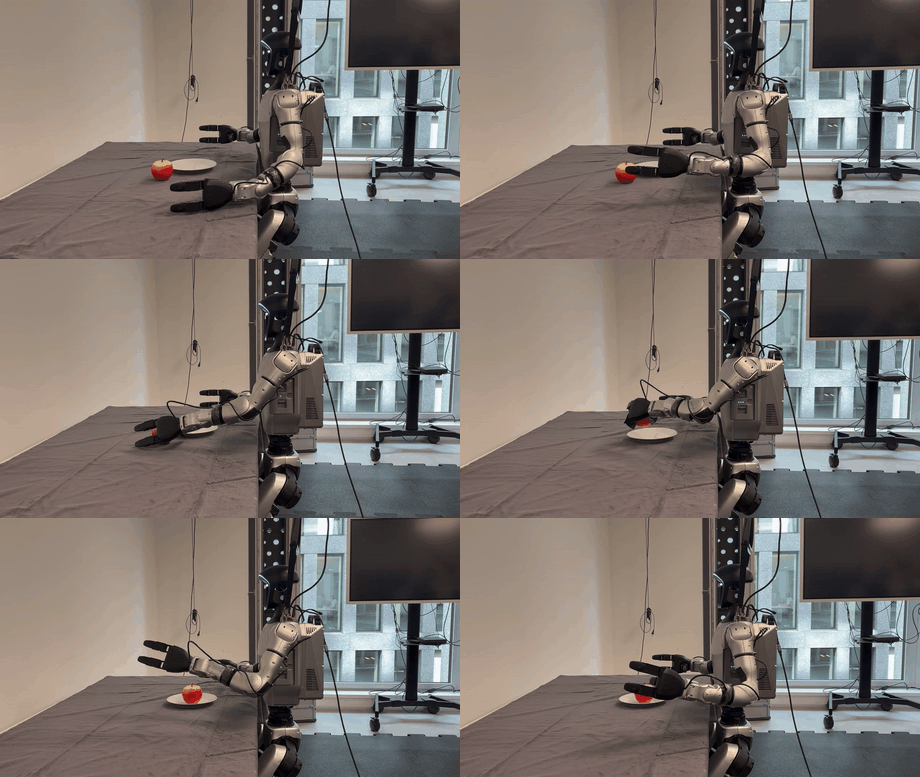
The target task is a tabletop pick-and-place: the G1 stands actively balanced, picks up an apple from the table surface, and places it onto a plate. This is a foundational manipulation skill that exercises the full pipeline: perception, grasping, whole-body coordination, and policy execution.
Important
This course offers two independent workflow paths that are fully decoupled from each other:
Simulation Workflow: Collect data and train policies entirely in Isaac Lab-Arena.
Real Robot Workflow: Collect data on the physical G1 and deploy to hardware through Jetson Thor.
You can complete either path on its own, or work through both. The simulation and real workflows don’t depend on each other in this version of the course.
How to Approach This Course#
This course provides datasets and models that allow you to choose from several approaches, depending on your goals:
Easiest / fastest: Use the provided models to replicate the reference results, gathering enough teleop data to get familiar with the process.
Deeper dive: Reproduce the demos by collecting your own data and training your own models for the same task.
Custom task: Use this workflow as the foundation to build and train your own task.
Learning Objectives#
By the end of this course, you’ll be able to:
Configure Isaac Lab-Arena for humanoid robot simulation and Isaac Teleop for teleoperation.
Collect manipulation demonstration data through teleoperation with AGILE in either HDF5 (sim) or MCAP (real) format.
Convert the collected demonstration data to LeRobot format for GR00T 1.7 post-training.
Fine-tune a GR00T 1.7 policy on the converted LeRobot dataset.
Evaluate trained pick-and-place policies using success-rate metrics in Isaac Lab-Arena.
Deploy a trained manipulation policy to the physical Unitree G1 through Jetson Thor.
Who Is This For#
This course is for robotics engineers, researchers, and developers working with humanoid robots or manipulation tasks. You’ll get the most from this material if you fall into one of these profiles:
You’re investigating learned manipulation policies for humanoid robots. You want hands-on experience with NVIDIA’s end-to-end stack and access to a reproducible baseline task.
You’re building or integrating humanoid robot capabilities for a product or deployment. You need a working reference implementation that covers data collection through deployment on real hardware.
Or you’re curious to learn more about how Physical AI is implemented in practice.
Whether you are setting up your environment for the first time or preparing a trained model for real-world deployment, this course provides step-by-step guidance, tooling references, and best practices.
How Long Does This Workflow Take?#
These etimates assume you have prerequisites met and hardware available.
Actual time will vary depending on:
Amount of data collection you choose to do (collecting a small sample vs full dataset)
Compute used for post-training (or using our pre-trained models)
Number of training iterations
Internet connection speed
Workflow |
Phase |
Recommended Range |
|---|---|---|
Sim |
Setup through Teleop |
1-2 hours |
Sim |
Post‑training |
2-4 hours |
Sim |
Total |
3-6 hours |
Workflow |
Phase |
Recommended Range |
|---|---|---|
Real |
Setup through Teleop |
1-2 hours |
Real |
Post‑training |
2-4 hours |
Real |
Total |
3-6 hours |