
Real Robot Workflow#
This section covers the complete real-hardware pipeline:
Preparing the Unitree G1
Teleoperating the G1 to collect demonstration data
Exporting data for training
Fine-tuning GR00T 1.7
Deploying the trained policy on the physical robot
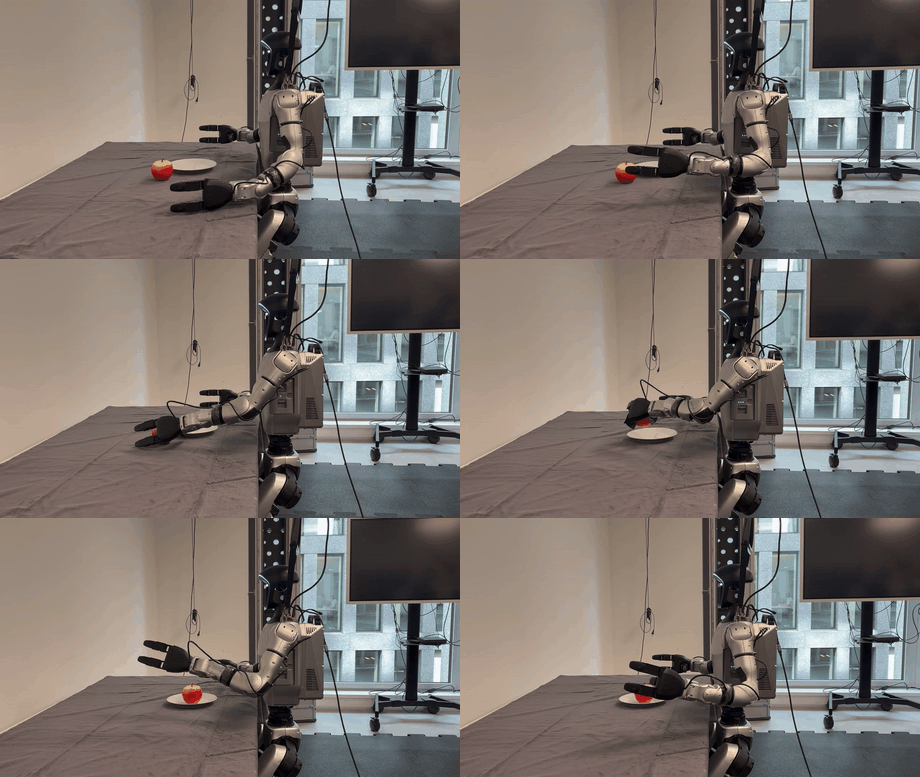
Teleoperation environment for this task.#
Warning
Working with a physical humanoid robot introduces real safety considerations. Read the G1 Introduction and Safety lesson in full before powering on the robot.
Having at least two people work on this workflow is recommended:
One person for teleoperation
One person to monitor the robot for safety purposes
Note
This workflow is fully independent of the Simulation Workflow. You can complete it on its own if you have G1 hardware available.
Tip
If you want a starting point before collecting or training your own assets, see the real robot model and dataset links.
Unitree G1 Hardware Overview#
This workflow uses a Unitree G1 humanoid with Dex3-1 hands, a head-mounted Intel RealSense camera, and a Jetson AGX Thor connected either externally or through the Unitree Thor backpack.
The Thor runs Isaac ROS for all controllers and policies. The AGILE WBC controls lower body stability, while an operator or the GR00T policy commands the upper body for manipulation.
Workflow Overview#
# |
Tutorial |
Supported compute platform |
|---|---|---|
1 |
Jetson AGX Thor |
|
2 |
Jetson AGX Thor |
|
3 |
Jetson AGX Thor |
|
4 |
Jetson AGX Thor |
|
5 |
x86_64 or Jetson AGX Thor |
|
6 |
x86_64 |
|
7 |
x86_64 |
|
8 |
Jetson AGX Thor |
Learning Objectives#
By the end of this section, you’ll be able to:
Apply workflow safety checkpoints before teleoperation, recording, and deployment.
Teleoperate the physical G1 through AGILE and record real-world pick-and-place demonstrations.
Export real demonstration data from MCAP to LeRobot format.
Fine-tune GR00T 1.7 on real-world data and prepare LEAPP deployment assets.
Deploy a trained manipulation policy to the G1 via NVIDIA Thor and evaluate on hardware.