

Deployment Options: Library vs. Microservice
Data Designer is available as both an open-source library and a NeMo Microservice. This guide helps you choose the right deployment option for your use case.
Deployment Architectures at a Glance
Data Designer supports three main deployment patterns:
-
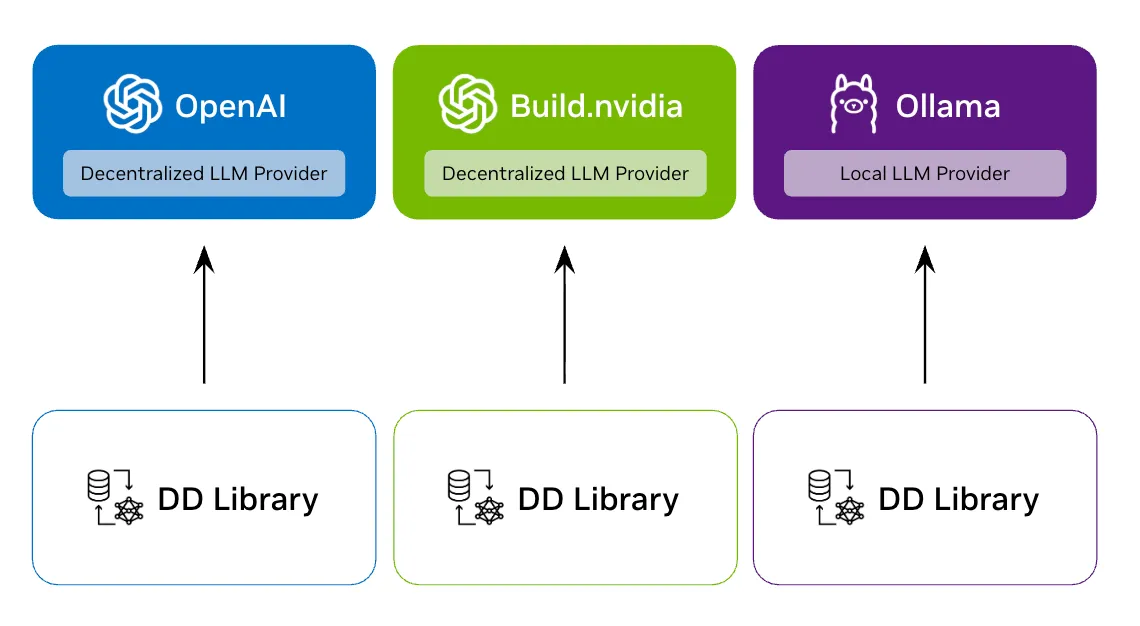
Library + Your LLM Provider
Each user runs the library locally and connects to their choice of LLM provider.
-
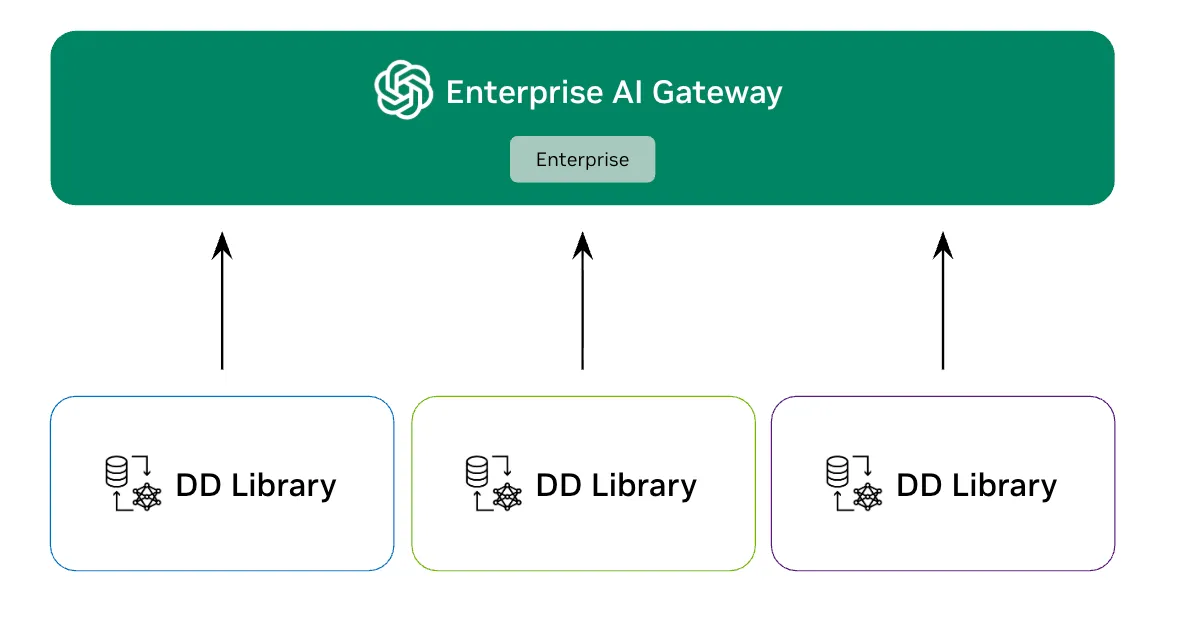
Library + Enterprise Gateway
Users run the library locally but share a centralized enterprise LLM gateway with RBAC and governance.
-
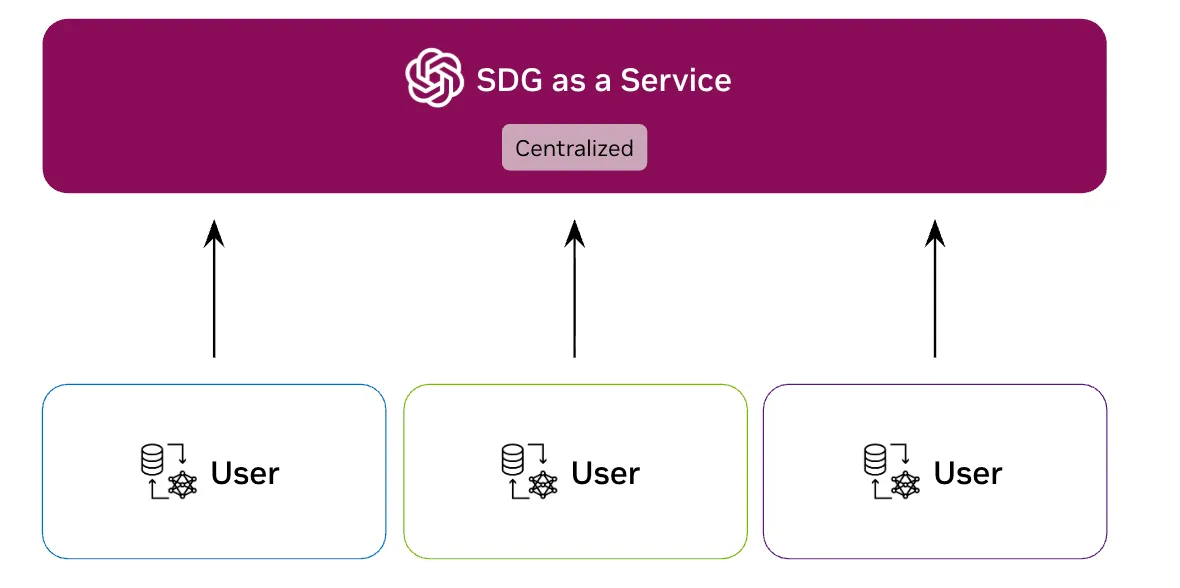
SDG as a Service (Microservice)
A centralized SDG service that multiple users access via REST API.
Quick Comparison
Same Configuration API
Both the library and microservice use the same DataDesignerConfigBuilder API. Start with the library, and your configurations migrate seamlessly if you later adopt the NeMo platform.
📦 When to Use the Open-Source Library
The library is the right choice for most users. Choose it if you:
You Have Access to LLMs
You have API keys or endpoints for LLM inference:
- Cloud APIs: NVIDIA API Catalog (build.nvidia.com), OpenAI, Azure OpenAI, Anthropic
- Self-hosted: vLLM, TGI, TensorRT-LLM, or any OpenAI-compatible server
- Enterprise gateways: Centralized LLM gateway with RBAC, rate limiting, or other enterprise features
You Need Maximum Flexibility
- Custom plugins: Extend Data Designer with custom column generators, validators, or processors
- Local development: Rapid iteration with immediate feedback
- Integration: Embed Data Designer into existing Python pipelines or notebooks
- Experimentation: Research workflows with custom models or configurations
You Already Have Enterprise LLM Infrastructure
Library + Enterprise LLM Gateway Many enterprises already have centralized LLM access through API gateways with:
- Role-based access control (RBAC)
- Rate limiting and quotas
- Audit logging
- Cost allocation
In this case, use the library and point it at your enterprise gateway. You get enterprise-grade LLM access while retaining full control over your Data Designer workflows.
☁️ When to Use the Microservice
The NeMo Microservice exposes Data Designer’s preview and create methods as REST API endpoints. Choose it if you:
You’re Using the NeMo Microservices Platform
The primary value of the microservice is integration with other NeMo Microservices:
- NeMo Inference Microservices (NIMs): Seamless integration with NVIDIA’s optimized inference endpoints
- NeMo Customizer: Generate synthetic data for model fine-tuning workflows
- NeMo Evaluator: Create evaluation datasets alongside model assessment
- Unified deployment: Single platform for your entire AI pipeline
You Want to Expose SDG as a Team Service
If you need to provide synthetic data generation as a shared service:
- Multi-tenant access: Multiple teams submit generation jobs via API
- Job management: Queue, monitor, and manage generation jobs centrally
- Resource sharing: Shared infrastructure for SDG workloads
When users can submit configs containing Jinja templates to a shared engine, template rendering becomes a remote code execution concern and part of your security boundary. See Security for guidance on when to keep the default JinjaRenderingEngine.SECURE mode.
🧭 Decision Flowchart
Learn More
- Library: Continue with this documentation
- Microservice: See the NeMo Data Designer Microservice documentation
- Security model: See Security