

Kumo Forecast
Kumo Forecast is part of the Kumo-TS library, not SDM. Install the Kumo-Forecast package before running the example.
Kumo Forecast predicts future values of a time series from its history. It combines a pretrained transformer encoder with an optional retrieval step that blends in the continuations of similar past windows.
At a Glance
When to Use It
- Your rows are ordered time steps and you want the next N values.
- You have one or more related signals (covariates) observed alongside the target.
- You have a long archive of past data that may contain similar patterns: use DARR retrieval.
Shape Your Data
timestamp_column: evenly spaced timestamps. The forecast continues at the same frequency.target_column: the series to forecast.- Other numeric columns are used as covariates automatically.
- Provide at least
seq_lenrows.
How It Works
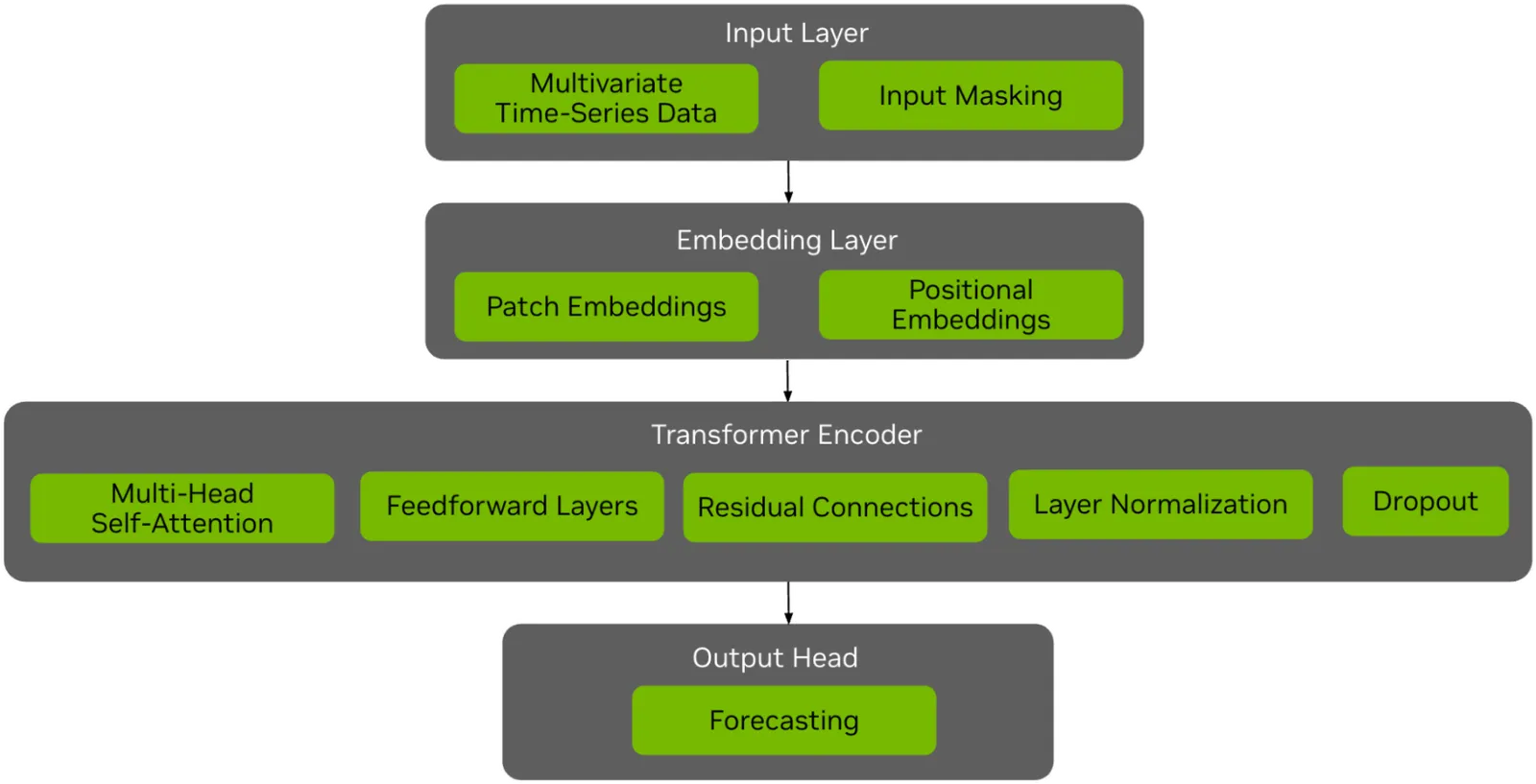
Kumo Forecast combines patch-based embeddings with a pretrained transformer encoder and a forecasting head.
Cross-channel attention (on by default, use_cross_channel=True) lets the forecast use dependencies between the target and its covariates.
Retrieval from History (DARR)
Domain-Aware Representation and Retrieval finds windows in an archive that resemble the latest window and blends their observed continuations with the direct forecast.
Pass the archive as context_df.
alpha weights the direct forecast (alpha * direct + (1 - alpha) * retrieved; default 0.01), k sets the number of neighbors (default 64), and temperature sets how sharply they are weighted (default 0.05).
Archive windows are indexed every context_stride rows, which defaults to the 72-step model horizon.
For hourly data with a daily cycle, every window then ends at the same hour of day, and retrieved continuations are out of phase with the forecast.
Set context_stride=1, or a value that is not a multiple of your cycle length.
In a synthetic hourly test, this cut the retrieval-only error from 23.87 to 9.52 MAE.
Example
Run this script with uv run from the Kumo-TS/Kumo-Forecast directory.
The first run downloads the weights into the working directory.
The output has one row per forecast hour, continuing the input timestamps. Inference took about 2 seconds on an Apple laptop GPU after the weights were cached; the first run downloads about 1.4 GB.
Kumo-Forecast loads data in worker processes.
On macOS and Windows, those workers import your script again, so keep the model call under if __name__ == "__main__":.
Without it, DARR fails with DataLoader worker ... exited unexpectedly.
Explain a Forecast
Set interpretability=True in ForecastingConfig to write lag and feature attributions per horizon step, as JSON, CSV, and a PDF report (the PDF needs matplotlib).
See the interpretability reference.
Inputs and Limits
- At least
seq_lenrows; fewer raisesDataFrame has N rows but seq_len requires at least 512 rows. - Missing target values are filled with zeros.
- For DARR,
context_dfneeds the same timestamp and target columns, at least one shared covariate, and at leastseq_len + max(72, forecast_horizon)rows. Setcontext_strideto match your seasonality (see above). - DARR does not always beat the direct forecast. Compare both on a held-out window of your own data.
- Weight files are written to the paths in
standardizer_pklandckpt, which default to the working directory.
For model size and training details, see the Hugging Face model card.
Fine-Tuning
Fine-tune on your own CSV with examples/finetune_example.py.