

Controlling a Robot#
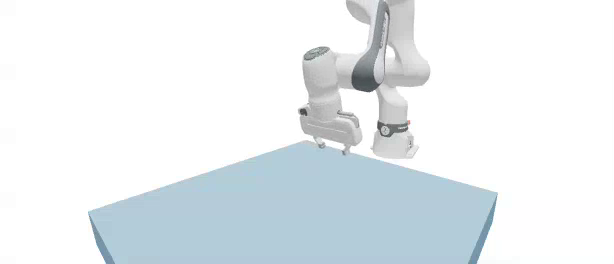
In this lesson, we’ll load a Franka Emika Panda arm from a URDF and drive it two different ways. First we’ll apply raw joint torques with Control.joint_f, then we’ll command joint position targets with Control.joint_target_q. These are the two control interfaces you’ll use most often, and they map directly onto how policies and classical controllers actuate robots.
Tip
Short on time? Jump to the final example for the complete runnable script.
In this lesson, we will:
Load a Franka arm and a table into a Newton scene from a URDF.
Apply a sinusoidal torque to a single joint with
Control.joint_f.Command a sinusoidal joint target with
Control.joint_target_qand PD gains.Reuse CUDA graph capture inside a control loop.
A Reusable Scene Builder#
Both demos start from the same scene, so we wrap scene construction in a helper. It loads the Franka from URDF, sets sensible initial joint positions, and optionally adds a table and a cube. The use_targets flag decides whether the joints get PD gains for position control or are left free for torque control.
def build_franka_scene(include_table=True, include_cube=True, use_targets=True):
    """Build a Franka + table scene and optionally add a cube.

    Args:
        include_table: Whether to add a table.
        include_cube: Whether to add a cube on the table.
        use_targets: Whether to enable joint target gains for PD control.

    Returns:
        Tuple of (builder, cube_size, table_pos, cube_body).
    """
    builder = newton.ModelBuilder()
    builder.default_shape_cfg.gap = 0.0
    newton.solvers.SolverMuJoCo.register_custom_attributes(builder)

    table_height = 0.1
    table_pos = wp.vec3(0.0, -0.5, 0.5 * table_height)
    table_top_center = table_pos + wp.vec3(0.0, 0.0, 0.5 * table_height)
    if include_table:
        builder.add_shape_box(body=-1, hx=0.4, hy=0.4, hz=0.5 * table_height, xform=wp.transform(table_pos))

    # Franka
    robot_base_pos = table_top_center + wp.vec3(-0.5, 0.0, 0.0)
    builder.add_urdf(
        str(newton.utils.download_asset("franka_emika_panda") / "urdf/fr3_franka_hand.urdf"),
        xform=wp.transform(robot_base_pos, wp.quat_identity()),
        floating=False,
        enable_self_collisions=False,
        parse_visuals_as_colliders=False,
    )

    # Initial joint positions (arm + gripper)
    builder.joint_q[:9] = [
        -3.6802115e-03, 2.3901723e-02, 3.6804110e-03, -2.3683236e00,
        -1.2918962e-04, 2.3922248e00, 7.8549200e-01, 0.05, 0.05,
    ]
    if use_targets:
        builder.joint_target_q[:9] = [
            -3.6802115e-03, 2.3901723e-02, 3.6804110e-03, -2.3683236e00,
            -1.2918962e-04, 2.3922248e00, 7.8549200e-01, 1.0, 1.0,
        ]
        builder.joint_target_ke[:9] = [4500, 4500, 3500, 3500, 2000, 2000, 2000, 100, 100]
        builder.joint_target_kd[:9] = [450, 450, 350, 350, 200, 200, 200, 10, 10]
    else:
        builder.joint_target_q[:9] = builder.joint_q[:9]
        builder.joint_target_ke[:9] = [0] * 9
        builder.joint_target_kd[:9] = [0] * 9

    builder.joint_effort_limit[:9] = [87, 87, 87, 87, 12, 12, 12, 100, 100]
    builder.joint_armature[:9] = [0.195] * 4 + [0.074] * 3 + [0.1] * 2

    # Optional cube to pick
    cube_size = 0.05
    cube_body = None
    if include_cube:
        cube_pos = table_top_center + wp.vec3(0.0, 0.15, 0.5 * cube_size)
        cube_body = builder.add_body(xform=wp.transform(cube_pos, wp.quat_identity()))
        shape_cfg = newton.ModelBuilder.ShapeConfig(margin=1e-3, density=400.0)
        builder.add_shape_box(body=cube_body, hx=0.5 * cube_size, hy=0.5 * cube_size, hz=0.5 * cube_size, cfg=shape_cfg)

    return builder, cube_size, table_pos, cube_body
Note
newton.utils.download_asset("franka_emika_panda") fetches the robot description on first use and caches it. This requires an internet connection. The newton[examples] extra in the setup command installs the required GitPython dependency automatically.
After building, we finalize and initialize forward kinematics once so the State matches the model’s joint_q:
builder, _, _, _ = build_franka_scene(include_cube=False, use_targets=False)
model = builder.finalize()

state_0 = model.state()
state_1 = model.state()
control = model.control()
collision_pipeline = newton.CollisionPipeline(model)
contacts = collision_pipeline.contacts()

# Initialize FK once so State matches the model's joint_q
newton.eval_fk(model, model.joint_q, model.joint_qd, state_0)
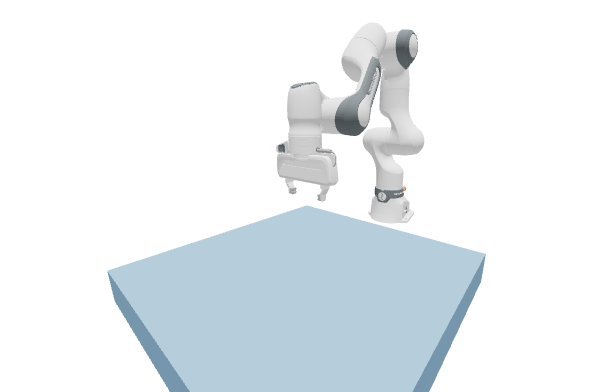
The Franka arm after loading from URDF and initializing forward kinematics, shown in its initial home joint configuration before any control is applied.#
Torque Control With Control.joint_f#
Control.joint_f is the lowest-level control interface: you write a torque for every degree of freedom. This is what you’d use for direct torque control or for a learned policy that outputs torques. Here we drive one joint (the elbow) with a sinusoid and leave the rest at zero.
We use the MuJoCo solver for the articulated robot. Notice the solver configuration: it selects the Newton constraint solver, an implicit-fast integrator, and elliptic friction cones.
solver = newton.solvers.SolverMuJoCo(
    model,
    solver="newton",               # Constraint solver ("cg" or "newton")
    integrator="implicitfast",     # Integration method
    iterations=20,                 # Number of solver iterations
    ls_iterations=100,             # Number of line-search iterations
    nconmax=1000,                  # Maximum number of contact points per world
    njmax=2000,                    # Maximum number of constraints per world
    cone="elliptic",               # Contact friction cone
    impratio=1000.0,               # Frictional-to-normal impedance ratio
    use_mujoco_contacts=False,     # Use Newton contacts in step()
)
The control loop writes a fresh torque each frame and steps the substeps. On the first GPU frame we capture the substep loop into a CUDA graph and replay it afterward.
fps = 60
frame_dt = 1.0 / fps
sim_substeps = 8
sim_dt = frame_dt / sim_substeps

num_frames = 180
sim_time = 0.0
graph = None


def run_sim_substeps():
    global state_0, state_1
    for _ in range(sim_substeps):
        state_0.clear_forces()
        collision_pipeline.collide(state_0, contacts)
        solver.step(state_in=state_0, state_out=state_1, control=control, contacts=contacts, dt=sim_dt)
        state_0, state_1 = state_1, state_0


for frame in range(num_frames):
    joint_forces = np.zeros(model.joint_dof_count, dtype=np.float32)
    joint_forces[2] = 35.0 * np.sin(2.0 * np.pi * frame / num_frames)
    control.joint_f.assign(joint_forces)

    if graph is not None:
        wp.capture_launch(graph)
    elif wp.get_device().is_cuda:
        with wp.ScopedCapture() as capture:
            run_sim_substeps()
        graph = capture.graph
    else:
        run_sim_substeps()
The elbow joint swings back and forth as the torque oscillates. Because we only actuate one joint, gravity and the arm’s dynamics shape the rest of the motion.
The joint-torque demo: a sinusoidal torque on the elbow produces an oscillating swing, and the unactuated joints respond to gravity and coupling.
Position Control With Control.joint_target_q#
Most robot controllers don’t command raw torques; they command target positions and let a PD controller compute the torques. To use position targets, we rebuild the scene with use_targets=True so the joints receive PD gains, then write a sinusoidal target to one joint each frame.
builder, _, _, _ = build_franka_scene(include_cube=False, use_targets=True)
model = builder.finalize()

state_0 = model.state()
state_1 = model.state()
control = model.control()
collision_pipeline = newton.CollisionPipeline(model)
contacts = collision_pipeline.contacts()

# ... same SolverMuJoCo configuration as above ...

newton.eval_fk(model, model.joint_q, model.joint_qd, state_0)

base_target = model.joint_q.numpy().astype(np.float32)
base_target[7:9] = 0.04  # keep the gripper fingers open

for frame in range(num_frames):
    target = base_target.copy()
    target[3] = base_target[3] + 0.4 * np.sin(2.0 * np.pi * frame / num_frames)
    control.joint_target_q.assign(target)
    # ... run_sim_substeps() with graph capture, same as before ...
With position targets the motion is far smoother and more controllable than with raw torques, because the PD gains absorb the dynamics and track the commanded trajectory.
The joint-target demo: with PD gains the same joint follows a sinusoidal position target smoothly, in contrast to the torque-driven motion above.
Complete Script#
This script runs both demos back to back. Before running it, open http://localhost:8080 in a browser tab; reload the tab when each Viser server starts so a demo does not finish before you connect. Download lesson2_robot_control.py, or save the script below as lesson2_robot_control.py and run it with the pinned Newton 1.5 command in Getting Started.
Show the complete runnable script
  1"""Newton Fundamentals - Lesson 2: Controlling a Franka arm.
  2
  3Runs a joint-torque demo and a joint-target demo.
  4Before running, open http://localhost:8080 in a browser tab and reload it when
  5each Viser server starts.
  6"""
  7
  8import time
  9
 10import numpy as np
 11import warp as wp
 12
 13import newton
 14import newton.utils
 15
 16wp.config.quiet = True
 17newton.solvers.SolverMuJoCo.import_mujoco()
 18
 19
 20def make_viewer(name: str):
 21    """Open a Viser web viewer; it prints a URL (normally http://localhost:8080)."""
 22    return newton.viewer.ViewerViser(verbose=False)
 23
 24
 25def build_franka_scene(include_table=True, include_cube=True, use_targets=True):
 26    builder = newton.ModelBuilder()
 27    builder.default_shape_cfg.gap = 0.0
 28    newton.solvers.SolverMuJoCo.register_custom_attributes(builder)
 29
 30    table_height = 0.1
 31    table_pos = wp.vec3(0.0, -0.5, 0.5 * table_height)
 32    table_top_center = table_pos + wp.vec3(0.0, 0.0, 0.5 * table_height)
 33    if include_table:
 34        builder.add_shape_box(body=-1, hx=0.4, hy=0.4, hz=0.5 * table_height, xform=wp.transform(table_pos))
 35
 36    robot_base_pos = table_top_center + wp.vec3(-0.5, 0.0, 0.0)
 37    builder.add_urdf(
 38        str(newton.utils.download_asset("franka_emika_panda") / "urdf/fr3_franka_hand.urdf"),
 39        xform=wp.transform(robot_base_pos, wp.quat_identity()),
 40        floating=False,
 41        enable_self_collisions=False,
 42        parse_visuals_as_colliders=False,
 43    )
 44
 45    builder.joint_q[:9] = [
 46        -3.6802115e-03, 2.3901723e-02, 3.6804110e-03, -2.3683236e00,
 47        -1.2918962e-04, 2.3922248e00, 7.8549200e-01, 0.05, 0.05,
 48    ]
 49    if use_targets:
 50        builder.joint_target_q[:9] = [
 51            -3.6802115e-03, 2.3901723e-02, 3.6804110e-03, -2.3683236e00,
 52            -1.2918962e-04, 2.3922248e00, 7.8549200e-01, 1.0, 1.0,
 53        ]
 54        builder.joint_target_ke[:9] = [4500, 4500, 3500, 3500, 2000, 2000, 2000, 100, 100]
 55        builder.joint_target_kd[:9] = [450, 450, 350, 350, 200, 200, 200, 10, 10]
 56    else:
 57        builder.joint_target_q[:9] = builder.joint_q[:9]
 58        builder.joint_target_ke[:9] = [0] * 9
 59        builder.joint_target_kd[:9] = [0] * 9
 60
 61    builder.joint_effort_limit[:9] = [87, 87, 87, 87, 12, 12, 12, 100, 100]
 62    builder.joint_armature[:9] = [0.195] * 4 + [0.074] * 3 + [0.1] * 2
 63
 64    cube_size = 0.05
 65    cube_body = None
 66    if include_cube:
 67        cube_pos = table_top_center + wp.vec3(0.0, 0.15, 0.5 * cube_size)
 68        cube_body = builder.add_body(xform=wp.transform(cube_pos, wp.quat_identity()))
 69        shape_cfg = newton.ModelBuilder.ShapeConfig(margin=1e-3, density=400.0)
 70        builder.add_shape_box(body=cube_body, hx=0.5 * cube_size, hy=0.5 * cube_size, hz=0.5 * cube_size, cfg=shape_cfg)
 71
 72    return builder, cube_size, table_pos, cube_body
 73
 74
 75def make_solver(model):
 76    return newton.solvers.SolverMuJoCo(
 77        model,
 78        solver="newton",
 79        integrator="implicitfast",
 80        iterations=20,
 81        ls_iterations=100,
 82        nconmax=1000,
 83        njmax=2000,
 84        cone="elliptic",
 85        impratio=1000.0,
 86        use_mujoco_contacts=False,
 87    )
 88
 89
 90FPS = 60
 91FRAME_DT = 1.0 / FPS
 92SIM_SUBSTEPS = 8
 93SIM_DT = FRAME_DT / SIM_SUBSTEPS
 94NUM_FRAMES = 180
 95
 96
 97def demo_joint_forces():
 98    builder, _, _, _ = build_franka_scene(include_cube=False, use_targets=False)
 99    model = builder.finalize()
100    state_0, state_1 = model.state(), model.state()
101    control = model.control()
102    collision_pipeline = newton.CollisionPipeline(model)
103    contacts = collision_pipeline.contacts()
104    newton.eval_fk(model, model.joint_q, model.joint_qd, state_0)
105
106    solver = make_solver(model)
107    viewer = make_viewer("03_franka_joint_forces")
108    viewer.set_model(model)
109    viewer.set_camera(wp.vec3(0.5, 0.0, 0.5), -15, -140)
110
111    sim_time = 0.0
112    graph = None
113
114    def run_sim_substeps():
115        nonlocal state_0, state_1
116        for _ in range(SIM_SUBSTEPS):
117            state_0.clear_forces()
118            collision_pipeline.collide(state_0, contacts)
119            solver.step(state_in=state_0, state_out=state_1, control=control, contacts=contacts, dt=SIM_DT)
120            state_0, state_1 = state_1, state_0
121
122    print("Joint-force demo (first run compiles MuJoCo-Warp kernels)...")
123    for frame in range(NUM_FRAMES):
124        joint_forces = np.zeros(model.joint_dof_count, dtype=np.float32)
125        joint_forces[2] = 35.0 * np.sin(2.0 * np.pi * frame / NUM_FRAMES)
126        control.joint_f.assign(joint_forces)
127
128        if graph is not None:
129            wp.capture_launch(graph)
130        elif wp.get_device().is_cuda:
131            with wp.ScopedCapture() as capture:
132                run_sim_substeps()
133            graph = capture.graph
134        else:
135            run_sim_substeps()
136
137        viewer.begin_frame(sim_time)
138        viewer.log_state(state_0)
139        viewer.end_frame()
140        sim_time += FRAME_DT
141
142    # Close this viewer so the next demo can reuse the same browser URL.
143    viewer.close()
144
145
146def demo_joint_targets():
147    builder, _, _, _ = build_franka_scene(include_cube=False, use_targets=True)
148    model = builder.finalize()
149    state_0, state_1 = model.state(), model.state()
150    control = model.control()
151    collision_pipeline = newton.CollisionPipeline(model)
152    contacts = collision_pipeline.contacts()
153    newton.eval_fk(model, model.joint_q, model.joint_qd, state_0)
154
155    solver = make_solver(model)
156    viewer = make_viewer("04_franka_joint_targets")
157    viewer.set_model(model)
158    viewer.set_camera(wp.vec3(0.5, 0.0, 0.5), -15, -140)
159
160    base_target = model.joint_q.numpy().astype(np.float32)
161    base_target[7:9] = 0.04
162
163    sim_time = 0.0
164    graph = None
165
166    def run_sim_substeps():
167        nonlocal state_0, state_1
168        for _ in range(SIM_SUBSTEPS):
169            state_0.clear_forces()
170            collision_pipeline.collide(state_0, contacts)
171            solver.step(state_in=state_0, state_out=state_1, control=control, contacts=contacts, dt=SIM_DT)
172            state_0, state_1 = state_1, state_0
173
174    print("Joint-target demo...")
175    for frame in range(NUM_FRAMES):
176        target = base_target.copy()
177        target[3] = base_target[3] + 0.4 * np.sin(2.0 * np.pi * frame / NUM_FRAMES)
178        control.joint_target_q.assign(target)
179
180        if graph is not None:
181            wp.capture_launch(graph)
182        elif wp.get_device().is_cuda:
183            with wp.ScopedCapture() as capture:
184                run_sim_substeps()
185            graph = capture.graph
186        else:
187            run_sim_substeps()
188
189        viewer.begin_frame(sim_time)
190        viewer.log_state(state_0)
191        viewer.end_frame()
192        sim_time += FRAME_DT
193
194    return viewer
195
196
197if __name__ == "__main__":
198    demo_joint_forces()
199    viewer = demo_joint_targets()
200    print("Simulation finished. Reload the pre-opened viewer tab; press Ctrl+C to exit.")
201    try:
202        while viewer.is_running():
203            time.sleep(0.1)
204    except KeyboardInterrupt:
205        pass
206    viewer.close()  # stops the viser server and frees the port
Key Takeaways#
You loaded a real robot from a URDF and drove it two ways: raw torques through Control.joint_f and position targets through Control.joint_target_q with PD gains. Position targets gave smoother, more predictable motion, which is why most controllers and RL action spaces use them. Next, instead of hand-authoring joint angles, we’ll compute them automatically with inverse kinematics so we can command the end effector in task space.