For AI agents: a documentation index is available at the root level at /llms.txt and /llms-full.txt. Append /llms.txt to any URL for a page-level index, or .md for the markdown version of any page.
    • Overview
    • Quickstart
  • Before You Deploy
    • Infrastructure Sizing
    • Manifest
  • Deployment
    • Installation Overview
    • Image Mirroring
    • Helmfile Installation
  • GPU Cluster Setup
    • GPU Cluster Setup
    • Self-Managed Clusters
  • Configuration
    • Optional Enhancements
    • LLM Function Enablement
    • Gateway Routing
    • Third-Party Registries
    • Registry Allowlist
    • Cluster Configuration
    • KAI Scheduler
  • Using Cloud Functions
    • API
    • Service Keys
    • Function Creation
    • LLM Gateway
    • Generic HTTP Function Invocation
    • gRPC Function Invocation
    • Container Functions
    • Helm Functions
    • Streaming Functions
    • CLI
  • Observability
    • Observability
    • Example Dashboards
  • Operations
    • Control Plane Operations
    • Cluster Monitoring
    • Troubleshooting
  • Runbooks
    • Runbooks
    • Key Rotation
  • Reference
    • Cluster Reference
    • gRPC Load Testing
    • gRPC Load Test SLI Guide
    • HTTP Load Testing
    • HTTP Load Test SLI Guide
    • HTTP Soak Testing
  • Development
    • Architecture Overview
    • Local Development
    • Fake GPU Operator
    • Release Process
  • Managed (Legacy)
    • Function Lifecycle
    • Observability
NVIDIANVIDIA
Developer-friendly docs for your API
Privacy Policy | Your Privacy Choices | Terms of Service | Accessibility | Corporate Policies | Product Security | Contact

Copyright © 2026, NVIDIA Corporation.

LogoLogoCloud Functions
On this page
  • Key Concepts
  • Function States
  • Workflow
  • Function Lifecycle Endpoints
  • Function Creation, Management & Deployment
  • Function Metadata
  • Function Invocation
  • Visibility, Cluster Groups & GPUs
Managed (Legacy)

Function Lifecycle

||View as Markdown|
Previous

Reference

Next

Observability

Cloud “functions” are an abstraction that allows you to run your code without managing deployments and infrastructure. Cloud Functions simplifies hosting AI inference and fine-tuning workloads in the cloud by automatically enabling access to GPU capacity and autoscaling. Cloud functions are generally considered stateless.

Therefore, function authors are only responsible for maintaining their AI models and associated code. This is highlighted in the diagram below in green. To use Cloud Functions, you create a function, then define a deployment specification for it, and deploy it on one of the available GPU-backed clusters hosted by NVIDIA.
nvcf-responsibility-model.png

A Cloud Functions account can contain multiple functions, each with multiple function versions. Each function created also creates a single function version.

Cloud Functions supports function invocation (calling of the function’s inference endpoint) at the function ID level or the function version ID level. You can create a single function and version and invoke only this function version, or create multiple versions of the same function and spread invocation across all versions.

Key Concepts

See below for an overview of some key basic concepts within Cloud Functions.

TermDescription
NVIDIA GPU Cloud (NGC)A portal of enterprise services, software, and management tools supporting end-to-end AI.
NGC Private RegistryRegistry integrated with Cloud Functions for storing custom containers, models, resources, and helm charts.
NVIDIA Cloud Account ID (NCA ID)NVIDIA customer billing entity that cloud services are associated with.
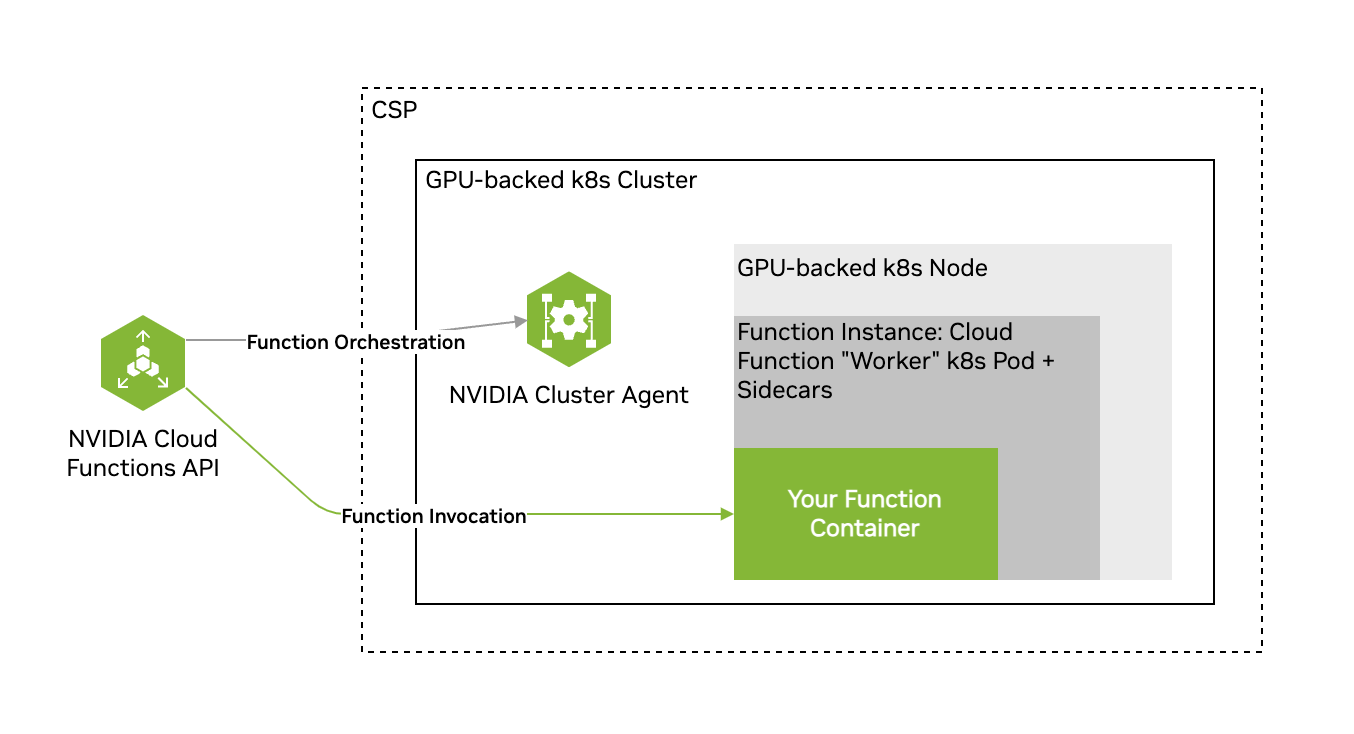
FunctionUser-defined encapsulated code that implements a server exposing at least one inference endpoint, either based on a container, or helm chart.
Function InstanceA single deployed copy of a function running on a cluster.
Function DeploymentOne or more function instances running on a cluster.
Function InvocationThe action of calling (via the Cloud Functions API) a function’s inference endpoint.
ClusterA collection of GPU-powered Kubernetes nodes/pods.
GPU Instance TypeRefers to any one of the supported GPU configurations within Cloud Functions, including the GPU model, number of GPUs on a single node, number of CPU cores, etc.

Function States

A function can be in any of the following states:

  • ACTIVE - If the function can receive invocations. Only when a function is ACTIVE or DEGRADING can it be invoked.
  • ERROR - If all function instances are in an ERROR state.
  • INACTIVE - When a function is created but not yet deployed, it is INACTIVE. When a function is undeployed, the state is changed from ACTIVE to INACTIVE.
  • DEPLOYING - When a function is being deployed and the instances are still coming up to reach the minimum instance count.
  • DEGRADING - If ACTIVE is losing its instances and number of active is below deployment configuration field minInstance, but there are some active instances. In this state a function can be invoked. When it gets back all required instances, it will be ACTIVE again.
  • DEGRADED - If ACTIVE or DEGRADING has lost all its instances. In this state a function can NOT be invoked. When it gets some instances it will be back DEGRADING. When it gets back all required instances, it will be ACTIVE again.

Workflow

The workflow when using Cloud Functions is usually as follows.

  • Function Creation: Define your function with a container, or helm chart.
  • Function Deployment: Deploy your function on a cluster.
  • Function Invocation: Invoke your function’s inference endpoint.
  • Function Management: Manage your deployed function, for example, add new versions.

Function Lifecycle Endpoints

Function Creation, Management & Deployment

The table below provides an overview of the function lifecycle API endpoints and their respective usages.

NameMethodEndpointUsage
Register FunctionPOST/v2/nvcf/functionsCreates a new function.
Register Function VersionPOST/v2/nvcf/functions/{functionId}/versionsCreates a new version of a function.
Delete Function VersionDELETE/v2/nvcf/functions/{functionId}/versions/{functionVersionId}Deletes a function specified by its ID.
List FunctionsGET/v2/nvcf/functionsRetrieves a list of functions associated with the account.
List Function VersionsGET/v2/nvcf/functions/{functionId}/versionsRetrieves a list of versions for a specific function.
Retrieve Function DetailsGET/v2/nvcf/functions/{functionId}/versions/{functionVersionId}Retrieves details of a specific function version.
Create Function Version DeploymentPOST/v2/nvcf/deployments/functions/{functionId}/versions/{functionVersionId}Initiates the deployment process for a function version.
Delete Function Version DeploymentDELETE/v2/nvcf/deployments/functions/{functionId}/versions/{functionVersionId}Initiates the undeployment process for a function version.
Retrieve Function Version DeploymentGET/v2/nvcf/deployments/functions/{functionId}/versions/{functionVersionId}Retrieves details of a specific function version deployment.
Update Function Version DeploymentPUT/v2/nvcf/deployments/functions/{functionId}/versions/{functionVersionId}Updates the configuration of a function version deployment.

Function Metadata

When using the Cloud Functions API to create a function, it’s possible to specify a function description and a list of tags as strings as part of the function creation request body. This metadata is then returned in all responses that include the function definition. This is an API-only feature at this time. Please see the open-api for usage.

Function Invocation

The table below provides an overview of the Function invocation API endpoints and their respective usages.

NameMethodEndpointUsage
Invoke FunctionANY{functionId}.invocation.api.nvcf.nvidia.com/{any-path}?{any-query-string}Invokes the client provided endpoint and returns the results, if available. Cloud Functions randomly selects one of the active versions of the specified function for inference.

Read more about using the invocation API in the Function Invocation section.

Visibility, Cluster Groups & GPUs

NameMethodEndpointUsage
Get Queue Length for Function idGET/v2/nvcf/queues/functions/{functionId}Returns a list containing a single element with corresponding queue length for the specified Function.
Get Queue Length for Version idGET/v2/nvcf/queues/functions/{functionId}/versions/{functionVersionId}Returns a list containing a single element with corresponding queue length for the specified Function version id.
Get Available GPUsGET/v2/nvcf/supportedGpusReturns a list of GPU types you have access too.
Get Queue Position for Request idGET/v2/nvcf/queues/{requestId}/positionReturns estimated position in queue, up to 1000, for a specific request id of a function invocation request.