

Creating a Direct Workflow RL Environment
In addition to the envs.ManagerBasedRLEnv class, which encourages the use of configuration classes
for more modular environments, the ~isaaclab.envs.DirectRLEnv class allows for more direct control
in the scripting of environment.
Instead of using Manager classes for defining rewards and observations, the direct workflow tasks implement the full reward and observation functions directly in the task script. This allows for more control in the implementation of the methods, such as using pytorch jit features, and provides a less abstracted framework that makes it easier to find the various pieces of code.
In this tutorial, we will configure the cartpole environment using the direct workflow implementation to create a task for balancing the pole upright. We will learn how to specify the task using by implementing functions for scene creation, actions, resets, rewards and observations.
The Code
For this tutorial, we use the cartpole environment defined in isaaclab_tasks.direct.cartpole module.
The Code Explained
Similar to the manager-based environments, a configuration class is defined for the task to hold settings
for the simulation parameters, the scene, the actors, and the task. With the direct workflow implementation,
the envs.DirectRLEnvCfg class is used as the base class for configurations.
Since the direct workflow implementation does not use Action and Observation managers, the task
config should define the number of actions and observations for the environment.
The config class can also be used to define task-specific attributes, such as scaling for reward terms and thresholds for reset conditions.
When creating a new environment, the code should define a new class that inherits from ~isaaclab.envs.DirectRLEnv.
The class can also hold class variables that are accessible by all functions in the class, including functions for applying actions, computing resets, rewards, and observations.
Scene Creation
In contrast to manager-based environments where the scene creation is taken care of by the framework,
the direct workflow implementation provides flexibility for users to implement their own scene creation
function. This includes adding actors into the stage, cloning the environments, filtering collisions
between the environments, adding the actors into the scene, and adding any additional props to the
scene, such as ground plane and lights. These operations should be implemented in the
_setup_scene(self) method.
Defining Rewards
Reward function should be defined in the _get_rewards(self) API, which returns the reward
buffer as a return value. Within this function, the task is free to implement the logic of
the reward function. In this example, we implement a Pytorch JIT function that computes
the various components of the reward function.
Defining Observations
The observation buffer should be computed in the _get_observations(self) function,
which constructs the observation buffer for the environment. At the end of this API,
a dictionary should be returned that contains policy as the key, and the full
observation buffer as the value. For asymmetric policies, the dictionary should also
include the key critic and the states buffer as the value.
Computing Dones and Performing Resets
Populating the dones buffer should be done in the _get_dones(self) method.
This method is free to implement logic that computes which environments would need to be reset
and which environments have reached the episode length limit. Both results should be
returned by the _get_dones(self) function, in the form of a tuple of boolean tensors.
Once the indices for environments requiring reset have been computed, the _reset_idx(self, env_ids)
function performs the reset operations on those environments. Within this function, new states
for the environments requiring reset should be set directly into simulation.
Applying Actions
There are two APIs that are designed for working with actions. The _pre_physics_step(self, actions) takes in actions
from the policy as an argument and is called once per RL step, prior to taking any physics steps. This function can
be used to process the actions buffer from the policy and cache the data in a class variable for the environment.
The _apply_action(self) API is called decimation number of times for each RL step, prior to taking
each physics step. This provides more flexibility for environments where actions should be applied
for each physics step.
The Code Execution
To run training for the direct workflow Cartpole environment, we can use the following command:
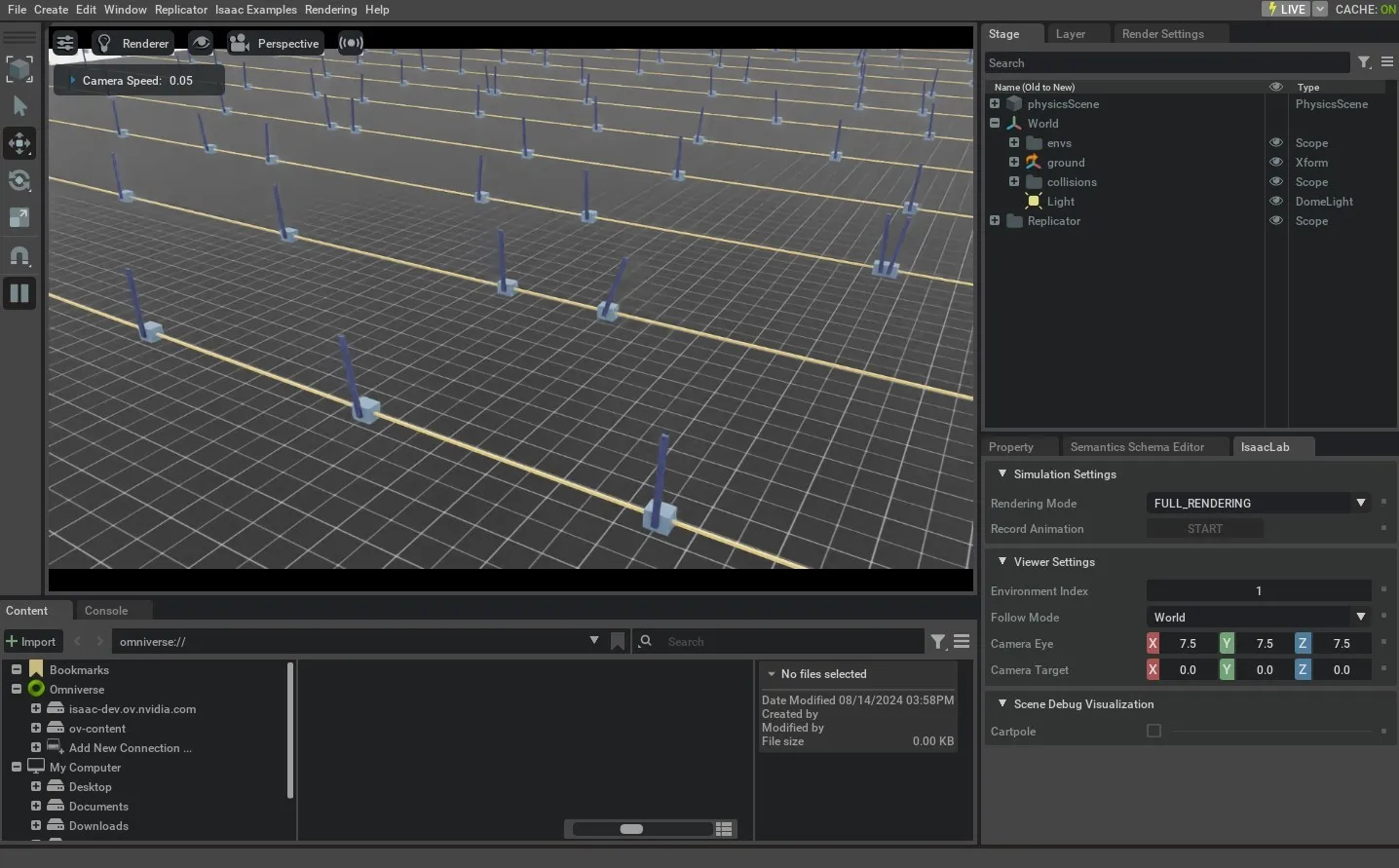
All direct workflow tasks have the suffix -Direct added to the task name to differentiate the implementation style.
Domain Randomization
In the direct workflow, domain randomization configuration uses the ~isaaclab.utils.configclass module
to specify a configuration class consisting of ~managers.EventTermCfg variables.
Below is an example of a configuration class for domain randomization:
Each EventTerm object is of the ~managers.EventTermCfg class and takes in a func parameter
for specifying the function to call during randomization, a mode parameter, which can be startup,
reset or interval. THe params dictionary should provide the necessary arguments to the
function that is specified in the func parameter.
Functions specified as func for the EventTerm can be found in the ~envs.mdp.events module.
Note that as part of the "asset_cfg": SceneEntityCfg("robot", body_names=".*") parameter, the name of
the actor "robot" is provided, along with the body or joint names specified as a regex expression,
which will be the actors and bodies/joints that will have randomization applied.
Once the configclass for the randomization terms have been set up, the class must be added
to the base config class for the task and be assigned to the variable events.
Action and Observation Noise
Actions and observation noise can also be added using the ~utils.configclass module.
Action and observation noise configs must be added to the main task config using the
action_noise_model and observation_noise_model variables:
~.utils.noise.NoiseModelWithAdditiveBiasCfg can be used to sample both uncorrelated noise
per step as well as correlated noise that is re-sampled at reset time.
The noise_cfg term specifies the Gaussian distribution that will be sampled at each
step for all environments. This noise will be added to the corresponding actions and
observations buffers at every step.
The bias_noise_cfg term specifies the Gaussian distribution for the correlated noise
that will be sampled at reset time for the environments being reset. The same noise
will be applied each step for the remaining of the episode for the environments and
resampled at the next reset.
If only per-step noise is desired, ~utils.noise.GaussianNoiseCfg can be used
to specify an additive Gaussian distribution that adds the sampled noise to the input buffer.
In this tutorial, we learnt how to create a direct workflow task environment for reinforcement learning. We do this by extending the base environment to include the scene setup, actions, dones, reset, reward and observaion functions.
While it is possible to manually create an instance of ~isaaclab.envs.DirectRLEnv class for a desired task,
this is not scalable as it requires specialized scripts for each task. Thus, we exploit the
gymnasium.make function to create the environment with the gym interface. We will learn how to do this
in the next tutorial.