

Kubernetes On Edge
How edge sites can be configured is described in Chapter 2 of the Edge Manual.
If there are BCM Edge sites configured in the cluster, then the Kubernetes setup prompts the user with edge sites that Kubernetes can be deployed on.
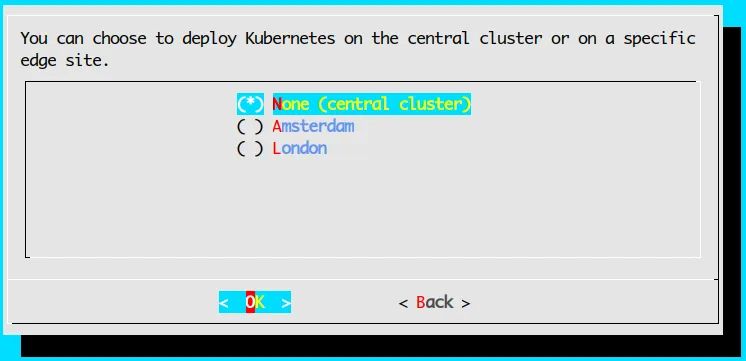
cm-kubernetes-setup prompting for edge sites.
If an edge site is selected, then the rest of the wizard prompts only for nodes available within that edge site; prompts only for the associated network interfaces; and so on.
7.1 Flags For Edge Installation
Edge directors often lack high-bandwidth connectivity to the central head node, or they often may benefit from coming up as quickly as possible. It can therefore sometimes be useful to skip stages of the setup.
Running cm-kubernetes-setup --help displays some additional flags that allow some setup stages, that bring up a cloud director, to be skipped explicitly:
7.1.1 Speeding Up Kubernetes Installation To Edge Nodes With The --skip-* Flags: Use Cases
Explanations and use cases for these flags are given in the following table:
These flags can also be configured in the YAML configuration file of the cm-kubernetes-setup wizard.
The flags can be used for scripted installations for quick Kubernetes setups. For a scripted installation of an edge director, preparations can be done beforehand so that all the requirements in the software images that the edge directors use are already installed, the right disk layouts are already configured, and packages are already updated.
All the stages in the flag options can then be skipped for installing onto edge sites. This can make the setup take just a few seconds per Kubernetes deployment.