

Create Self-Signed Server Certificate Pair For Testing Purposes
The cluster administrator can issue self-signed certificates. For testing purposes, a self-signed certificate pair can be installed on any device where authentication is needed via the web interface, for example on a client connecting to the bcm-gateway Gateway (section 4.17.7). The configuration is carried out as follows:
The cm-kubernetes-setup wizard is started up on the active head node by the cluster administrator.
The Gateway configuration menu is opened, and the Configure TLS Certificate for Gateway item is selected from it (figure A.1).
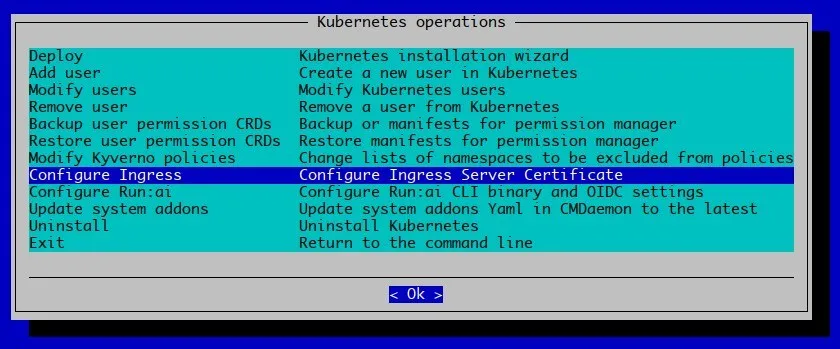
Figure A.1: The Configure TLS Certificate for Gateway item under the Gateway configuration menu
The Kubernetes cluster is chosen in the next screen. The Kubernetes cluster is the one whose bcm-gateway Gateway TLS certificate is to be configured (figure A.2)
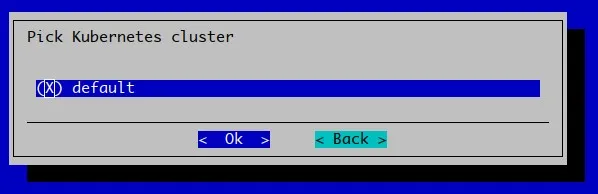
Figure A.2: Prompt for the Kubernetes cluster whose bcm-gateway Gateway TLS certificate is to be configured
A prompt appears asking if an existing certificate pair should be used. Since a self-signed pair is to be used for testing purposes, no is selected (figure A.3)
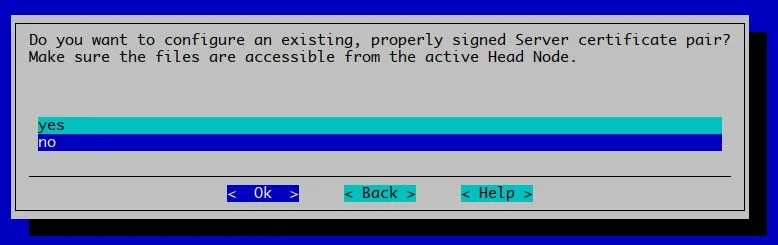
Figure A.3: Prompt to select existing certificate (choose “no” here for self-signed.)
A list of domains to customize is displayed (figure A.4)
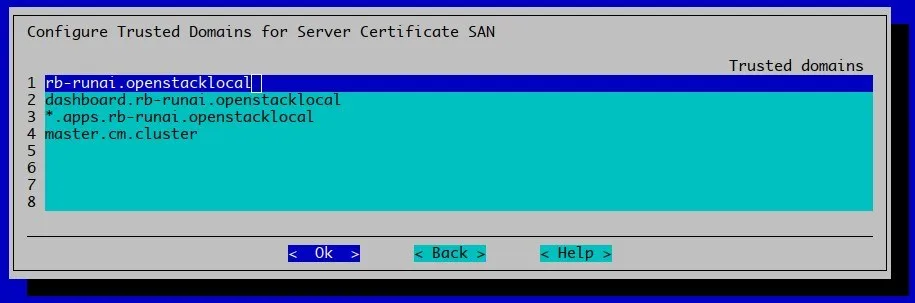
Figure A.4: Prompt for customizing trusted domains that need to be part of the self-signed certificate.
For this example, the domain is customized to superpod.nvidia.local (figure A.5)
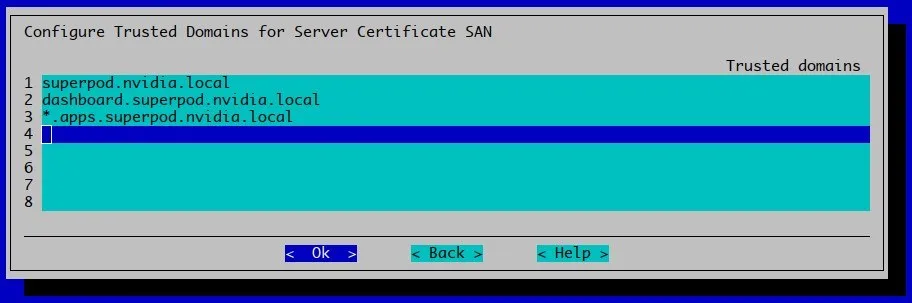
Figure A.5: Prompt answered with an entry superpod.nvidia.local
All the names entered end up in the SAN part of the certificate as valid DNS names. Continuing with Ok executes steps to take care of the configuration (figure A.6)
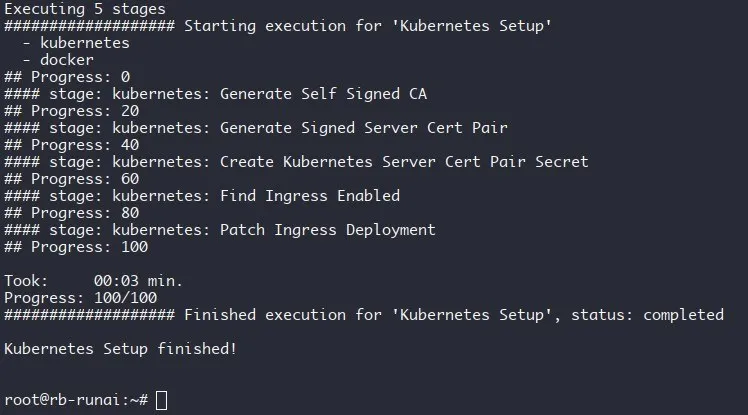
Figure A.6: The output when the self-signed configuration has completed.
So far in the procedure, the following has been carried out:
-
a private CA key pair has been created (
gateway-ca.keyandgateway-ca.crtin figure A.7) -
a certificate (
gateway-bcm-gateway.crt) has been made and signed by the private CA -
the
bcm-gatewayGatewayhas been updated to present the certificate pair via thegateway-bcm-gateway-certTLSSecretin thebcm-gatewaynamespace
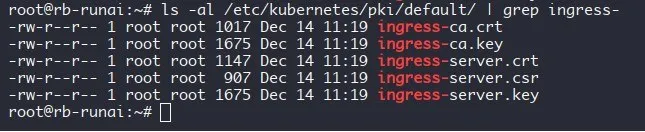
Figure A.7: The certificate files on the active head node.
The default in this path is the label of the Kubernetes cluster for which the certificates have been created.
Specific Note on Run:ai
The use of self-signed certificates is not recommended. It is only useful for testing purposes. The use of self-signed certificates may cause users can run into obscure issues, where it is hard to uncover that the problem is because of self-signed certificates.
In case the self-signed certificates are being used for a Run:ai SaaS deployment, the Run:ai cluster installer can be run again and all the fields can be configured (figure A.8).
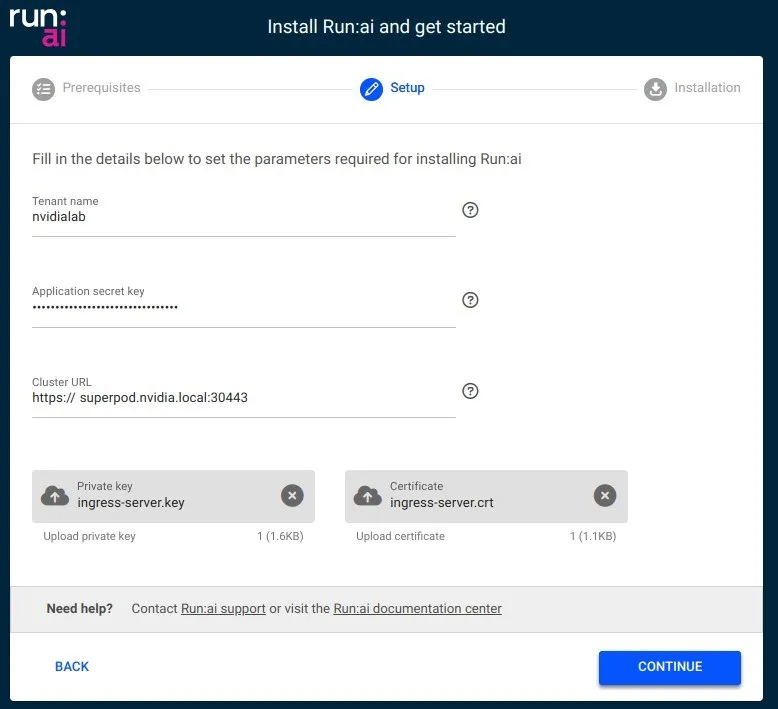
Figure A.8: The Run:ai wizard.
In figure A.8 the domain superpod.nvidia.local is used, and some HTTPS port (served by a Gateway) is used for the cluster URL.
The private key for the certificate has been uploaded, from its location on the active head node at:
/etc/kubernetes/pki/default/gateway-bcm-gateway.key
The certificate has also been uploaded from its location on the active head node at:
/etc/kubernetes/pki/default/gateway-bcm-gateway.crt
The self-signed CA, taken from: /etc/kubernetes/pki/default/gateway-ca.crt, can alternatively be installed on the local machine (the cluster administrator laptop, for example) in order for the browser to recognize the certificate as trusted. Details are typically OS dependent, but for Chrome on a Linux system it follows a method of accepting the certificate by ignoring a warning about the site certificate being untrusted.
The warning is due to the CA server not being a recognized Certificate Authority (CA) like the CAs that are recognized by a browser.
Since the browser warning gives no way to tell this legitimate certificate from an attacker’s forged one, the fingerprint of the gateway-bcm-gateway.crt certificate already retrieved from the head node above should be checked against the fingerprint the browser shows before the warning is accepted:
Example
If there is no internet access to the cluster URL, then the warning about the CA not being a recognized Certificate Authority is not an issue on that basis alone, and the user can simply accept the “untrusted” certificate, once its fingerprint has been checked as above. The risk of a man-in-the-middle attack is possible on any network, whether or not it has internet access, since a self-signed certificate does not protect against one either way.
If there is internet access to the cluster URL, then the administrator can choose between continuing to trust the self-signed certificate, or replacing it with one obtained from a publicly trusted certificate authority, for example Let’s Encrypt. Neither choice is inherently more secure: a self-signed certificate trusted directly by the administrator avoids depending on any external authority, while a certificate from a recognized CA avoids the browser warning and matches the validation model most users expect.
The choice depends on two things:
-
The administrator’s own trust model: whether a certificate vouched for by a third-party CA is considered more trustworthy than one the administrator generated and controls directly, given that a CA can itself be compromised.
-
How the cluster’s URL is expected to be accessed. A self-signed certificate is straightforward when only the administrator, or a small technical team, ever reaches the URL. It does not scale well if many different users or devices need to reach it, since each one individually has to accept the browser warning or have the CA imported. That can also train users to click through security warnings out of habit.