# Copyright (c) 2022-2026, The Isaac Lab Project Developers (https://github.com/isaac-sim/IsaacLab/blob/main/CONTRIBUTORS.md).
# All rights reserved.
#
# SPDX-License-Identifier: BSD-3-Clause
"""Cast a lidar-style ray pattern against rough terrain."""
import argparse
from typing import TYPE_CHECKING
import torch
import isaaclab.sim as sim_utils
from isaaclab.app import add_launcher_args, launch_simulation
from isaaclab.assets import AssetBaseCfg
from isaaclab.physics import PhysicsCfg
from isaaclab.scene import InteractiveSceneCfg
from isaaclab.sensors.ray_caster import RayCasterCfg, patterns
from isaaclab.utils import configclass, instantiate, replace
from isaaclab.utils.assets import ISAAC_NUCLEUS_DIR
from isaaclab_assets.robots.anymal import ANYMAL_C_CFG
if TYPE_CHECKING:
from isaaclab.scene import InteractiveScene
parser = argparse.ArgumentParser(description="Example on using the raycaster sensor.")
parser.add_argument("--num_envs", type=int, default=1, help="Number of environments to spawn.")
parser.add_argument("--log_interval", type=int, default=100, help="Steps between compact sensor summaries.")
parser.add_argument("--max_steps", type=int, default=-1, help="Stop after this many steps; negative runs forever.")
parser.add_argument(
"--physics",
default="isaacsim_physx",
choices=["isaacsim_physx"],
help="Physics backend.",
)
add_launcher_args(parser)
parser.set_defaults(visualizer=["kit"])
args_cli = parser.parse_args()
if args_cli.log_interval < 1:
parser.error("--log_interval must be at least 1.")
if args_cli.max_steps == 0 or args_cli.max_steps < -1:
parser.error("--max_steps must be positive or -1.")
@configclass
class RaycasterSensorSceneCfg(InteractiveSceneCfg):
"""Design the scene with sensors on the robot."""
# ground plane
ground = AssetBaseCfg(
prim_path="/World/Ground",
spawn=sim_utils.UsdFileCfg(
usd_path=f"{ISAAC_NUCLEUS_DIR}/Environments/Terrains/rough_plane.usd",
scale=(1, 1, 1),
),
)
# lights
dome_light = AssetBaseCfg(
prim_path="/World/Light", spawn=sim_utils.DomeLightCfg(intensity=3000.0, color=(0.75, 0.75, 0.75))
)
# robot
robot = replace(ANYMAL_C_CFG, prim_path="{ENV_REGEX_NS}/Robot")
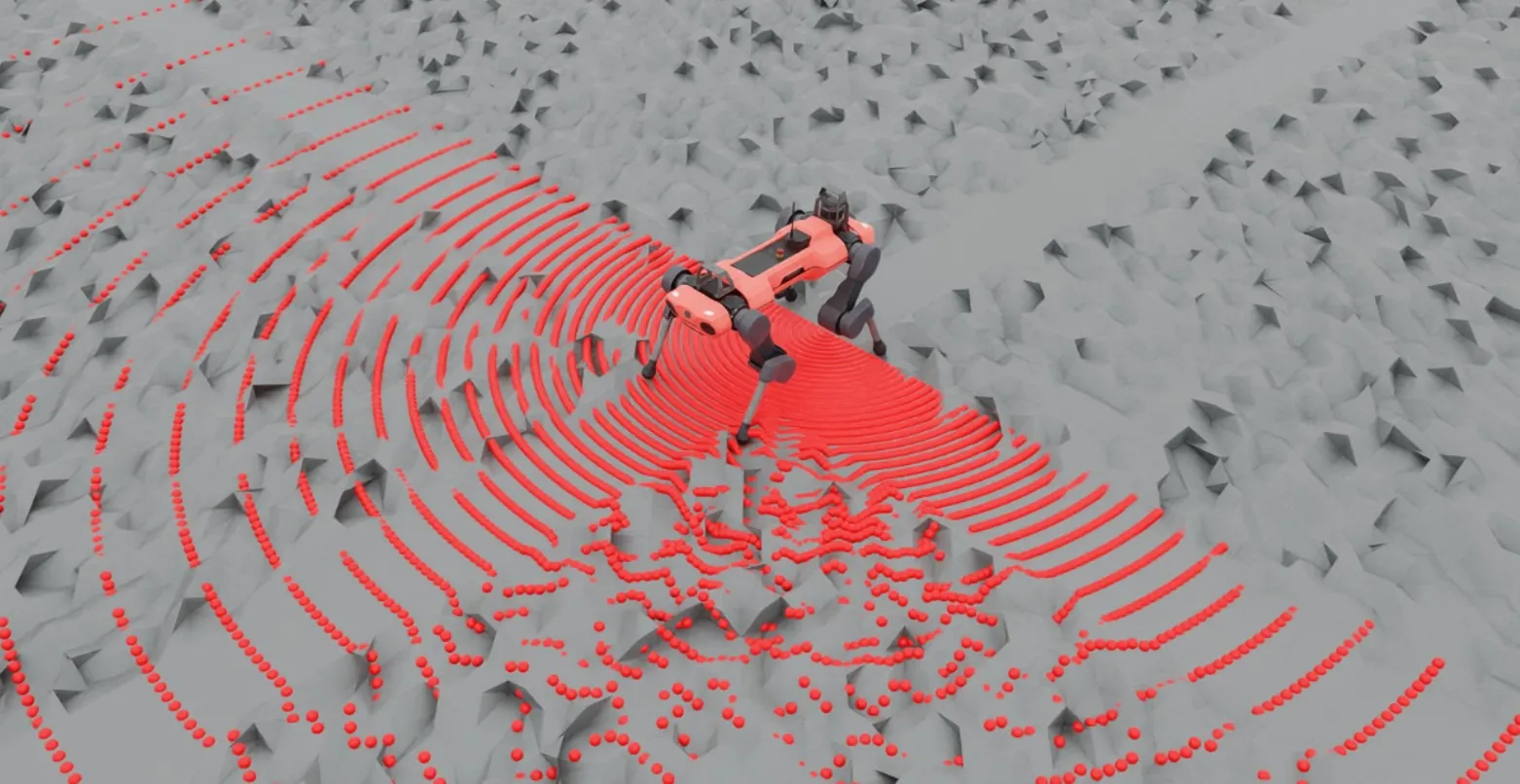
ray_caster = RayCasterCfg(
prim_path="{ENV_REGEX_NS}/Robot/base",
update_period=1 / 60,
offset=RayCasterCfg.OffsetCfg(pos=(0, 0, 0.5)),
mesh_prim_paths=["/World/Ground"],
ray_alignment="yaw",
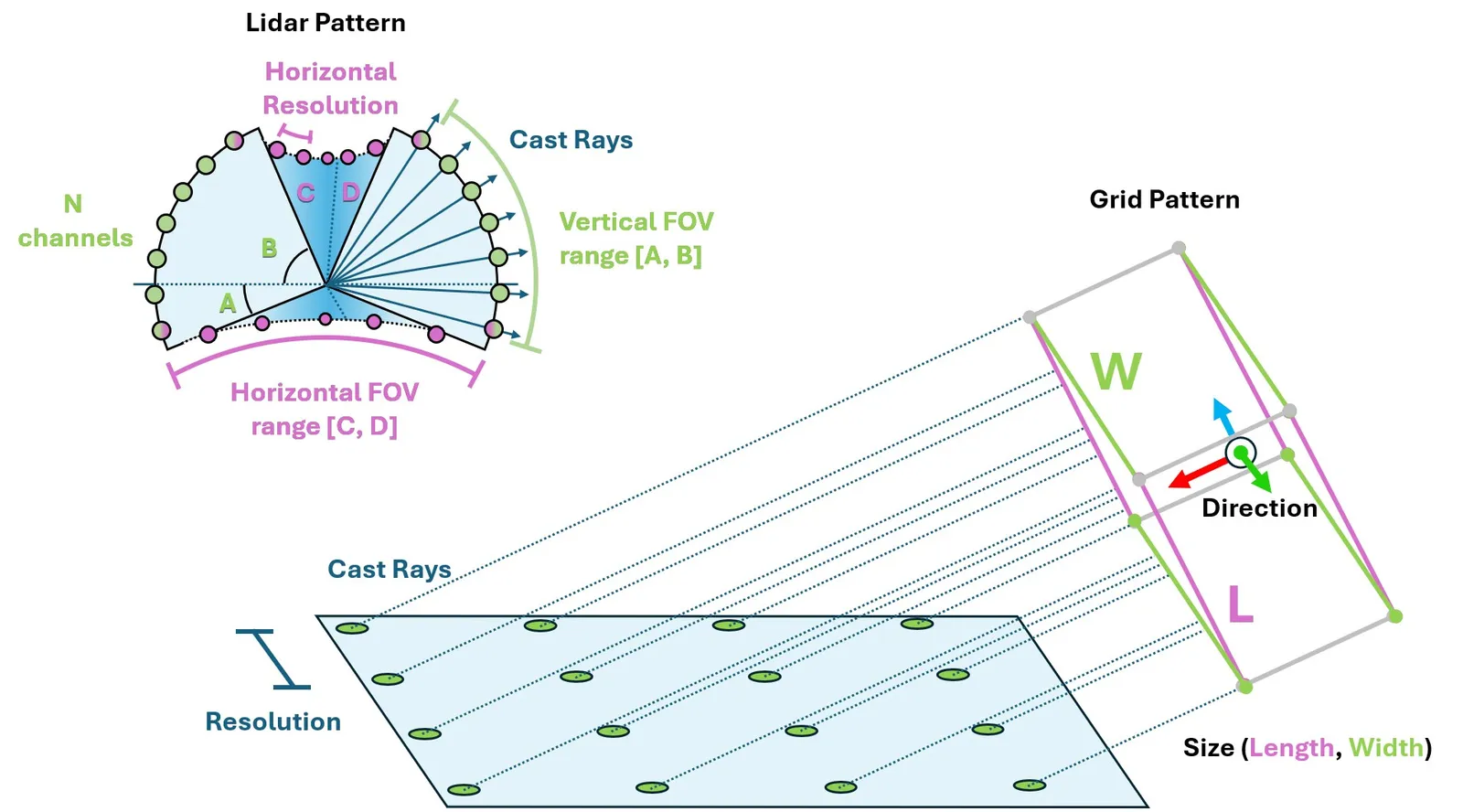
pattern_cfg=patterns.LidarPatternCfg(
channels=100, vertical_fov_range=[-90, 90], horizontal_fov_range=[-90, 90], horizontal_res=1.0
),
debug_vis=bool(args_cli.visualizer),
)
def run_simulator(sim: sim_utils.SimulationContext, scene: "InteractiveScene") -> None:
"""Run the simulator."""
# Define simulation stepping
sim_dt = sim.get_physics_dt()
count = 0
while sim.is_running() and (args_cli.max_steps < 0 or count < args_cli.max_steps):
if count % 500 == 0:
# reset the scene entities
# root state
# we offset the root state by the origin since the states are written in simulation world frame
# if this is not done, then the robots will be spawned at the (0, 0, 0) of the simulation world
root_pose = scene["robot"].data.default_root_pose.torch.clone()
root_pose[:, :3] += scene.env_origins
scene["robot"].write_root_pose_to_sim_index(root_pose=root_pose)
root_vel = scene["robot"].data.default_root_vel.torch.clone()
scene["robot"].write_root_velocity_to_sim_index(root_velocity=root_vel)
# set joint positions with some noise
joint_pos, joint_vel = (
scene["robot"].data.default_joint_pos.torch.clone(),
scene["robot"].data.default_joint_vel.torch.clone(),
)
joint_pos += torch.rand_like(joint_pos) * 0.1
scene["robot"].write_joint_position_to_sim_index(position=joint_pos)
scene["robot"].write_joint_velocity_to_sim_index(velocity=joint_vel)
# clear internal buffers
scene.reset()
print("[INFO]: Resetting robot state...")
targets = scene["robot"].data.default_joint_pos.torch
scene["robot"].set_joint_position_target_index(target=targets)
scene.write_data_to_sim()
sim.step()
count += 1
scene.update(sim_dt)
if count % args_cli.log_interval == 0:
hits = scene["ray_caster"].data.ray_hits_w.torch
valid = torch.isfinite(hits).all(dim=-1)
print(f"[INFO] step={count} ray hit rate={valid.float().mean().item():.1%}")
def main() -> None:
"""Run the ray-caster example."""
with launch_simulation(cfg=PhysicsCfg(), launcher_args=args_cli) as physics_cfg:
sim_cfg = sim_utils.SimulationCfg(dt=0.005, device=args_cli.device, physics=physics_cfg)
sim = sim_utils.SimulationContext(sim_cfg)
sim.set_camera_view(eye=[3.5, 3.5, 3.5], target=[0.0, 0.0, 0.0])
scene_cfg = RaycasterSensorSceneCfg(num_envs=args_cli.num_envs, env_spacing=2.0)
scene: InteractiveScene = instantiate(scene_cfg)
sim.reset()
print("[INFO]: Setup complete...")
run_simulator(sim, scene)
if __name__ == "__main__":
main()