

Ray Caster
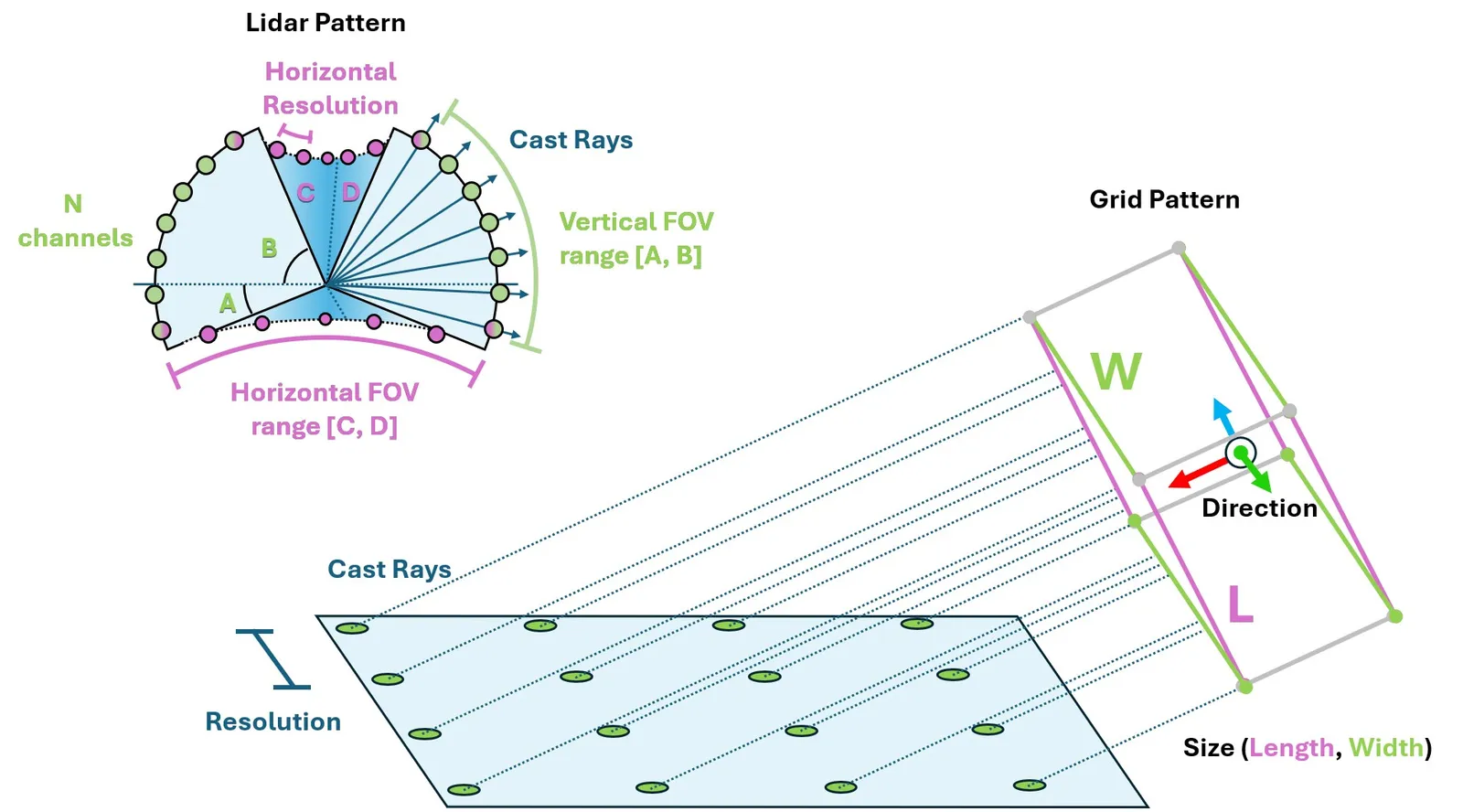
The Ray Caster sensor (and the ray caster camera) are similar to RTX based rendering in that they both involve casting rays. The difference here is that the rays cast by the Ray Caster sensor return strictly collision information along the cast, and the direction of each individual ray can be specified. They do not bounce, nor are they affected by things like materials or opacity. For each ray specified by the sensor, a line is traced along the path of the ray and the location of first collision with the specified mesh is returned. This is the method used by some of our quadruped examples to measure the local height field.
The ray-casting implementation depends on the physics backend. With PhysX and
OV PhysX, configured meshes are loaded into Warp
when the sensor initializes and must remain static. With Newton, the sensor
queries the live scene BVH and therefore sees every collision shape in its
environment, global terrain, and dynamic bodies. Newton ignores
sensors.RayCasterCfg.mesh_prim_paths; use
isaaclab_newton.sensors.NewtonRaycastSensorCfg to make that behavior
explicit and to access Newton-specific options.
Using a ray caster sensor requires a pattern and a parent xform to be attached to. The pattern defines how the rays are cast, while the prim properties defines the orientation and position of the sensor (additional offsets can be specified for more exact placement). Isaac Lab supports a number of ray casting pattern configurations, including a generic LIDAR and grid pattern.
Notice that the units on the pattern config is in degrees! Also, we enable visualization here to explicitly show the pattern in the rendering, but this is not required and should be disabled for performance tuning.
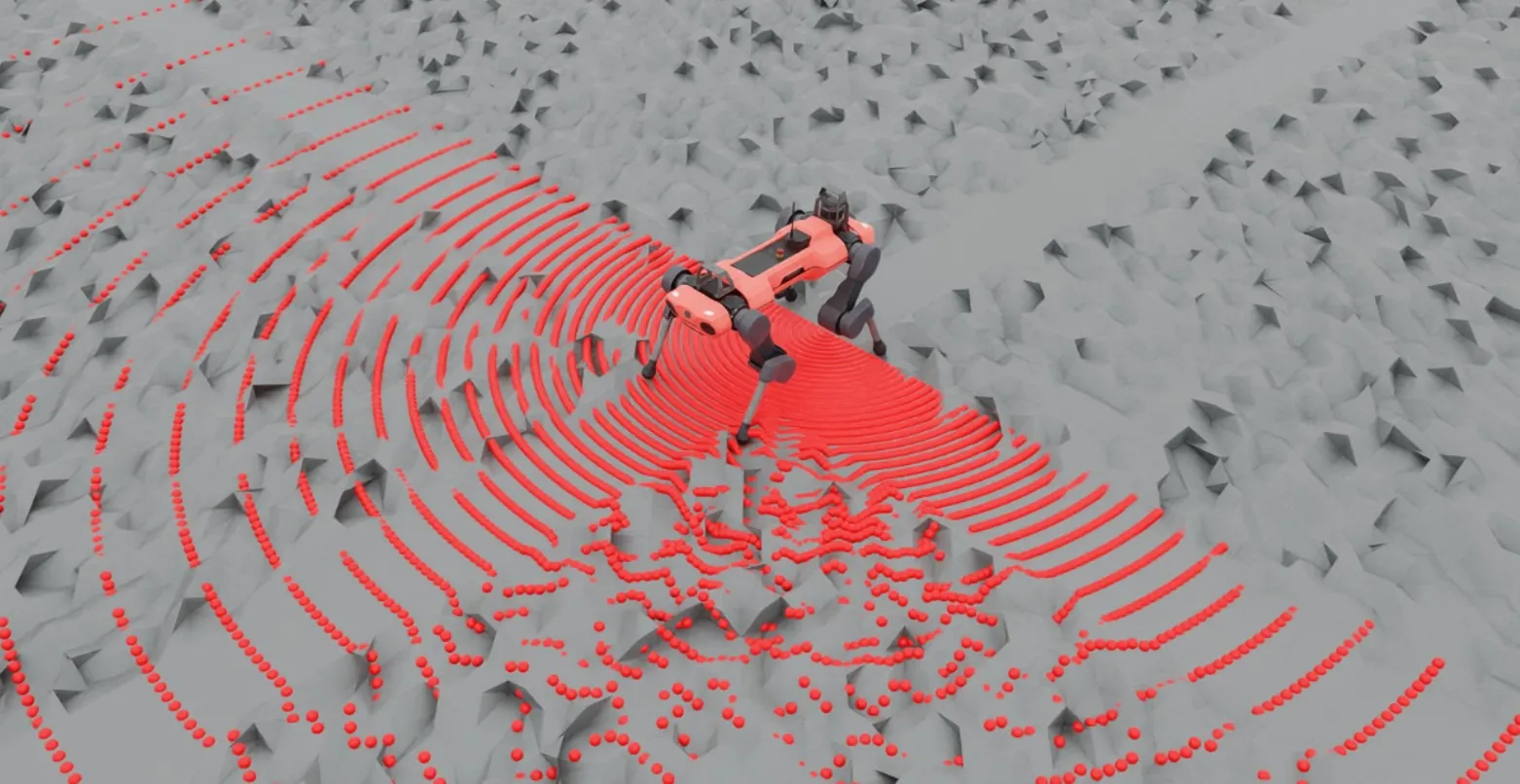
Querying the sensor for data can be done at simulation run time like any other sensor.
Here we can see the data returned by the sensor itself. Notice first that there are 3 closed brackets at the beginning and the end: this is because the data returned is batched by the number of sensors. The ray cast pattern itself has also been flattened, and so the dimensions of the array are [N, B, 3] where N is the number of sensors, B is the number of cast rays in the pattern, and 3 is the dimension of the casting space. Finally, notice that the first several values in this casting pattern are the same: this is because the lidar pattern is spherical and we have specified our FOV to be hemispherical, which includes the poles. In this configuration, the “flattening pattern” becomes apparent: the first 180 entries will be the same because it’s the bottom pole of this hemisphere, and there will be 180 of them because our horizontal FOV is 180 degrees with a resolution of 1 degree.
You can use this script to experiment with pattern configurations and build an intuition about how the data is stored by altering the triggered variable on line 81.