

Deep-dive into the simulation launcher
In this tutorial, we will dive into how a standalone script launches the simulator and configures it using
CLI arguments and environment variables (envars). Particularly, we will demonstrate how to use
app.add_launcher_args and app.launch_simulation to enable livestreaming and to configure
the isaacsim.simulation_app.SimulationApp instance that runs Isaac Sim, while also allowing
user-provided options.
Launching is split into two steps. First, app.add_launcher_args appends the launch-related options
to the script’s own argparse.ArgumentParser. Then, the app.launch_simulation context manager
takes the simulation configuration and the parsed arguments, and starts only the runtime that they need.
The default PhysX physics backend, Kit-based RTX cameras, the Kit visualizer (--visualizer kit) and
livestreaming all run inside Isaac Sim (Kit), so for these ~app.launch_simulation starts a
~isaacsim.simulation_app.SimulationApp. A kitless configuration, for example Newton physics
without a Kit visualizer, starts no Isaac Sim at all. The runtime is closed automatically when the
with block exits.
The ~isaacsim.simulation_app.SimulationApp has many extensions that must be loaded to enable
different capabilities, and some of these extensions are order- and inter-dependent. Additionally, there are
startup options such as headless which must be set at instantiation time, and which have an implied
relationship with some extensions, e.g. the livestreaming extensions. The launcher handles these extensions
and startup options in a portable manner across a variety of use cases. To achieve this, we offer CLI and
envar flags which can be merged with user-defined CLI args, while passing forward arguments intended
for ~isaacsim.simulation_app.SimulationApp.
The Code
The tutorial corresponds to the launch_app.py script in the
scripts/tutorials/00_sim directory.
The Code Explained
Adding arguments to the argparser
The launcher is designed to be compatible with custom CLI args that users need for their own scripts, while still providing a portable CLI interface.
In this tutorial, a standard argparse.ArgumentParser is instantiated and given the
script-specific --size argument, as well as the arguments --height and --width.
The latter are ingested by ~isaacsim.simulation_app.SimulationApp.
The argument --size is not used by the launcher, but merges seamlessly with the launcher
interface. In-script arguments are merged with the launcher interface via the
~app.add_launcher_args function, which appends the launcher arguments to the given
~argparse.ArgumentParser. This can then be processed into an argparse.Namespace using the
standard argparse.ArgumentParser.parse_args method.
Launching the simulator
The parsed arguments are passed, together with the simulation configuration, to
~app.launch_simulation. The configuration tells it which runtime is needed (here, the default
PhysX physics backend, which runs inside Isaac Sim), and the arguments configure that runtime.
Everything that uses the simulator runs inside the with block.
Understanding the output of —help
While executing the script, we can pass the --help argument and see the combined outputs of the
custom arguments and the launcher options (abbreviated below).
uv (Recommended)
isaaclab.sh / isaaclab.bat
This readout details the --size, --height, and --width arguments defined in the script directly,
as well as the launcher arguments.
Script arguments whose name and type match an argument of
~isaacsim.simulation_app.SimulationApp, in this case --height and --width, are forwarded
to the ~isaacsim.simulation_app.SimulationApp instance when ~app.launch_simulation
starts Isaac Sim. Please refer to the specification for such arguments for more examples.
Using environment variables
As noted in the help message, launcher arguments such as --livestream
have corresponding environment variables (envar) as well. These are detailed in isaaclab.app
documentation. Providing any of these arguments through CLI is equivalent to running the script in a shell
environment where the corresponding envar is set.
The support for launcher envars is simply a convenience to provide session-persistent
configurations, and can be set in the user’s ${HOME}/.bashrc for persistent settings between sessions.
In the case where these arguments are provided from the CLI, they will override their corresponding envar,
as we will demonstrate later in this tutorial.
These arguments can be used with any script that starts the simulation using ~app.launch_simulation.
Camera and offscreen rendering support is configured automatically.
The Code Execution
We will now run the example script:
Linux x86_64
Linux aarch64 (DGX Spark)
Windows
uv (Recommended)
isaaclab.sh / isaaclab.bat
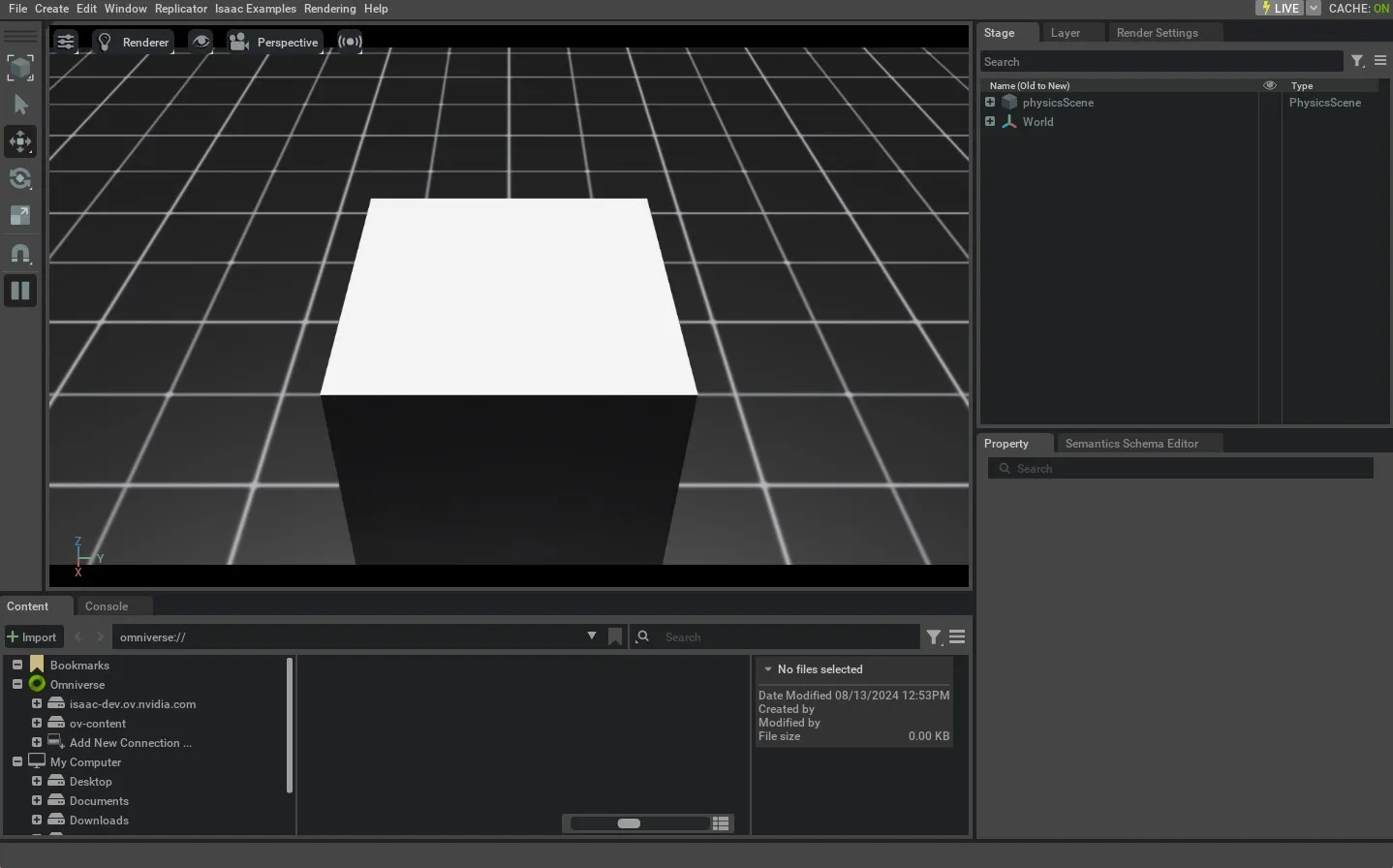
This will spawn a 0.5m\ 3 volume cuboid in the simulation. No GUI will appear, equivalent
to omitting --visualizer in this setup because headlessness is implied by our LIVESTREAM
envar. If a visualization is desired, we could get one via Isaac’s WebRTC Livestreaming. Streaming
is currently the only supported method of visualization from within the container. The
process can be killed by pressing Ctrl+C in the launching terminal.
Now, let’s look at how the launcher handles conflicting commands:
Linux x86_64
Linux aarch64 (DGX Spark)
Windows
uv (Recommended)
isaaclab.sh / isaaclab.bat
This will cause the same behavior as in the previous run, because although we have set LIVESTREAM=0
in our envars, CLI args such as --livestream take precedence in determining behavior. The process can
be killed by pressing Ctrl+C in the launching terminal.
Finally, we will examine passing arguments to ~isaacsim.simulation_app.SimulationApp through
~app.launch_simulation:
Linux x86_64
Linux aarch64 (DGX Spark)
Windows
uv (Recommended)
isaaclab.sh / isaaclab.bat
This will cause the same behavior as before, but now the viewport will be rendered at 1920x1080p resolution.
This can be useful when we want to gather high-resolution video, or we can specify a lower resolution if we
want our simulation to be more performant. The process can be killed by pressing Ctrl+C in the launching
terminal.
For more details on headless mode and launching visualizers, see /source/migration/migrating_to_isaaclab_3-0.