

Camera
A ~sensors.Camera defines what to capture: camera pose, projection, resolution, sampling
period, and output data types. A renderer defines how those images are produced. Keeping these
responsibilities separate lets one camera configuration work with different physics and rendering
backends.
Camera data is expensive compared with low-dimensional state. Isaac Lab therefore batches the camera copies from cloned environments into tiled render passes and exposes the de-tiled result as one device-resident buffer per requested output.
For silent black or corrupted RTX camera images when scaling the workload, see Large RTX camera workloads can return black or corrupted images.
Rendering model
sensors.CameraCfg.renderer_cfg selects the renderer. A plain
~isaaclab.renderers.RendererCfg requests the runtime default. Use a concrete configuration
when the renderer must be fixed:
For an environment that exposes renderer presets, select the renderer at launch instead of editing
the scene configuration. Pass physics= and renderer= together, since the renderer must match
your setup path. The command below is for the kit-less Newton path; for Isaac Sim, use
physics=isaacsim_physx renderer=isaacsim_rtx with --extra isaacsim. See
/source/how-to/configure_rendering for each pairing:
Linux
Windows
Images are not written to disk by default. Set env.write_image_to_file=true to write
cartpole_<data_type>.png in the current working directory.
See /source/concepts/backends_and_presets for preset discovery and Renderer outputs at a glance for a same-scene comparison of the renderer outputs.
With OVRTX, separate camera sensors share the scene and renderer when their renderer
configurations match, while each sensor owns a separate tiled render product. For example,
env_0/head_camera and env_1/head_camera form one product, while
env_0/wrist_camera and env_1/wrist_camera form another. The sensors can use different
resolutions and output types, and their poses update independently. Define all camera prims
before initializing the simulation so they are included in the scene exported to OVRTX.
Configure a camera
A camera can spawn a pinhole or fisheye camera prim, or bind to a camera already on the stage.
offset uses the convention declared on ~sensors.CameraCfg.OffsetCfg:
world: forward+X, up+Z.ros: forward+Z, up-Y.opengl: forward-Z, up+Y.
A renderer instance is reused only when cameras use equal renderer configurations of the same concrete configuration type. Different renderer settings create distinct instances. Camera configurations, including output types and backgrounds, remain per sensor.
Read camera data
sensors.CameraData.output maps each requested name to a
~isaaclab.utils.warp.ProxyArray. For N camera views, height H, width W, and
C channels, each output has shape (N, H, W, C). Use torch for a cached zero-copy Torch
view or warp for the underlying Warp array:
Camera pose and intrinsic buffers are also ProxyArray objects. pos_w has shape (N, 3),
intrinsic_matrices has shape (N, 3, 3), and camera quaternions have shape (N, 4) in
(x, y, z, w) order. Set update_latest_camera_pose=True only when current pose data is needed;
updating it adds frame-query overhead.
Output types
The active renderer validates data_types and allocates the channel count and data type declared
by its ~isaaclab.renderers.RenderBufferSpec.
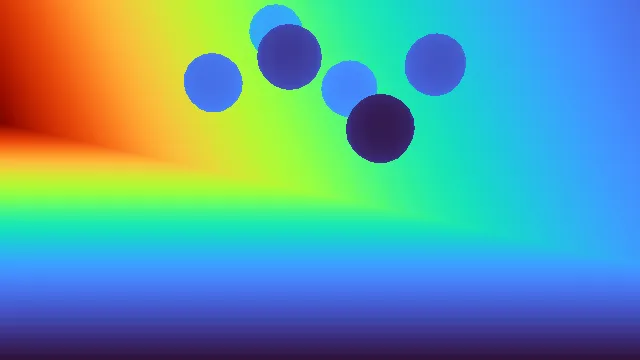
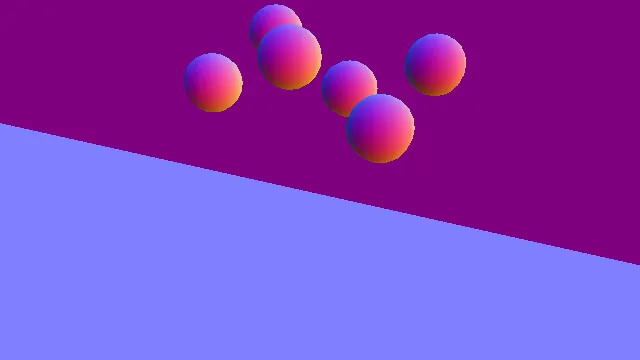
depth is an alias of distance_to_image_plane. Colorized segmentation uses RGBA uint8;
non-colorized segmentation uses one int32 ID channel. Label and prim-path mappings are stored in
camera_data.info[output_name].

Renderer support
The common API does not imply that every renderer produces every output. For same-scene examples across these backends, see the renderer visual comparison. The current support matrix is:
Querying an unsupported output fails during camera initialization. Renderer configuration controls semantic filters, segmentation colorization, and depth clipping where those options are backend-specific.


Background color
When sensors.CameraCfg.background_color is None, each renderer uses its default
background. Set a normalized RGB tuple to use a solid color for pixels that miss all geometry:
The setting is per camera. Cameras with renderer-default and solid backgrounds can coexist in one scene.
Post-render image signal processing
sensors.CameraCfg.isp_cfg optionally applies an image signal processing (ISP) pass to the
renderer’s scene-linear HDR output. The shipped implementation is PPISP (Physically Plausible Image
Signal Processing), which applies responsivity, exposure, vignetting, color correction, and a camera
response function before writing rgb or rgba.
The field accepts:
Noneto disable post-render ISP.~isaaclab_ppisp.PpispCfgfor explicit coefficients or coefficients imported from a USD camera.~sensors.CameraISPModeto discoverppisp:*attributes on a camera prim.
AUTO_CAMERA checks the first matched camera prim. AUTO_ANY falls back to the first PPISP
camera anywhere on the stage. Discovery happens once during camera construction.
PPISP is composed by Isaac RTX, OVRTX, and Newton Warp. It requires rgb or rgba output. A
static configuration is shared by all cloned views in one camera batch; controller weights may
predict per-view exposure and color parameters, while the remaining coefficients stay shared. ISP
configuration and discovered USD attributes are fixed for the camera lifetime.
With Isaac RTX and OVRTX, enabling isp_cfg makes PPISP the ISP authority. The renderer
disables RTX auto-exposure, authors neutral exposure:* values, and applies the
OmniRtxCameraAutoExposureAPI_1 and OmniRtxCameraExposureAPI_1 schemas on every matched
camera prim so RTX does not process the image a second time. Do not combine isp_cfg with
separately authored RTX exposure or tonemapping settings. When isp_cfg is None, the
renderer leaves authored camera exposure unchanged.
Run the ppisp-camera example for a complete PPISP workflow. It supports
--renderer newton_renderer (Newton Warp, the default) and --renderer isaac_rtx (Isaac RTX).
The example runs 0 warmup steps for Newton Warp and 32 for Isaac RTX before saving images; override
this with --warmup_steps.
Linux
Windows
--input_scene accepts a local path or URL to a USD or USDZ scene containing the Gaussian PPISP
setup. If omitted, the example uses the Samples/Scene_ParticleField/valiant_auto.usdz
sample from ISAAC_NUCLEUS_DIR.
--camera_prim_path is an optional absolute USD prim path in the input scene; in both commands
above, replace /usd/path/to/camera with the path of a camera in your scene. The prim must exist,
have type Camera, and carry ppisp:* attributes. If omitted, the example selects the first
camera with PPISP attributes. For both renderers, the input scene must have a defaultPrim and
the camera must be a descendant of it (for example, a camera at /World/Cameras/front_cam requires
/World as the defaultPrim).
Images are saved to output/ppisp_camera in the current working directory; use --output_dir
to change it. --max_steps sets the number of steps after warmup (default: 120), and
--save_interval sets the image-saving interval in steps (default: 20).
For all options, run uv run --extra isaacsim isaaclab example ppisp-camera --help.
Performance and validation
Image memory and rendering cost scale with the number of environments, resolution, channel count, and requested outputs. Start camera-based tasks with a small environment count, verify shapes and renderer support, and then scale while monitoring GPU memory. Avoid requesting buffers that the task does not consume.
Tiled rendering batches the cloned views into shared render passes, but it does not remove the memory
cost of the de-tiled outputs or downstream vision models. The camera follows the shared sensor
update_period contract; choose a period that matches the observation cadence instead of rendering
at every physics step by default.
A runnable camera example is available as camera:
For saving output to disk, see /source/how-to/save_camera_output. For renderer selection and customization, see /source/how-to/configure_rendering.