

Reuse resources for multiple decoding or encoding operations#
Memory allocations can sometimes be a significant bottleneck, especially when processing many images in sequence. By allocating memory once and reusing it for multiple decoding or encoding operations, you can greatly improve performance and reduce overhead.
The following examples demonstrate how to pre-allocate resources such as Image buffers or CodeStream objects, and efficiently reuse them for repeated operations. This approach is particularly useful in high-throughput or real-time applications where minimizing latency is critical.
Firstly, import nvImageCodec and necessary modules
[1]:
from nvidia import nvimgcodec
from matplotlib import pyplot as plt
import os
import numpy as np
Set resource directory path
[2]:
resources_dir = os.getenv("PYNVIMGCODEC_EXAMPLES_RESOURCES_DIR", "../assets/images/")
Reusing Image for multiple decoding operations#
Create an decoder
[3]:
decoder = nvimgcodec.Decoder()
[4]:
img_full_path_1 = os.path.abspath(os.path.join(resources_dir, "tabby_tiger_cat.jpg"))
img_full_path_2 = os.path.abspath(os.path.join(resources_dir, "cat-1046544_640.jp2"))
Decode first image
[5]:
nv_image = decoder.read(img_full_path_1)
print("First image decoded")
print(f"  shape: {nv_image.shape}")
print(f"  dtype: {nv_image.dtype}")
print(f"  size: {nv_image.size}")
print(f"  capacity: {nv_image.capacity}")
print(f"  buffer_kind: {nv_image.buffer_kind}")
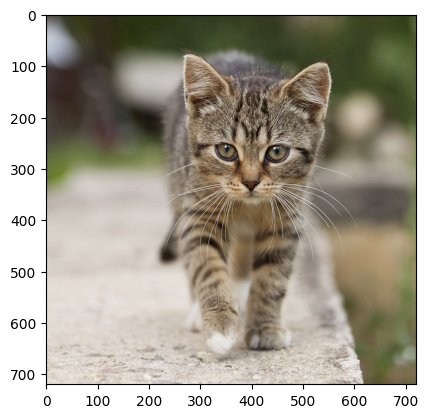
First image decoded
  shape: (720, 720, 3)
  dtype: uint8
  size: 1555200
  capacity: 1555200
  buffer_kind: ImageBufferKind.STRIDED_DEVICE
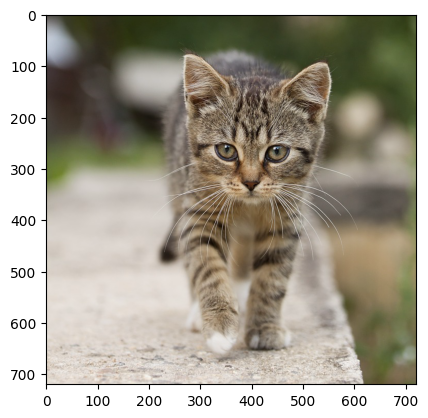
Lets display it to verify
[6]:
plt.imshow(nv_image.cpu())
[6]:
<matplotlib.image.AxesImage at 0x7f2a2818e4e0>
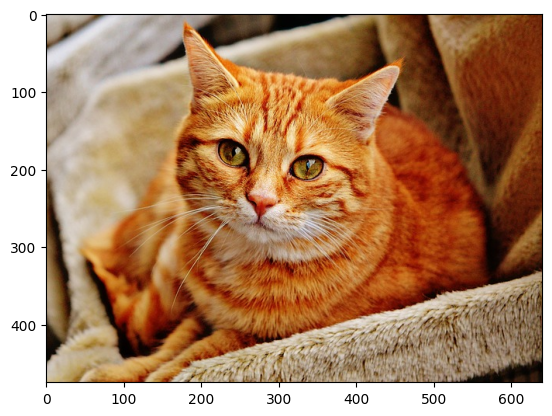
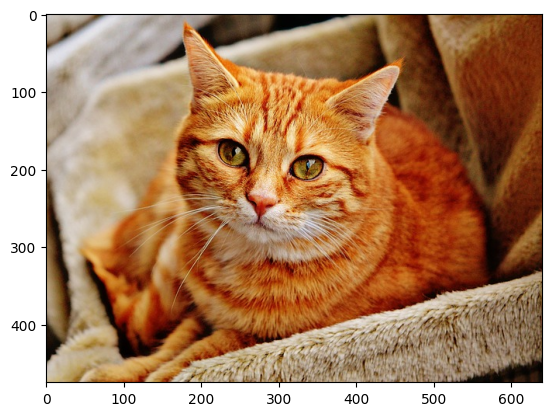
Now decode another file but to the same Image
[7]:
nv_image = decoder.read(img_full_path_2, image=nv_image)
print("Second image decoded")
print(f"  shape: {nv_image.shape}")
print(f"  dtype: {nv_image.dtype}")
print(f"  size: {nv_image.size}")
print(f"  capacity: {nv_image.capacity}")
print(f"  buffer_kind: {nv_image.buffer_kind}")
print("Please note that the image is reused, and the size is from the second image but as it is smaller, the capacity did not change.")
Second image decoded
  shape: (475, 640, 3)
  dtype: uint8
  size: 912000
  capacity: 1555200
  buffer_kind: ImageBufferKind.STRIDED_DEVICE
Please note that the image is reused, and the size is from the second image but as it is smaller, the capacity did not change.
[8]:
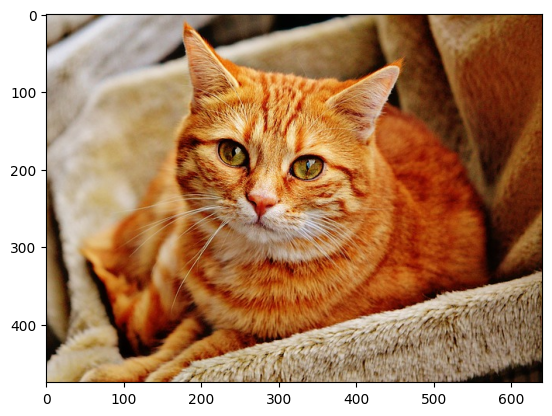
plt.imshow(nv_image.cpu())
[8]:
<matplotlib.image.AxesImage at 0x7f2a232ba9f0>
There is possibility to reuse more Images for batch decoding
[9]:
# Define multiple image paths
img_paths_1 = [
    os.path.join(resources_dir, "Weimaraner.bmp"),
    os.path.join(resources_dir, "tabby_tiger_cat.jpg"),
]

# Create CodeStream objects for batch processing
code_streams_1 = [nvimgcodec.CodeStream(path) for path in img_paths_1]

print("Created code streams for batch processing:")
for i, cs in enumerate(code_streams_1):
    print(f"  Stream {i+1}: {cs.width}x{cs.height}, codec: {cs.codec_name}")
Created code streams for batch processing:
  Stream 1: 720x720, codec: bmp
  Stream 2: 720x720, codec: jpeg
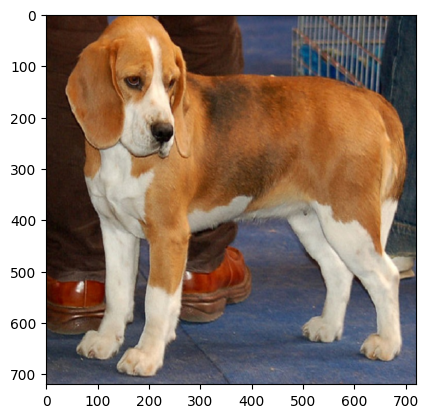
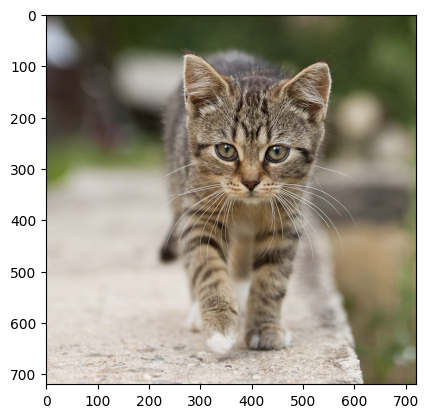
First, decode batch normally (allocating new images each time)
[10]:
imgs_normal = decoder.decode(code_streams_1)

for i, img in enumerate(imgs_normal):
    print(f"Image {i+1}: {img.shape}, dtype: {img.dtype}, size: {img.size}, capacity: {img.capacity}, buffer_kind: {img.buffer_kind}")
    plt.figure()
    plt.imshow(img.cpu())
Image 1: (720, 720, 3), dtype: uint8, size: 1555200, capacity: 1555200, buffer_kind: ImageBufferKind.STRIDED_DEVICE
Image 2: (720, 720, 3), dtype: uint8, size: 1555200, capacity: 1555200, buffer_kind: ImageBufferKind.STRIDED_DEVICE
Now reuse the Image objects for decoding the other streams
[11]:
# Define multiple image paths
img_paths_2 = [
    os.path.join(resources_dir, "cat-1046544_640.jp2"),
    os.path.join(resources_dir, "Alex_2016-01-14_1300Z_(Geotiff).tif"),
]

# Create CodeStream objects for batch processing
code_streams_2 = [nvimgcodec.CodeStream(path) for path in img_paths_2]

print("Created code streams for batch processing:")
for i, cs in enumerate(code_streams_2):
    print(f"  Stream {i+1}: {cs.width}x{cs.height}, codec: {cs.codec_name}")
Created code streams for batch processing:
  Stream 1: 640x475, codec: jpeg2k
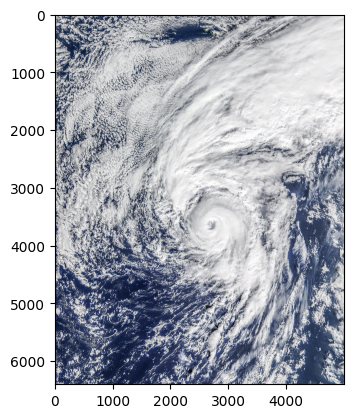
  Stream 2: 5000x6400, codec: tiff
[12]:
imgs_reused = decoder.decode(code_streams_2, images=imgs_normal)

for i, (img_normal, img_reused) in enumerate(zip(imgs_normal, imgs_reused)):
    is_same_object = img_reused is img_normal
    print(f"Image {i+1}: {img_reused.shape}, dtype: {img_reused.dtype}, size: {img_reused.size}, capacity: {img_reused.capacity}, buffer_kind: {img_reused.buffer_kind}, Same object reused = {is_same_object}")

    plt.figure()
    plt.imshow(img_reused.cpu())

print("-"*25 + "\n" + "Please note that both images are reused.\n"
      "For both images the sizes are from the second decoding.\n"
      "For first image the capacity is the same as from the first decoding as image is smaller, so no reallocation was needed.\n"
      "For second image the capacity had to grow as image is larger, so reallocation was needed.")
Image 1: (475, 640, 3), dtype: uint8, size: 912000, capacity: 1555200, buffer_kind: ImageBufferKind.STRIDED_DEVICE, Same object reused = True
Image 2: (6400, 5000, 3), dtype: uint8, size: 96000000, capacity: 96000000, buffer_kind: ImageBufferKind.STRIDED_DEVICE, Same object reused = True
-------------------------
Please note that both images are reused.
For both images the sizes are from the second decoding.
For first image the capacity is the same as from the first decoding as image is smaller, so no reallocation was needed.
For second image the capacity had to grow as image is larger, so reallocation was needed.
Reusing CodeStream for multiple encoding operations#
Create an encoder
[13]:
encoder = nvimgcodec.Encoder()
Create and encode the first image:
[14]:
# Create first image
img1 = np.random.randint(0, 255, (2160, 3840, 3), dtype=np.uint8)


# Encode the first image
code_stream = encoder.encode(img1, codec="jpeg2k")
print("First encoding:")
print("  size:", code_stream.size)
print("  capacity:", code_stream.capacity)
print("  codec:", code_stream.codec_name)
print("  shape:", code_stream.height, "x", code_stream.width)
First encoding:
  size: 22836098
  capacity: 22836098
  codec: jpeg2k
  shape: 2160 x 3840
Now create another image and encode it by reusing the code stream created earlier. With this approach, we save time by avoiding memory reallocation for another code_stream:
[15]:
#create second image
img2 = np.random.randint(0, 255, (2160, 3840, 3), dtype=np.uint8)

# Reuse the same CodeStream for a second image (possibly with a different codec)
code_stream = encoder.encode(img2, codec="jpeg2k", code_stream_s = code_stream)
print("Second encoding:")
print("  size:", code_stream.size)
print("  capacity:", code_stream.capacity)
print("  codec:", code_stream.codec_name)
print("  shape:", code_stream.height, "x", code_stream.width)
Second encoding:
  size: 22837396
  capacity: 22837396
  codec: jpeg2k
  shape: 2160 x 3840
We can preallocate a CodeStream and specify that it should pin memory, making transfers between Host and Device faster:
[16]:
code_stream = nvimgcodec.CodeStream(24*1024*1024, pin_memory=True)
Encode the first image using the preallocated code stream. This will use the existing preallocated code stream instead of allocating a new one:
[17]:
code_stream = encoder.encode(img1, codec="jpeg2k", code_stream_s=code_stream)
print("First encoding:")
print("  size:", code_stream.size)
print("  capacity:", code_stream.capacity)
print("  codec:", code_stream.codec_name)
print("  shape:", code_stream.height, "x", code_stream.width)
First encoding:
  size: 22836098
  capacity: 25165824
  codec: jpeg2k
  shape: 2160 x 3840
If there is not enough space in the preallocated code stream, it will be automatically resized to fit the new image and the capacity will be updated:
[18]:
img3 = np.random.randint(0, 255, (2*2160, 2*3840, 3), dtype=np.uint8)

code_stream = encoder.encode(img3, codec="jpeg2k", code_stream_s = code_stream)
print("Third encoding:")
print("  size:", code_stream.size)
print("  capacity:", code_stream.capacity)
print("  codec:", code_stream.codec_name)
print("  shape:", code_stream.height, "x", code_stream.width)
Third encoding:
  size: 91338214
  capacity: 91338214
  codec: jpeg2k
  shape: 4320 x 7680
Reusing externally managed buffers (from CuPy or NumPy)#
The example below will show how to use buffer created by CuPy, but it will work the same way for buffer from NumPy.
Create buffer that will be used for decoding and cast it to nvImageCodec Image
[19]:
import cupy as cp

buffer = cp.zeros((800, 800, 3), dtype=np.uint8)
buffer_image = nvimgcodec.as_image(buffer)
[20]:
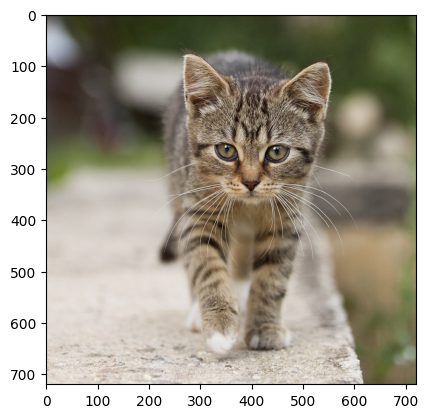
decoded_image = decoder.decode(img_full_path_1, image=buffer_image)

assert decoded_image is buffer_image # nvImageCodec will decode to passed buffer

plt.imshow(decoded_image.cpu())
[20]:
<matplotlib.image.AxesImage at 0x7f2a2338ce00>
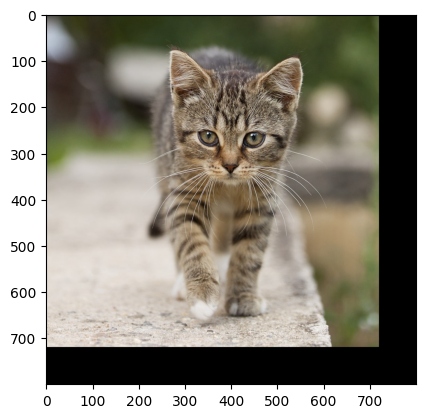
One can also inspect original buffer
[21]:
plt.imshow(cp.asnumpy(buffer))
[21]:
<matplotlib.image.AxesImage at 0x7f29f40e4cb0>
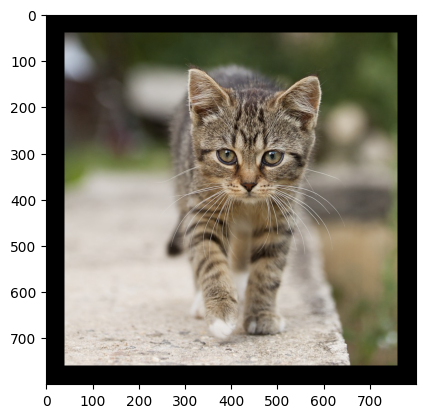
The buffer that is reused may contain padding
[22]:
buffer[:] = 0 #clear the buffer
slice = buffer[40:-40, 40:-40] # create slice with row padding

buffer_image = nvimgcodec.as_image(slice)

decoded_image = decoder.decode(img_full_path_1, image=buffer_image)

plt.figure()
plt.imshow(decoded_image.cpu())

plt.figure()
plt.imshow(cp.asnumpy(buffer))
[22]:
<matplotlib.image.AxesImage at 0x7f29c97b9460>
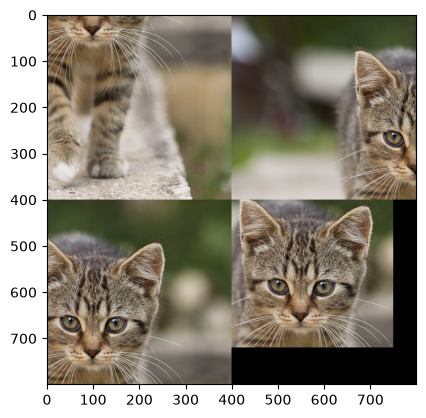
Decoding ROI to externally managed buffer is also allowed
[23]:
buffer[:] = 0 #clear the buffer

code_stream = nvimgcodec.CodeStream(img_full_path_1)

image_buffers = []
code_streams = []

# divide original buffer into 4 equal parts
image_buffers.append(nvimgcodec.as_image(buffer[:400, :400]))
image_buffers.append(nvimgcodec.as_image(buffer[:400, 400:]))
image_buffers.append(nvimgcodec.as_image(buffer[400:, :400]))
image_buffers.append(nvimgcodec.as_image(buffer[400:, 400:]))

# select four regions to decode
code_streams.append(code_stream.get_sub_code_stream(region=nvimgcodec.Region(start=(300, 300), end=(700, 700))))
code_streams.append(code_stream.get_sub_code_stream(region=nvimgcodec.Region(start=(0, 0), end=(400, 400))))
code_streams.append(code_stream.get_sub_code_stream(region=nvimgcodec.Region(start=(0, 300), end=(400, 700))))
code_streams.append(code_stream.get_sub_code_stream(region=nvimgcodec.Region(start=(80, 250), end=(400, 600)))) # region can be smaller than buffer slice


decoded_image = decoder.decode(code_streams, images=image_buffers) # Note that for batched decode, buffer parameter is `images` not `image`

plt.imshow(cp.asnumpy(buffer))
[WARNING] [nvjpeg_hw_decoder] ROI decode with fancy upsampling may produce wrong results on image edge (1 pixel wide) with nvJPEG < 13.2 (available in CTK 13.3). To enable anyway, set enable_roi_fancy_upsampling=1
[WARNING] [nvjpeg_cuda_decoder] [WARNING] [WARNING] [nvjpeg_hw_decoder] [WARNING] ROI decode with fancy upsampling may produce wrong results on image edge (1 pixel wide) with nvJPEG < 13.2 (available in CTK 13.3). To enable anyway, set enable_roi_fancy_upsampling=1[
nvjpeg_hw_decoder] ROI decode with fancy upsampling may produce wrong results on image edge (1 pixel wide) with nvJPEG < 13.2 (available in CTK 13.3). To enable anyway, set enable_roi_fancy_upsampling=1
[nvjpeg_hw_decoder] ROI decode with fancy upsampling may produce wrong results on image edge (1 pixel wide) with nvJPEG < 13.2 (available in CTK 13.3). To enable anyway, set enable_roi_fancy_upsampling=1
ROI decode with fancy upsampling may produce wrong results on image edge (1 pixel wide) with nvJPEG < 13.2 (available in CTK 13.3). To enable anyway, set enable_roi_fancy_upsampling=1[WARNING] [nvjpeg_cuda_decoder] ROI decode with fancy upsampling may produce wrong results on image edge (1 pixel wide) with nvJPEG < 13.2 (available in CTK 13.3). To enable anyway, set enable_roi_fancy_upsampling=1

[WARNING] [nvjpeg_cuda_decoder] ROI decode with fancy upsampling may produce wrong results on image edge (1 pixel wide) with nvJPEG < 13.2 (available in CTK 13.3). To enable anyway, set enable_roi_fancy_upsampling=1
[WARNING] [nvjpeg_cuda_decoder] ROI decode with fancy upsampling may produce wrong results on image edge (1 pixel wide) with nvJPEG < 13.2 (available in CTK 13.3). To enable anyway, set enable_roi_fancy_upsampling=1
[23]:
<matplotlib.image.AxesImage at 0x7f29c93320c0>
If buffer is continuous, nvimagecodec can reshape it
[24]:
buffer = cp.zeros((100, 4000, 3), dtype=np.uint8)
buffer_image = nvimgcodec.as_image(buffer)

decoded_image = decoder.decode(img_full_path_2, image=buffer_image)

assert decoded_image is buffer_image # nvImageCodec will decode to passed buffer

plt.imshow(decoded_image.cpu())
[24]:
<matplotlib.image.AxesImage at 0x7f29c9346a80>
The image is still decoded into original buffer
[25]:
plt.imshow(cp.asnumpy(buffer))
[25]:
<matplotlib.image.AxesImage at 0x7f29c8f47290>

But to see the image we would need to reshape original buffer manually
[26]:
target_shape = (-1, decoded_image.shape[1], decoded_image.shape[2]) # height is -1, because original buffer is larger than needed and nvImageCodec will only use prefix of this buffer
buffer_view = cp.reshape(buffer, target_shape)
plt.imshow(cp.asnumpy(buffer_view))
[26]:
<matplotlib.image.AxesImage at 0x7f29c8fb30b0>
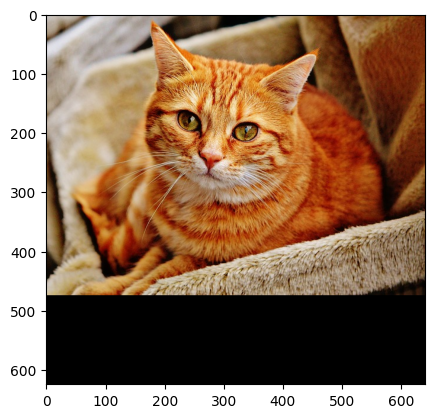
If buffer is too small, decoding will throw an error:
[27]:
buffer = cp.zeros((100, 4000, 3), dtype=np.uint8)
buffer_image = nvimgcodec.as_image(buffer)

try:
    decoded_image = decoder.decode(img_full_path_1, image=buffer_image)
except Exception as e:
    print(e)
Existing buffer is too small to fit new image
If buffer is not continuous, reshape cannot be made. The dimensions of image must be smaller than buffer size
[28]:
buffer = cp.zeros((100, 4000, 3), dtype=np.uint8)
slice = buffer[10:-10, 10:-10] # make buffer not continous
buffer_image = nvimgcodec.as_image(slice)

try:
    decoded_image = decoder.decode(img_full_path_1, image=buffer_image)
except Exception as e:
    print(e)
Existing buffer is not continuous. Row size or height are too small to fit new image.