Settings
Settings
The Settings tab lets you configure Fleet Intelligence options such as:
- Managing agent enrollment tokens.
- Data retention period.
- Alert configuration.
Agent Enrollment Token Management
The Agent Enrollment Token Management page lets you create new tokens, view existing token expiration dates, and revoke existing tokens.
Data Retention Period
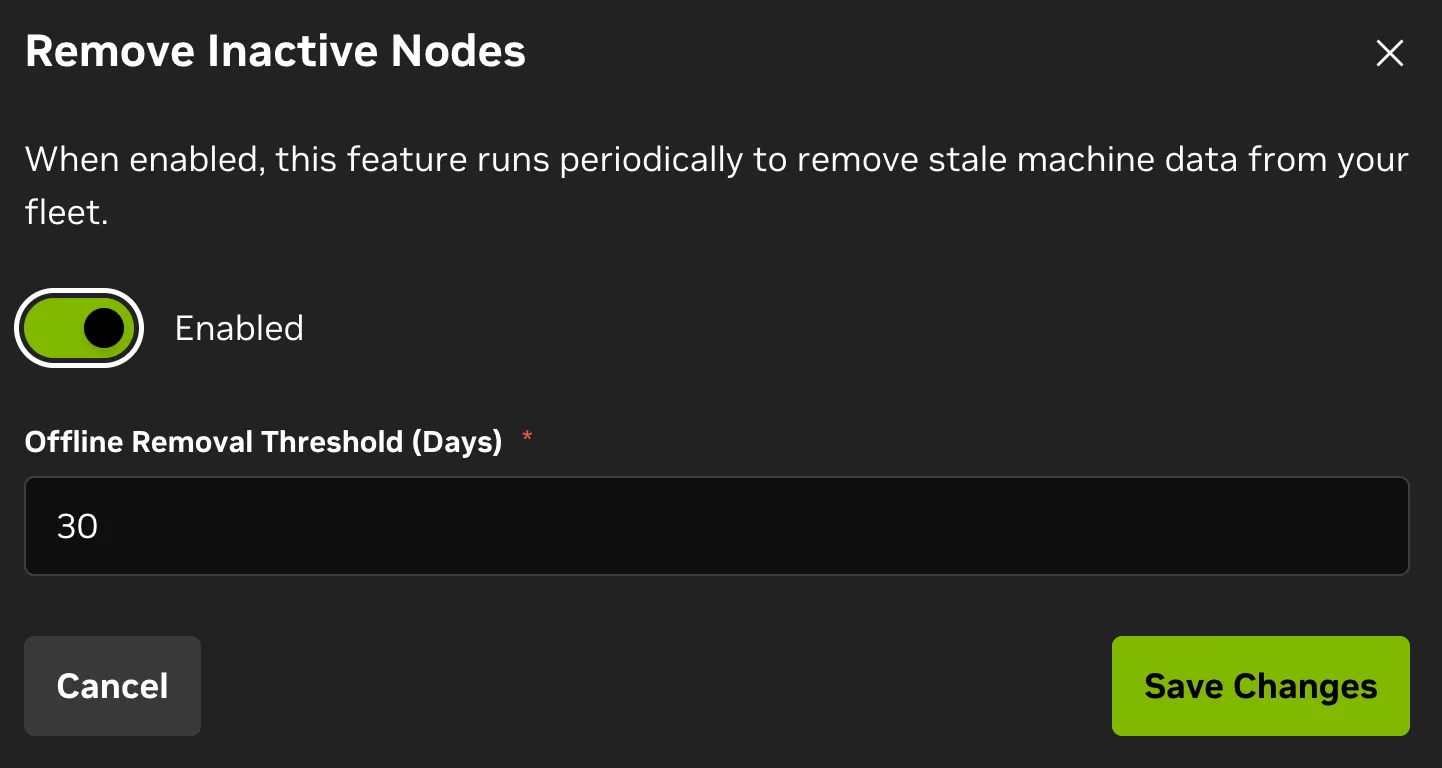
The Data Retention Period page lets you set how long Fleet Intelligence retains data and enable and configure inactive node removal.
- The default data retention period is 365 days.
- Inactive node removal is on by default, but can be disabled and configured as shown below.
Alert Configuration
Refer to the Cross-Organizational Data Sharing section for details on alert configuration when accessing Fleet Intelligence as a member of an external group.
The Alert Configuration page configures notification and mute settings for Fleet Intelligence. It summarizes alert rules, which you can create or delete from individual machine pages.
There are two primary tabs on the page:
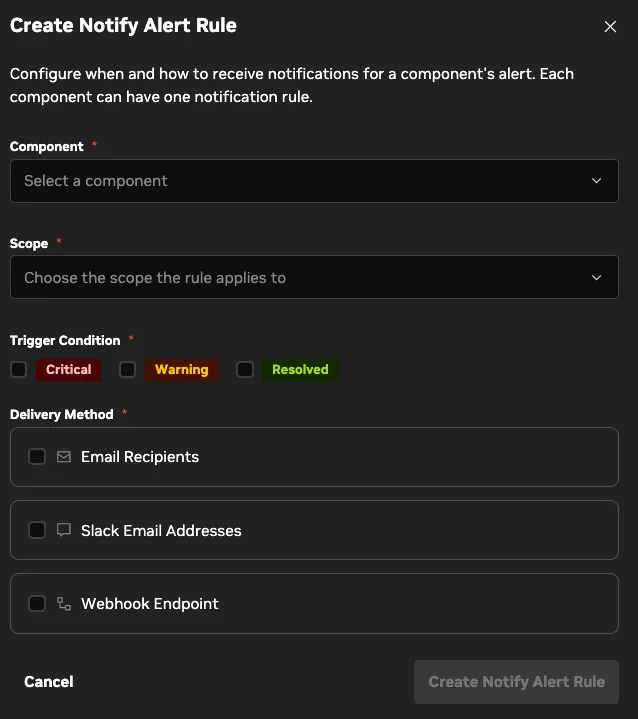
- Notify Alert: Create and manage notify alert rules for specific components and scopes.
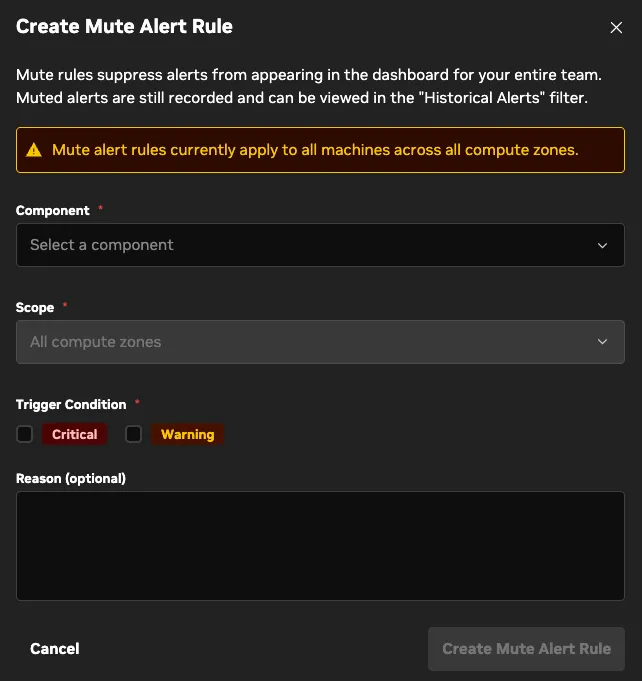
- Mute Alert: Create and manage mute alert rules for specific components; mute rules always apply to the entire fleet.
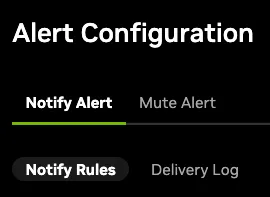
Each tab lists the full set of alert rules (notify or mute). The Notify tab also includes a delivery log of sent notifications.
To create an alert rule, click Create Alert Rule in the upper-right corner of the tab. The Create Alert Rule dialog opens. Use it to choose the component and scope, notification method (email, Slack, webhook), and notification frequency.
To edit or delete an existing alert rule, click the

button to the right of the rule in the list.
Mute Alert Rules are similar to notify rules, but are applied to the entire fleet. These rules mute alerts from being seen and notifying or displaying on the dashboard.